

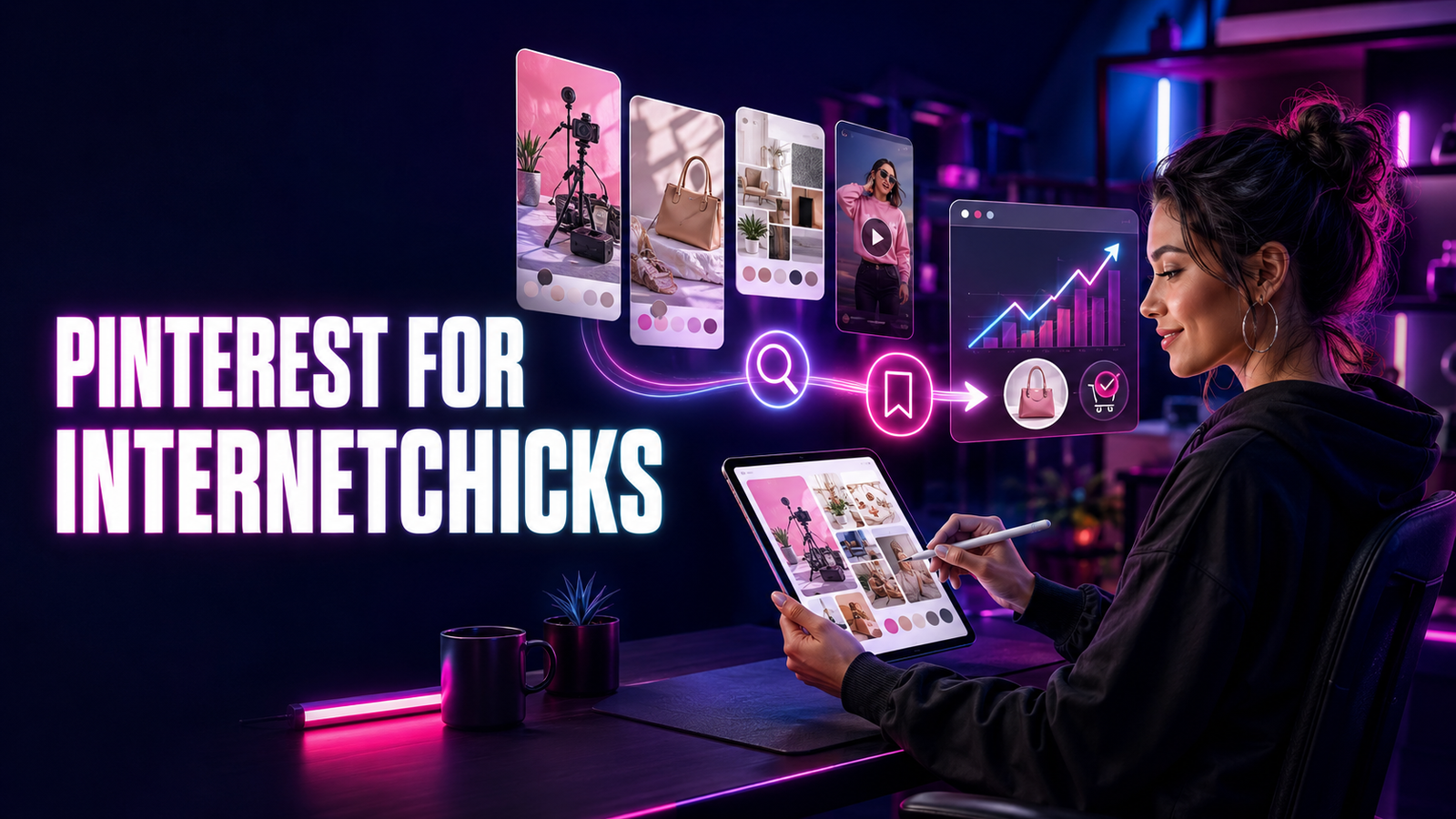
Her Pinterest account looked successful from across the room.
The monthly-view number was large. Several Pins had thousands of impressions. A mood-board graphic had been saved hundreds of times, and an old checklist resurfaced every few months. Yet the website report told a quieter story: a small number of visits, almost no email signups, and no sales she could confidently connect to Pinterest.
She had created fifty attractive Pins. Most linked to the homepage.
The images promised specific things, an apartment lighting guide, a capsule wardrobe plan, a creator invoice template, but the destination asked visitors to begin again. They landed on a general page, searched for the promised resource, and left. The Pins had earned attention and sometimes a save. The path after attention was broken.
That is the central Pinterest lesson for creators.
A Pin is not merely a small poster. It is a visual promise inside a discovery system. The image, title, description, board, source, and destination help a person decide whether the idea is relevant now, worth saving for later, or useful enough to open. If the destination does not fulfil the same promise, even a beautiful Pin becomes a decorative detour.
Pinterest can help an Internetchick make evergreen tutorials discoverable, send qualified visitors to a website, grow an email list, sell digital or physical products, earn affiliate revenue, attract clients, support a launch, or give older work another useful life. Unlike a feed built mainly around the current moment, a relevant Pin may return through search, recommendations, boards, and seasonal interest long after publication.
But “evergreen” does not mean automatic.
Pinterest still requires clear audience intent, original creative, accurate metadata, useful destinations, consistent maintenance, honest commercial disclosure, rights control, and patient measurement. It can produce many impressions without producing the business outcome a creator actually needs. It can also tempt creators into repetitive templates, keyword stuffing, or mass uploads that make the account less useful and may resemble spam.
A strong Pinterest strategy for Internetchicks therefore connects six layers:
Audience intent → useful idea → visual promise → relevant context → honest destination → measured outcome
This guide explains how to choose Pinterest’s job, set up and secure a business account, shape a searchable profile, claim a website, design boards, research keywords and seasons, create image and video Pins, write titles and descriptions, add alternative text, align Pins with landing pages, use Rich Pins and Product Pins, schedule sustainably, protect rights, disclose affiliate and sponsored work, understand analytics, track conversions, monetize through several models, and build a thirty-day operating system.
For the broader principles of keyword research and search intent, use the SEO guide for Internetchicks. For turning one source asset into several platform-native derivatives, use content repurposing for Internetchicks. This article owns the Pinterest-specific system around that work.
The Short Answer: How Should Internetchicks Use Pinterest?
- Give Pinterest one primary job for the next ninety days: traffic, email growth, product discovery, affiliate sales, leads, launch support, or audience research.
- Define the person, situation, and decision each Pin should help with.
- Use a business account when Pinterest supports a creator business, because it provides Analytics and business tools.
- Secure the account with a unique password, current recovery information, and two-factor authentication where available.
- Use delegated access for employees or agencies rather than sharing the owner password.
- Make the profile name, image, description, website, and visible boards communicate one coherent promise.
- Claim a website the creator controls so Pinterest can connect the domain’s content and analytics to the account.
- Build boards around useful audience topics, not a maze of near-duplicate keywords.
- Research the language people use through Pinterest search, search refinements, Pinterest Trends, site data, customers, and the creator’s own comments.
- Plan earlier than the need: seasonal content must be discoverable while people are still researching and deciding.
- Give every Pin one primary job and one destination that fulfils the same promise.
- Design for a mobile screen with a clear focal point, legible text, sufficient contrast, and recognizable but restrained branding.
- Treat Pinterest’s recommended 2:3 ratio as a practical starting point, not a reason to stretch unsuitable creative.
- Write accurate titles and descriptions with relevant language; do not stuff keywords or repeat the same sentence mechanically.
- Add useful alternative text that explains the image rather than hiding a second keyword list.
- Create fresh, original Pins and meaningful creative variations instead of repeatedly uploading the same asset.
- Publish at a pace supported by real research, design, destination, rights, and quality-review capacity.
- Use approved scheduling or partner tools and avoid unauthorized automation.
- Keep article, recipe, price, availability, and product data current when using Rich Pins or catalogs.
- Disclose affiliate links, gifted products, ownership, sponsorships, and other material relationships clearly under applicable law and Pinterest rules.
- Use Pinterest’s paid partnership label when appropriate, but do not assume a platform label replaces every viewer-facing legal disclosure.
- Clear image, video, music, template, font, product, contributor, and reuse rights before publishing.
- Read impressions, saves, Pin clicks, outbound clicks, website sessions, signups, enquiries, sales, and cost as one funnel.
- Separate organic Pins, paid distribution, affiliate results, sponsored content, and product-catalog performance.
- Use UTM parameters and destination analytics to measure what happens after the outbound click.
- Compare Pins with similar jobs, dates, destinations, and formats rather than ranking every asset in one table.
- Refresh a strong destination with new, honest creative when the idea remains useful; do not redirect an old Pin to an unrelated page.
- Connect Pinterest to an owned website, email list, store, portfolio, service page, or community so discovery can become a durable relationship.
The working sequence is:
Business goal → audience search → destination → Pin promise → creative → metadata and board → rights and disclosure review → publication → discovery and saving → outbound action → measurement → next decision
What Makes Pinterest Different for Creators?
Pinterest is often described as social media, a search engine, a visual discovery platform, a bookmarking tool, a shopping surface, or a planning app. Each description catches part of the experience.
People use Pinterest to explore possibilities, narrow a preference, collect ideas, compare options, remember a resource, plan an event, imagine a result, and sometimes buy. Text matters, but images and visual relationships carry much of the orientation. A user may begin with words, with an image, or with both; Pinterest’s current consumer search tools can even use a Pin as context and add text to refine the result.
That behavior changes the creator’s job.
On a personality-led feed, the first question may be, “Do I want to hear from this person today?” On Pinterest, the first question is often closer to, “Is this idea relevant to the thing I am trying to make, choose, understand, or become?” The creator’s identity still matters, especially after the click, but utility and visual fit can introduce the work before familiarity does.
Pinterest Can Meet People Before They Know the Creator
A useful Pin can appear through search, a home feed, a related-Pin path, a board, shopping discovery, or another person’s save. The person may have no prior relationship with the account.
That creates an opening for small creators. A clear subject can compete for attention without requiring every viewer to arrive through a follower list. It also creates a responsibility: the Pin must make sense to a relevant stranger. Inside jokes, vague lifestyle imagery, unexplained screenshots, and creator-first announcements may work for existing fans but give search-led viewers too little context.
Saving Is a Form of Future Intent
A save does not equal a purchase, signup, or promise to return. It does indicate that the user chose to organize the idea for possible future use.
That distinction is valuable. Some Pinterest journeys are slow by nature:
- A person may save studio ideas months before moving.
- A couple may collect wedding concepts before choosing vendors.
- A new creator may save equipment comparisons before setting a budget.
- A shopper may organize gift ideas before a seasonal purchase.
- A reader may save a tutorial and complete it on the weekend.
The creator should therefore measure both immediate action and delayed usefulness. A Pin with many saves and few same-day clicks may be doing a planning job. The next question is whether it later produces outbound actions, assisted conversions, branded searches, or repeat discovery—not whether every save should have become a sale immediately.
Pins Can Resurface
Pinterest’s own guidance says relevant, high-quality Pins can resurface seasonally and describes Pins as lasting on the platform. That does not guarantee permanent distribution. It means the useful life of a Pin may be longer than its publication day.
Long life increases the value of maintenance. If an old Pin still appears, its destination, price, disclosure, claims, availability, copyright permission, and audience fit must still make sense. “Publish and forget” is not an evergreen strategy; it is a way to let an old promise drift away from reality.
Discovery Can Lead Off Platform
Pinterest distinguishes actions inside the Pin experience from outbound clicks. That matters because a creator may want Pinterest to do more than create an audience on Pinterest.
A Pin can lead to:
- An article
- A newsletter signup page
- A product page
- A service page
- A portfolio or case study
- A podcast episode
- A long-form video
- A recipe
- A free tool or template
- A membership page
- An affiliate merchant page, when allowed and disclosed
That outbound capacity is one of Pinterest’s strengths for creators with useful destinations. It is also why destination quality belongs inside the Pinterest strategy rather than being treated as somebody else’s website problem.
Give Pinterest One Business Job First
“Grow on Pinterest” is not yet an objective. Growth can mean more impressions, saves, followers, outbound clicks, subscribers, leads, sales, repeat customers, sponsor proof, or research insight. Those outcomes require different content and different measurement.
Choose one primary ninety-day job and one secondary job.
| Primary Pinterest job | What the Pin should help someone do | Primary evidence | Useful secondary evidence |
|---|---|---|---|
| Website traffic | Decide a page is worth opening | Qualified outbound clicks and engaged sessions | Saves, scroll depth, related-page visits |
| Email growth | Understand the value of subscribing | Confirmed signups from Pinterest traffic | Landing-page conversion rate, welcome engagement |
| Product discovery | Recognize fit, use, style, or result | Product-page visits and attributed sales | Saves, add-to-cart events, assisted conversions |
| Affiliate revenue | Make an informed product decision | Valid attributed orders and net commission | Outbound clicks, merchant conversion, reversals |
| Service leads | Identify a problem and trust the creator’s approach | Qualified enquiries or booked calls | Case-study visits, portfolio depth, replies |
| Launch support | Discover and evaluate a time-bound offer early | Launch-period visits, signups, or sales | Saves before launch, branded search, waitlist joins |
| Audience research | Reveal language, problems, styles, and timing | Useful search and engagement patterns | Comments, saves by topic, destination behavior |
| Brand proof | Demonstrate relevant discovery and action | Campaign or category evidence | Audience interests, creative tests, outbound behavior |
The secondary job should support the primary job rather than compete with it. A digital-product creator might choose product-page visits as primary and email signups as secondary. A service creator might choose qualified enquiries as primary and case-study readership as secondary.
Do not ask one Pin to achieve everything. A saveable checklist, a product comparison, an editorial mood board, and a sponsor announcement may all support the same business, but they should not share identical creative or calls to action.
Write a Ninety-Day Pinterest Brief
Complete this sentence before building a board or template:
For the next ninety days, Pinterest will help [specific audience] discover [specific type of useful idea] and move toward [primary destination or decision]. We will judge progress mainly through [primary metric], while protecting [trust, safety, rights, or capacity constraint].
Example:
For the next ninety days, Pinterest will help first-time freelance designers discover practical client-process resources and move toward a free proposal checklist or paid contract template. We will judge progress mainly through confirmed email signups and product-page visits, while publishing no more than six carefully reviewed Pins each week.
That brief gives the account a job without forcing the creator into a permanent identity.
Decide Whether Pinterest Fits the Work
Pinterest can serve many niches, but it is not automatically the best next platform.
It tends to be a strong test when:
- The audience plans, researches, compares, collects, learns, decorates, cooks, travels, dresses, builds, buys, or organizes.
- The creator owns useful visual material or can make ideas visually understandable.
- There is a strong destination beyond the Pin.
- The topic has seasonal, evergreen, or repeat-search value.
- Products, services, articles, tutorials, templates, or portfolios benefit from discovery.
- The creator can wait long enough to learn from search and saving behavior.
It may be a weak priority when:
- The work depends almost entirely on real-time commentary.
- The creator has no suitable destination and no reason to build one.
- The audience rarely uses Pinterest for the relevant decision.
- Rights restrictions prevent the work from being adapted visually.
- The business needs immediate results from a channel that has no baseline.
- The creator is already failing to maintain more important platforms.
The best-platforms guide for Internetchicks can help compare discovery, depth, live community, owned channels, and commerce before adding another commitment.
Run a Small Fit Test
Before a full program, choose:
- Three audience topics
- Two relevant destinations per topic
- Two or three original creative concepts per destination
- One consistent measurement window
- One maximum weekly time budget
That produces twelve to eighteen Pins—enough to test several promises without flooding the account. The purpose is not to declare Pinterest “working” or “dead” after two weeks. It is to observe which topic, visual promise, destination, and search context deserve a deeper test.
Use a Business Account for a Creator Business
Pinterest says a free business account provides access to the Business Hub and Pinterest Analytics, while also supporting business and merchant tools. A creator can create a new business account or convert an existing personal account. A converted account becomes public, while existing Pins and followers remain.
Read Pinterest’s current business-account instructions before acting because interfaces and eligibility can change.
Create New or Convert?
Create a new business account when:
- The personal account contains private planning the creator does not want public.
- The creator wants a separate business identity and inbox.
- A team will eventually need controlled access.
- The existing Pins have little relationship to the creator brand.
Convert the existing account when:
- Its public identity already matches the business.
- Existing followers and boards are relevant.
- The creator is comfortable making the profile public.
- Separating personal and business use would create unnecessary duplication.
Before conversion, audit secret boards, public boards, profile details, collaborators, saved content, linked accounts, and old Pins. Do not turn years of personal planning into a public business archive by accident.
Set Ownership Before Activity
The person or company that should control the brand should control:
- The primary account email
- Password recovery
- Two-factor authentication
- The business-account owner role
- Website and domain access
- Analytics and ad accounts
- Catalog and store connections
- Billing methods
- Approved partners and employees
- Creative and reporting archives
An assistant may create the account quickly, but “who clicked sign up” should not decide who controls a business asset years later.
If an agency or employee needs access, use available business roles and permissions rather than sharing the owner password. Pinterest’s Business Manager access guidance explains current role options.
Secure the Account Before Building Reach
Pinterest recommends a strong, unique password and offers two-factor authentication in supported regions. Turn it on, keep recovery information current, and store recovery details securely. Review the live two-factor authentication instructions because setup and regional availability can change.
Use this account-control checklist:
- A unique password stored in a reputable password manager
- A creator-business email that will remain accessible
- Two-factor authentication where available
- Recovery information controlled by the owner
- No credentials sent in messages or shared documents
- Individual team access with the minimum necessary role
- A quarterly review of employees, partners, apps, integrations, and billing
- A written offboarding step for contractors
- An offline record of critical account and domain ownership
- Alerts or internal escalation for unfamiliar logins and unauthorized Pins
Security is part of creative continuity. A compromised account can change links, publish scam content, expose private boards, spend ad money, erase work, or damage the trust built by years of useful Pins.
Build a Profile That Explains the Promise
A search visitor should not need to decode the account.
The profile should answer:
- Who is this creator?
- What kind of ideas will I find here?
- Who are they for?
- What evidence or perspective makes the work useful?
- Where can I go next?
Profile Name and Username
Choose a name people can recognize, search, pronounce, and connect to the creator’s other public work. Add useful context when it clarifies the niche, but do not turn the profile name into a string of keywords.
Good structure:
Creator or brand name | useful category
Examples:
- Mara Vale | Small-Space Interiors
- Northstar Studio | Freelance Systems
- Dani Cooks | Weeknight Vegetarian Recipes
The username should be as stable and consistent across channels as practical. Avoid a temporary trend, numeric clutter, or a name controlled by a former agency.
Profile Image
Use a clear portrait when the person is the brand or a readable mark when the publication or company is the brand. Test the image at a small size. Fine lettering and detailed illustrations may disappear inside a profile circle.
Description
Write for a person, not a crawler. A useful description can combine:
Audience + recurring value + evidence or point of view + next step
Example:
Practical systems for freelance designers who want calmer client projects. Proposal, scope, pricing, and workflow resources from a working studio. Start with the free proposal checklist.
This is clearer than “Helping ambitious creatives level up and live their best life.”
Website Link
Send the profile link to the destination most likely to orient a new visitor. That may be a topic hub, a start-here page, a curated resource page, a shop, a newsletter landing page, or a portfolio. A generic homepage can work when it makes the next options obvious; otherwise, create a more deliberate entry point.
For a creator-wide identity system, see personal branding for Internetchicks.
Claim the Website the Creator Controls
Claiming a website helps connect content from that domain to the Pinterest account and expands the account’s ability to understand activity around the site. Pinterest currently provides verification routes that can include an HTML tag, an HTML file, or a DNS TXT record. The creator must own and be able to edit the relevant web property; most marketplace pages cannot be claimed like a controlled domain.
Use Pinterest’s live website-claiming instructions rather than copying an old verification code from a tutorial.
Claiming Is Not the Same as Owning
Claiming tells Pinterest that the account controls the website connection. It does not replace:
- Domain registration control
- Hosting access
- Website backups
- Analytics ownership
- Trademark rights
- Copyright permission
- Secure admin accounts
- A functioning privacy and consent setup
The creator should keep the domain and website under business-controlled accounts, not a contractor’s personal login.
Test After Verification
After the website is claimed:
- Confirm Pinterest shows the domain as claimed.
- Open the public profile and test the website link.
- Create or inspect a Pin that uses the domain.
- Verify the Pin goes to the exact intended page.
- Check mobile rendering, page speed, redirects, consent behavior, and analytics.
- Record the verification method and owner in the account register.
A claimed website with broken destinations is still a broken system.
Design Boards Around Audience Topics
Boards organize Pins, but they also communicate the account’s subject architecture. Treat them as useful collections, not a place to manufacture dozens of keyword variations.
Start with five to ten public boards that map to real audience needs. A freelance-design account might use:
- Client Onboarding for Designers
- Freelance Pricing and Proposals
- Design Project Workflows
- Portfolio and Case Study Ideas
- Calm Home-Office Systems
- Creator Business Templates
That structure is more useful than separate boards titled “Freelance Tips,” “Freelancer Tips,” “Best Freelance Tips,” “Freelance Advice,” and “Advice for Freelancers.”
Give Every Board a Clear Job
For each board, record:
| Board field | Decision |
|---|---|
| Audience need | What is the person planning, choosing, or solving? |
| Topic boundary | What belongs here, and what does not? |
| Business connection | Which destination or offer can this topic support? |
| Core language | Which natural phrases describe the subject? |
| Content sources | Which articles, products, videos, or original ideas can feed it? |
| Maintenance owner | Who reviews relevance, links, and old Pins? |
Name Boards for Meaning
Use the language a person would recognize. A board name should be specific enough to set an expectation and broad enough to hold a useful collection.
Add a natural-language board description where the interface permits it. Explain the collection and intended user. Do not repeat the same keyword ten times or paste an identical description across every board.
Use Sections Only When They Improve Browsing
Sections can organize a large board, but excessive nesting can hide content and create maintenance work. Create a section when the board has a meaningful subtopic that helps a person browse—not whenever a phrase could become another label.
Review Old Boards Before Deleting
An old board may contain Pins that still receive discovery or support a valid topic. Before changing it:
- Check board and Pin performance.
- Inspect whether the topic still fits the account.
- Review outbound destinations.
- Identify Pins that belong elsewhere.
- Consider making a personal planning board secret when appropriate.
- Avoid sudden large-scale changes without a reason and record.
The goal is a profile that feels intentional, not perfectly symmetrical.
Research Pinterest Search Intent Before Designing
Pinterest keywords are not magic labels that force distribution. They are clues about what people are trying to find and language that can help the platform and the user understand an idea.
Begin with a real audience situation:
- “I am moving into a small rental and need storage that does not damage walls.”
- “I want a polished sponsorship deck but have never worked with a brand.”
- “I need vegetarian dinners that use pantry ingredients.”
- “I want wedding guest outfits that work in humid weather.”
- “I am comparing microphones for a noisy bedroom.”
Each situation can produce different search paths, visuals, destinations, and business opportunities.
Use Pinterest Search as Audience Research
Type a broad seed phrase into Pinterest and observe:
- Suggested completions
- Search refinements and guides
- Recurring visual styles
- The questions or decisions implied by top results
- Whether results are tutorials, lists, products, mood boards, videos, or something else
- Which promises are overrepresented
- Which important audience constraint is missing
- What people may need after viewing or saving
Do not copy high-ranking Pins. Read the result set as evidence of the current choice environment.
If “home office ideas” produces mostly expensive renovations, a renter-focused creator might own “no-drill home office storage” or “small shared-bedroom desk setup.” If “creator media kit” produces only decorative templates, an experienced creator might make a Pin that leads to a guide on proof selection, metrics, and usage rights.
Pinterest’s consumer search also supports visual refinement. The platform’s search guidance describes paths that combine a Pin and additional words. That means the visual subject itself can become part of the query. Show the material, silhouette, room, result, ingredient, product type, or process clearly enough to be interpreted—not only as a background behind a slogan.
Use Pinterest Trends for Timing and Language
Pinterest Trends can show current and seasonal interest patterns, with availability and features varying by market and account. Use it to investigate:
- When a topic begins rising
- How several related terms compare
- Which region the data represents
- Whether interest is seasonal, event-led, or steadier
- Which audience attributes or related trends are available
- How early content should be created
The tool is directional evidence, not a demand guarantee. A rising term may be irrelevant to the creator’s audience or offer. A lower-volume phrase may produce far better visitors because it describes the right decision.
Collect Language From Owned Sources
Pinterest research becomes stronger when combined with language from:
- Website search reports
- Search Console queries
- Customer emails
- Sales and support conversations
- Product reviews
- Newsletter replies
- Comments and direct questions
- Course or membership discussions
- Consultation notes
- On-site search
- Internal frequently asked questions
The audience may use different words from the creator. A photographer may call an offer a “personal brand session,” while prospects search “professional photos for LinkedIn” or “what to wear for business headshots.” Useful metadata begins with the user’s vocabulary.
Separate Topic, Intent, Constraint, and Format
Build phrases from four layers:
| Layer | Example |
|---|---|
| Topic | Home office |
| Intent | Organize, choose, compare, build, decorate, buy |
| Constraint | Small space, rental, low budget, shared room, no drilling |
| Format or proof | Checklist, plan, before-and-after, tutorial, product comparison |
This creates clearer ideas:
- Small rental home-office organization checklist
- No-drill desk storage tutorial
- Shared-bedroom workspace layout plan
- Budget desk-light comparison for video calls
Do not force every phrase into a Pin. Use the framework to make the audience need more specific.
Plan for Seasons Before They Arrive
Pinterest users often plan ahead. A Pin published on the day of a holiday may arrive after much of the research and shopping has already happened.
Create a seasonal map with four dates:
- Research begins: when the audience starts exploring.
- Decision window: when people compare or commit.
- Delivery deadline: when a product, booking, or project must be ready.
- Event date: when the need occurs.
For a physical gift, the shipping deadline may matter more than the holiday. For wedding services, the decision window may begin months before the event. For tax content, the creator must account for jurisdiction, filing calendars, and update requirements. For a digital template, the buying window can be shorter, but launch support still needs enough time to earn discovery.
The content calendar guide for Internetchicks shows how to connect campaign milestones, approvals, production capacity, and contingency content.
Keep an Evergreen Layer
A Pinterest account should not depend entirely on holidays. Pair seasonal campaigns with durable needs such as:
- How-to resources
- Foundational checklists
- Definitions and comparisons
- Repeatable routines
- Product care and use
- Portfolio examples
- Room, wardrobe, recipe, workflow, or project systems
- Beginner mistakes and decision guides
Evergreen does not mean timeless. Review facts, links, designs, recommendations, prices, and disclosures on a schedule.
Choose the Destination Before the Pin
The best place to begin a traffic Pin is often the page it will open.
Ask:
- Does the destination exist?
- Does it answer the exact promise?
- Is it useful without a purchase?
- Is the page readable on a phone?
- Does the first screen confirm the Pin’s subject?
- Is the product in stock and the price current?
- Is the signup form working?
- Are disclosures, terms, privacy information, shipping, and refunds clear where relevant?
- Can the creator measure the intended action?
- Is the page fast enough to keep a motivated visitor?
If the answer is no, fix the destination before producing ten Pins for it.
Use a One-Promise Rule
The Pin and destination do not need identical wording, but they should make the same promise.
| Pin promise | Honest destination |
|---|---|
| “7 lighting fixes for a dark rental kitchen” | A page showing all seven fixes, constraints, images, and sources |
| “Freelance proposal checklist” | A page where the checklist is immediately explained or available |
| “Linen wedding guest dresses under $150” | A current, disclosed selection that meets the stated material, use, and price rule |
| “Before-and-after email welcome sequence” | A case study or tutorial with the process and result |
Weak alignment includes:
- A specific Pin leading to the homepage
- A product Pin leading to a category with hundreds of items
- “Free template” leading directly to a paid checkout
- An old price claim leading to a higher current price without explanation
- A tutorial Pin leading to a video that never teaches the pictured method
- A sponsor Pin leading through several surprising redirects
Pinterest’s spam policy uses a practical “no surprises” principle for links. Apply that editorially even when a link is technically permitted.
Build Topic Hubs When One Page Is Too Broad
A topic hub can orient visitors who need several related resources. For example, “Start a Creator Newsletter” could connect permission, platform choice, welcome email, deliverability, metrics, and monetization. The hub still needs a clear relationship to the Pin.
Do not use a link-in-bio page by default merely because it is convenient. Every additional choice adds friction. Use an intermediate page only when the choice itself helps the visitor.
Build Content Pillars and Pin Families
Content pillars define the recurring subjects the creator can serve. Pin families define how one subject becomes several useful, non-duplicate entry points.
Choose three to five pillars at the intersection of:
- Audience demand
- Creator knowledge, experience, access, or taste
- Visual potential
- Strong destinations
- Business relevance
- Sustainable production
A creator who teaches calm freelance operations might choose:
- Proposals and scope
- Client onboarding
- Project communication
- Pricing and cash flow
- Home-office systems
Within “client onboarding,” one source guide could support a Pin family:
- A visual five-step timeline
- A “what to send before kickoff” checklist
- A before-and-after inbox example
- A short video showing the folder structure
- A Pin focused on the client questionnaire
- A myth-versus-practice comparison
- A template preview
These are not the same image with a different color. Each frames a distinct useful entry point while leading to a destination that can fulfil it.
For systematic extraction of questions, claims, examples, visuals, and objections from one source, use the content-repurposing guide.
Assign Each Pin One Job
Use one primary job:
- Discover: introduce a useful subject to a relevant stranger.
- Save: provide an idea worth organizing for later.
- Open: make the value of the destination clear.
- Compare: help evaluate options.
- Trust: show evidence, process, taste, or judgment.
- Convert: support a specific signup, enquiry, or purchase.
- Research: test which audience language or problem earns response.
A Pin can create secondary effects, but the primary job guides its design and measurement.
Choose the Right Pin Format for the Idea
Pinterest features and names can change, and some formats or commerce tools vary by region or account. Begin with the current creation options visible in the account and consult live Help pages before building a workflow around one feature.
Image Pins
Image Pins work well when one frame can make the subject, idea, result, or contrast understandable. Useful applications include:
- Completed results
- Step summaries
- Lists and checklists
- Product-in-context imagery
- Before-and-after comparisons
- Diagrams with a linked full explanation
- Outfit, room, recipe, craft, beauty, and visual reference ideas
- Article or resource entry points
The image should carry meaning before the viewer reads a long description.
Video Pins
Use video when motion, sequence, demonstration, transformation, or personality adds information. Pinterest’s current performance guidance recommends high-quality creative, a 2:3 aspect ratio, and videos in a 15-to-60-second range. Treat that as a platform starting point, not permission to cut a useful explanation merely to hit a number.
Strong uses include:
- A concise process
- A room or product walkthrough
- A recipe step
- A before-and-after reveal with method
- A garment in movement
- A template or app demonstration
- A short expert explanation
Design the first frame to orient without relying on autoplay or sound. Add accurate captions for meaningful speech and sound information. Export a clean master rather than downloading a watermarked post from another platform.
For vertical scripting, filming, hooks, sound, editing, and captions, see short-form video for Internetchicks.
Product Pins and Tagged Products
Product Pins can display current product information and help people move from inspiration toward shopping. Creators and merchants may also be able to tag products in Pins, with the exact flow depending on account, region, catalog, and merchant.
Use product features only when:
- The product and destination match.
- The seller is legitimate.
- Price and availability are current.
- The creator has permission to use the imagery and product claims.
- Affiliate or commercial relationships are disclosed.
- The Pin still adds value rather than functioning as an unexplained product dump.
Collages and Emerging Formats
Pinterest supports collage creation and remix controls in current experiences. A collage can help show a coordinated set, style, plan, or combination. If remixing is enabled, other users may be able to reuse elements. Review current controls and rights before publishing client work, licensed photography, unreleased products, or private material.
Do not build the entire strategy around a format name. Build around the audience job, then use the best current container.
Write a Pin Brief Before Designing
A one-page brief prevents attractive creative from drifting away from the business and audience need.
| Pin brief field | Question |
|---|---|
| Audience moment | What is the person planning, comparing, or trying to solve? |
| Primary job | Discover, save, open, compare, trust, convert, or research? |
| Destination | Which exact URL will fulfil the promise? |
| Single promise | What will the person get? |
| Visual evidence | What can be shown rather than merely claimed? |
| Search language | Which natural phrase describes the idea? |
| Format | Image, video, product, collage, or another current option? |
| Board | Which one relevant collection should receive it first? |
| Rights | Who owns every image, clip, font, template, and element? |
| Commercial status | Organic, own product, affiliate, gifted, sponsored, or paid? |
| Disclosure | What label and plain-language disclosure are required? |
| Accessibility | What captions, contrast, reading order, and alt text are needed? |
| Measurement | Which metric and downstream event define a useful result? |
| Review date | When should the link, claim, product, or season be checked? |
Write the promise as a complete sentence before designing. If the sentence is vague, the image will usually be vague too.
Design Pins for Understanding on a Phone
Pinterest recommends a 2:3 aspect ratio for organic Pin performance. A common working canvas is 1000 by 1500 pixels, but current product specifications should be checked when exact dimensions or file limits matter.
The ratio is only the container. A useful Pin also needs hierarchy.
Establish One Focal Point
Choose the one thing the eye should notice first:
- The finished room
- The product in use
- The transformation
- The headline
- The ingredient or material
- The face or gesture
- The chart’s main conclusion
Do not make the logo, four product photos, a twelve-word headline, three stickers, an arrow, and a button compete equally.
Make Text Legible
If text is necessary:
- Use a size that survives a small mobile preview.
- Keep contrast strong against the background.
- Limit the number of type styles.
- Avoid long paragraphs inside the image.
- Preserve enough spacing around letters and lines.
- Do not rely on thin script for essential information.
- Test the actual Pin at feed size, not only the design canvas.
The image text should add orientation, not reproduce the entire title and description.
Show Evidence
“Better organization” is a claim. A labeled drawer system, a before-and-after frame, or a five-step map is evidence.
“Easy recipe” is a claim. Visible ingredients, preparation time with a defensible basis, and the finished result provide context.
“Best microphone” is a claim. A comparison with room type, budget, connection, test method, and trade-offs makes the recommendation more credible.
The strongest visual often answers, “What will I understand, make, choose, or experience?”
Brand Without Building a Billboard
Use a consistent palette, type system, image treatment, or small mark when it helps recognition. Keep the idea dominant. A giant logo may reduce the room available for the useful subject and make organic content feel like an ad before the audience has any reason to care.
Build flexible templates, not one rigid template. The content should be recognizable without every Pin becoming interchangeable.
Design Several Honest Angles
For one destination, create variations based on different audience questions:
- Result-led: “A calmer client kickoff in five steps”
- Problem-led: “What to send before a freelance project starts”
- Constraint-led: “Client onboarding for solo designers”
- Proof-led: “The folder system behind 30 client projects”
- Comparison-led: “Welcome packet vs. kickoff questionnaire”
These variations create distinct promises. Changing only the background color does not produce a meaningful new idea.
Write Titles and Descriptions for Clarity
Pinterest’s 2025 audience-building guidance recommends completing Pin fields, including titles and descriptions with relevant keywords, because even fields that are not always visible can help contextualize content. Use that as a clarity discipline rather than a keyword-density target.
Write the Title as a Useful Label
A strong title usually combines the subject with the useful angle:
- Small Rental Kitchen Lighting: 7 No-Wiring Fixes
- Freelance Client Onboarding Checklist
- 5 Linen Wedding Guest Outfits for Humid Weather
- Beginner Podcast Microphone Comparison for Echoey Rooms
- Vegetarian Pantry Dinners for Busy Weeknights
Avoid titles that are only emotional bait:
- You NEED This
- I Cannot Believe This Worked
- The Secret Everyone Is Hiding
- Life-Changing Tips
Emotion can support a precise promise. It should not replace one.
Use the Description to Add Context
The description can explain:
- Who the idea is for
- What the destination includes
- Important constraints
- Materials, style, occasion, or use
- The creator’s evidence
- A clear next step
- A necessary commercial disclosure
Example:
Seven renter-friendly lighting changes for a dark kitchen, including plug-in sconces, under-cabinet options, bulb temperature, placement, and a budget checklist. Open the full guide for installation notes and product disclosures.
Write natural sentences. Do not add a tail of disconnected keywords or copy the exact same description onto a large batch.
Use Hashtags Sparingly, If at All
Hashtags should not be the foundation of Pinterest discovery. Prioritize an accurate title, description, board, visible subject, topic selection where available, and destination. If a current campaign or platform surface makes a hashtag useful, use only relevant terms and check the current interface rather than following an old “twenty hashtags per Pin” rule.
Add Alternative Text for People
Pinterest currently lets creators add and edit alternative text, with a stated maximum of 500 characters. Its alt-text instructions describe the field as an explanation of what people can see in the Pin.
Good alt text conveys the image’s essential information and purpose. The W3C’s image accessibility tutorial similarly emphasizes text alternatives based on what the image communicates.
Example:
Before-and-after photos of a narrow rental kitchen. The second image adds two plug-in wall lights above the counter and a warm under-cabinet light strip.
Weak alt text:
kitchen ideas small kitchen ideas rental kitchen lighting best kitchen decor affordable home improvement Pinterest creator
Alt text is not a hidden SEO box. Keyword stuffing makes it less useful to the people it is meant to serve.
When essential text appears inside the image, make sure the same information is available through accessible text in the Pin or destination. A complicated chart, checklist, or infographic may need a full text explanation on the linked page rather than an overlong alt description.
Create Video Pins That Work Without Sound
A Pinterest video may begin in a browsing environment where the person has not chosen audio. Make the first seconds understandable visually.
Use this structure when it fits:
- Orientation: show the subject or result.
- Movement: demonstrate the useful change or process.
- Proof: reveal the mechanism, material, comparison, or example.
- Landing: state the complete takeaway or honest next step.
Add accurate captions, keep essential text inside safe areas, and avoid frantic cuts that make a practical process harder to follow. A calm cooking step, product demonstration, or room walkthrough may need more visual dwell time than a comedic short.
If the full explanation lives elsewhere, the Pin should still deliver a complete small value. “Go to my blog to find out what happened” gives the viewer too little reason to trust the destination.
Create Fresh Pins Without Manufacturing Noise
Pinterest’s current Pin performance guidance recommends regular original content and warns against repeatedly saving the same Pins or uploading content that already exists, which can be treated as spam.
Fresh does not mean the creator must invent a new worldview every day. It means the Pin should offer a genuinely useful creative or contextual contribution.
Useful freshness can come from:
- A different audience question
- New evidence
- A new season or constraint
- A changed product or price
- A revised example
- A new visual demonstration
- An updated destination
- A clearer comparison
- A format that reveals something the earlier Pin could not
Weak freshness includes:
- The same graphic with one color changed
- The same title reordered
- Uploading an identical video without a reason
- Saving one Pin to many irrelevant boards
- Creating several accounts to distribute the same affiliate link
- Replacing an old destination with an unrelated offer
Before creating a variation, finish this sentence:
This Pin is meaningfully different because it helps [audience] understand [new angle, constraint, proof, or action].
If there is no honest completion, do not publish the variation.
Choose a Sustainable Cadence
Pinterest recommends creating original content regularly and notes that native scheduling can currently place Pins up to two weeks ahead. It does not promise that a specific daily number will produce growth.
Set cadence from complete capacity:
[
\text{Weekly Pin Capacity} = \frac{\text{Weekly Pinterest Hours}}{\text{Average Complete Hours per Pin}}
]
Complete time includes:
- Research
- Destination creation or update
- Photography, filming, or asset sourcing
- Design and editing
- Copy and alt text
- Rights and disclosure review
- Upload and board selection
- Link testing
- Analytics and maintenance
If a creator has six hours per week and each reviewed Pin takes forty-five minutes, the theoretical capacity is eight Pins. A safer plan might be six, leaving ninety minutes for research, reporting, and repairs.
Batch Compatible Work
Batching works when tasks share context:
- Research several related audience questions
- Photograph several angles in one controlled session
- Design a small family from one approved source
- Write titles and descriptions after the destination is stable
- Test all links in one quality-review window
- Schedule a defined set
Do not batch decisions that need individual judgment. Disclosure, destination alignment, claims, rights, and alt text must still match each Pin.
Use Scheduling Carefully
Pinterest’s native scheduling instructions describe current scheduling steps and limits. Approved partner tools may also support workflows. Avoid unauthorized automation; Pinterest’s Community Guidelines prohibit automation that has not been explicitly approved.
A scheduler can reduce repetitive uploading. It cannot decide whether a claim is true, a link is safe, a product is available, a licence permits reuse, or a Pin is meaningfully different.
Use Rich Pins When the Website Can Support Them
Rich Pins automatically sync selected information from a creator’s website. Pinterest currently supports article, recipe, and product Rich Pins. Its Rich Pins documentation explains that:
- Article Rich Pins can show the headline, description, and author.
- Recipe Rich Pins can show details such as ingredients, serving size, cook time, dietary information, and ratings when correctly marked up.
- Product Rich Pins can show current price, availability, and product information when merchant requirements are met.
Rich Pins begin on the website. The page needs correct metadata or structured markup, and the visible page must support what that metadata says.
Fix the Source, Not Only the Pin
If a Rich Pin shows the wrong title, stale price, missing author, or incomplete recipe, inspect the source page and markup. Manual edits to a Pin may not solve a systematic site-data problem.
Use this review order:
- Confirm the final canonical URL.
- Inspect the page’s visible title, description, author, price, availability, or recipe facts.
- Check the relevant metadata or structured data.
- Confirm redirects do not change the destination unexpectedly.
- Test the page on mobile.
- Allow for the platform’s stated synchronization delay.
- Recheck the live Pin.
Do not mark an old article with a new date merely to make it look fresh. Update the content materially, explain important changes, and keep the visible page, metadata, and Pin aligned.
Keep Product Information Operationally True
A product Rich Pin is part of a customer journey. A creator selling merchandise, templates, presets, courses, or physical products must keep:
- Price
- Currency
- Availability
- Variant information
- Product condition
- Images
- Destination URL
- Shipping information
- Refund or return terms
- Contact details
consistent across the Pin, feed, product page, checkout, and customer communication.
For product validation, pricing, licensing, delivery, refunds, and support, use digital products for Internetchicks. For physical inventory, sourcing, shipping, labels, and returns, use merchandise for Internetchicks.
Use Catalogs for a Real Store, Not as a Shortcut
Pinterest catalogs can turn a structured product data source into Product Pins and support shopping experiences. Pinterest’s current retail catalog requirements include a business account, claimed website, Pinterest tag, and a site that meets merchant guidelines, including accessible contact, shipping, and refund information.
A catalog is not a substitute for store operations. It is a distribution layer over them.
Prepare the Store First
Before connecting a feed, verify:
- Every product has a stable unique identifier.
- Titles describe the product accurately.
- Descriptions help a human make a decision.
- Images show the actual item and permitted variations.
- Prices and availability update reliably.
- Product links open the correct canonical page.
- The store can fulfil the promised location and delivery time.
- Return and refund terms are understandable.
- Customer support can handle questions and failures.
- Privacy, tracking, tax, and consumer-law duties have been reviewed for relevant markets.
Treat Diagnostics as an Operations Queue
When feed errors appear, triage them:
- Products that are active and commercially important
- Broken links or unavailable items
- Incorrect price or stock
- Missing required fields
- Image or policy problems
- Optional metadata that could improve relevance
Do not celebrate a large catalog count while the important products have broken pages.
Product Pins Still Need Creative Context
A catalog can produce broad coverage, but editorial Pins can show how a product fits a life, room, outfit, routine, project, or decision. Keep those claims accurate. A lifestyle image should not imply an included accessory, size, result, or use that the product page contradicts.
Measure the Website With Consent and Restraint
Pinterest provides a tag and Conversions API for advertisers and merchants to send website or server events for reporting, optimization, and audience uses. Those tools can improve measurement, but installing them is not a neutral technical checkbox.
Before collecting or sending data:
- Identify what events are sent.
- Identify the lawful basis or consent requirement in each relevant jurisdiction.
- Configure the consent platform and tag behavior appropriately.
- Update the privacy notice.
- Avoid sending sensitive or unnecessary information.
- Restrict access to event data.
- Test duplicate-event handling.
- Document retention and vendor settings.
- Give users required controls.
- Obtain legal or privacy advice when the business and region require it.
The fact that a tool can collect an event does not mean the creator should collect it without a purpose.
For many small creators, UTM-tagged links plus privacy-respecting website analytics and checkout data provide a useful starting point. Add more complex tracking when the decision value justifies the privacy, technical, and maintenance burden.
Disclose Affiliate Links Clearly
Pinterest permits affiliate content under its Commercial and Branded Content Guidelines, but requires transparency, originality, unique value, authentic account use, and moderation. It warns against repetitive high-volume affiliate Pins, fake accounts, traffic manipulation, and unsupported shorteners.
The core trust test is:
Would this Pin still help the audience if the commission disappeared?
If not, the Pin is probably an ad-shaped link rather than a recommendation.
Put Disclosure Where People Can Notice It
In the United States, the FTC advises disclosure when a creator has a financial, employment, personal, or family relationship with a brand, including receipt of something valuable. Review the FTC’s Disclosures 101 guidance and the rules that apply to the audience’s jurisdiction.
Use plain language near the recommendation, such as:
- “Affiliate link—I may earn a commission if you buy.”
- “Ad: paid partnership with [Brand].”
- “Gifted by [Brand]; opinions are my own.”
- “I own this product.”
“Opinions are my own” does not disclose payment by itself. “Thanks to the brand” may not explain a material connection. A disclosure hidden after a long block of tags or only on the destination may be too easy to miss.
For a complete program-selection, commission, attribution, reconciliation, and trust framework, see affiliate marketing for Internetchicks.
Read the Affiliate Program’s Terms
Pinterest may allow an affiliate link while the affiliate program does not allow that placement. Check:
- Whether direct social-media links are allowed
- Whether the Pinterest account must be listed in the program profile
- Whether product images can be reused
- Whether prices can be stated
- Whether link cloaking or shortening is allowed
- Whether paid promotion of affiliate links is prohibited
- Whether email or international traffic has special rules
- Whether trademark bidding or brand terms are restricted
- Whether coupons, screenshots, and product claims are current
The strictest applicable rule can come from the law, Pinterest, the affiliate network, the merchant, or the creator’s contract.
Handle Sponsored Pins as Advertising
A brand deal is not ordinary content with a logo added at the end. The creator, brand, and audience need clarity about the commercial relationship, creative control, claims, usage, amplification, and reporting.
Pinterest’s current paid partnership tool is available in the mobile app. A creator can tag one brand when creating a Pin; the paid partnership label appears on publication, and the brand name appears after approval. The label cannot currently be added after publication, so disclosure belongs in the preflight checklist.
Define the Deal Before Production
The agreement should address:
- Number and format of Pins
- Creator and brand responsibilities
- Concept and approval process
- Product and claim substantiation
- Required disclosure and platform label
- Destination and tracking links
- Publication dates and seasonal lead time
- Live period and deletion rights
- Organic use by the creator
- Brand reposting or embedding
- Paid amplification or partnership advertising
- Usage term, territory, media, and edits
- Exclusivity and competitor definition
- Ownership of source files and raw footage
- Reporting window and metrics
- Revision limits
- Cancellation, rescheduling, and kill fees
- Payment timing and expenses
- Rights-clearance responsibility
- Crisis, recall, and correction process
Do not let “Pinterest usage included” stand in for these choices. For a complete agreement framework, use contracts for Internetchicks. For campaign outreach, qualification, negotiation, delivery, and relationship management, use how Internetchicks get brand deals.
Separate Creation From Media Rights
A sponsor may ask to promote the creator’s Pin or use the asset in advertising elsewhere. Paid distribution changes the commercial value and risk of the work.
Price and approve separately when a brand wants:
- Paid amplification on Pinterest
- Use on other platforms
- Website, retailer, email, or marketplace use
- Whitelisting or partnership-ad access
- Editing, cropping, translations, or derivative versions
- Long or perpetual usage
- Broad territory
- Raw files
- Category exclusivity
The influencer-rates guide explains how scope, usage, exclusivity, production, and risk shape price.
Clear Copyright, Trademark, and Contributor Rights
Pinterest is visual, but “found online” does not mean “free to publish.” Saving another person’s Pin for personal inspiration is different from downloading the image, adding the creator’s logo, and publishing it as commercial content.
Before a Pin goes live, identify the rights source for:
- Photography
- Video
- Music and sound effects
- Illustrations
- Graphics and icons
- Fonts
- Templates
- Screenshots
- Product images
- Quotes and substantial text
- Maps and charts
- Guest or client work
- Faces and identifiable people
- Private locations
- Brand names and logos
Acceptable paths may include original ownership, written permission, a licence that covers the exact use, a contract, public-domain status, or a legal exception that actually applies. Credit is courteous but does not create permission.
The copyright guide for Internetchicks explains ownership, licensing, fair use and fair dealing, takedowns, and evidence. The trademark guide covers names, logos, source confusion, and brand protection.
Preserve the Licence Record
Keep:
- Asset filename and source
- Creator or supplier
- Licence or permission
- Purchase receipt
- Permitted media
- Commercial-use status
- Modification rights
- Attribution requirement
- Territory and term
- Restrictions on templates, merchandise, resale, or advertising
- Date checked
A team member should be able to prove why the business was allowed to publish the asset without relying on memory.
Protect Original Work
Pinterest offers a Content Claiming Portal to eligible rights holders who want to control how matching images or videos appear. Access is limited and an application does not replace normal copyright records.
Keep original files, dated exports, project files, contracts, licences, publication records, and screenshots. When infringement occurs, distinguish between:
- A normal save or platform feature
- Permitted sharing
- A licensed use
- A mistaken attribution
- Unauthorized reposting
- Commercial copying
- Impersonation or fraud
Choose a response proportionate to the evidence and harm.
Protect Clients, Locations, and Private Life
An aesthetically pleasing Pin can expose more than expected.
Before publishing, inspect for:
- Home addresses and exterior landmarks
- Mail, invoices, labels, and reflections
- Children’s schools, routines, or locations
- Client names and confidential work
- Calendar details
- Screens showing email, phone numbers, account names, or analytics
- Vehicle plates
- Travel timing that reveals an empty home
- Unreleased products
- Medical, financial, legal, or identity information
- Metadata or file names that should not be public
Get permission from guests, clients, property owners, photographers, models, and collaborators according to the intended use. A client approving an Instagram story does not necessarily approve a long-lived, searchable Pinterest ad.
For a full risk audit, incident plan, moderation system, and creator-boundary framework, see online safety for Internetchicks.
Use AI Without Replacing Proof
AI can help brainstorm variations, organize research, identify missing alt text, generate draft descriptions, resize approved assets, or summarize a creator-owned source. It can also invent facts, imitate artists, alter products, fabricate before-and-after results, distort bodies, create fake endorsements, or publish many low-value variations quickly.
Pinterest says its Community Guidelines apply regardless of how content was created and may display labels when content owners identify an image Pin as AI-generated or modified. Review current AI information from Pinterest before publishing synthetic or significantly altered work.
Use this AI review:
- What source material entered the tool, and was the creator allowed to provide it?
- Does the output depict a real product, place, person, result, or event inaccurately?
- Could a user mistake a concept image for evidence?
- Are copyright, likeness, confidentiality, and training-data concerns resolved?
- Does Pinterest provide or require a relevant label?
- Does the sponsor, merchant, affiliate program, or marketplace restrict AI creative?
- Has a human verified every factual, visual, and commercial claim?
- Does the Pin add original judgment, or is it only automated volume?
Never use generated imagery to show a product feature, health result, renovation, recipe outcome, clothing fit, or client transformation that did not occur. If a visual is conceptual, make that clear.
Understand Pinterest Analytics as a Funnel
Pinterest Analytics is available to business accounts. Pinterest’s current Analytics documentation defines metrics such as impressions, engagements, saves, Pin clicks, and outbound clicks. It also notes that real-time metrics are estimates and can change.
Do not reduce the account to monthly views. Read the sequence.
Impressions: Was the Pin Shown?
Pinterest defines impressions as the number of times Pins or ads were on screen. Impressions indicate exposure, not unique people, attention, understanding, approval, or action.
Use impressions to ask:
- Is the topic entering discovery?
- Did seasonality begin?
- Does distribution differ by board, format, device, country, or content type?
- Did a new Pin family expand reach?
Do not present impressions as website visitors.
Saves: Was the Idea Worth Organizing?
A save means someone added the Pin to a board. Saves can indicate future relevance, inspiration, planning, or identity. They do not prove the person opened the destination or bought.
Calculate:
[
\text{Save Rate} = \frac{\text{Saves}}{\text{Impressions}} \times 100
]
Pinterest uses impressions as the denominator in its current Save Rate definition. Keep that denominator attached whenever reporting the rate.
Pin Clicks: Did the Person Want a Closer Look?
Pin clicks measure clicks that open the Pin in closeup. This can show that the creative earned more inspection. It is not the same as leaving Pinterest.
[
\text{Pin Click Rate} = \frac{\text{Pin Clicks}}{\text{Impressions}} \times 100
]
Outbound Clicks: Did the Person Leave for the Destination?
Outbound clicks are the most direct Pinterest-side signal for a traffic objective. They still do not tell the creator whether the page loaded, the visitor engaged, consented to tracking, signed up, or purchased.
[
\text{Outbound Click Rate} = \frac{\text{Outbound Clicks}}{\text{Impressions}} \times 100
]
Use the platform’s current metric definition when reporting; dashboard labels and availability can change.
Engagements Combine Several Actions
Pinterest’s engagement total can include saves, Pin clicks, outbound clicks, carousel swipes, and some format-specific actions. A combined engagement rate is useful only when its ingredients match the business question.
A save, closeup, and outbound click are not interchangeable. Report the component actions when the distinction matters.
Connect Pinterest Metrics to Website Outcomes
The complete path might be:
Impression → closeup → save or outbound click → page load → engaged session → signup or product view → purchase or enquiry → retention
Not every person takes every step, and privacy choices, devices, browser restrictions, time delays, and attribution rules create gaps.
Use a worked example:
| Funnel event | Count |
|---|---|
| Impressions | 80,000 |
| Saves | 2,400 |
| Pin clicks | 3,600 |
| Outbound clicks | 1,440 |
| Measured landing sessions | 1,210 |
| Confirmed email signups | 145 |
| Purchases within the defined window | 18 |
The rates are:
[
\text{Save Rate} = \frac{2,400}{80,000} \times 100 = 3%
]
[
\text{Outbound Click Rate} = \frac{1,440}{80,000} \times 100 = 1.8%
]
[
\text{Landing-Page Signup Rate} = \frac{145}{1,210} \times 100 \approx 12.0%
]
[
\text{Measured Session-to-Purchase Rate} = \frac{18}{1,210} \times 100 \approx 1.5%
]
Do not call 145 signups “a 10.1% conversion rate” by dividing them by outbound clicks unless that is the explicitly defined metric. The destination report only observed 1,210 sessions. Both numbers can be useful, but they answer different questions.
Explain the Measurement Gap
In the example, 230 outbound clicks did not appear as measured landing sessions.
Possible reasons include:
- The page did not finish loading.
- The user left immediately.
- Tracking was blocked or declined.
- Dashboard counting rules differ.
- Time zones or reporting windows differ.
- The destination redirected.
- Duplicate or invalid events were filtered.
- The user moved across devices.
Do not “fix” the mismatch by forcing the numbers to agree. Document it.
Use UTM Parameters Consistently
UTM parameters help the destination analytics group Pinterest traffic by source, medium, campaign, and creative. Choose a naming convention before publishing.
Example:
utm_source=pinterest
utm_medium=organic_social
utm_campaign=freelance_onboarding_q4
utm_content=kickoff_checklist_result_v1
For a paid campaign, use a distinct medium or campaign structure. Do not combine paid and organic performance under one ambiguous label.
Keep a link register with:
- Final URL
- UTM values
- Pin ID or internal asset ID
- Board
- Publication date
- Campaign
- Commercial status
- Destination owner
- Test status
- Expiry or review date
Test the full link on a phone before publication. Make sure parameters survive approved redirects and do not expose private campaign notes.
For a broader attribution framework, sponsor reporting, dashboard design, and formulas, use analytics for Internetchicks.
Choose an Attribution Rule Before Reading Revenue
Pinterest discovery and saving can create delayed action. A person may see a Pin, save it, return later, search the brand, and buy from a different device. No dashboard observes that journey perfectly.
Define:
- Which event counts as a conversion
- Which reporting window applies
- Whether click-through and view-through results are separate
- Which system is authoritative for orders and refunds
- How first-touch, last-touch, or multi-touch reports are interpreted
- How paid and organic activity are separated
- How cancellations, returns, and affiliate reversals are handled
The creator can report:
Pinterest generated 27 orders attributed under the store’s 30-day last-click model. Pinterest’s platform report showed 35 conversions under its configured attribution settings. These figures use different methods and should not be added.
That sentence is more useful than presenting one number as objective reality.
Diagnose the Weakest Transition
Read patterns as hypotheses.
| Pattern | Possible interpretation | Next check |
|---|---|---|
| Low impressions | Topic, context, freshness, season, quality, or account distribution may be weak | Search demand, board fit, indexing, policy, creative quality, timing |
| Impressions but few Pin clicks | The visual may be understood but not intriguing, or poorly matched to the audience | Focal point, promise, title, topic fit, legibility |
| Many Pin clicks but few outbound clicks | The closeup may satisfy curiosity, or the destination value is unclear | Description, call to action, destination preview, link behavior |
| Outbound clicks but few sessions | Loading, redirects, consent, or reporting may be failing | Mobile test, speed, analytics setup, redirect chain |
| Sessions but few signups | The landing page may not fulfil the promise or ask for a fair exchange | First-screen match, form, copy, value, trust, privacy |
| Saves but few immediate clicks | The Pin may support planning rather than current action | Delayed traffic, seasonal return, related Pins, later conversions |
| Sales but weak profit | Discounts, returns, commission, production, ad spend, or fulfilment cost may be too high | Contribution margin and net revenue |
| Strong one-off Pin, weak topic family | The visual angle may be stronger than the underlying business fit | Repeat with a controlled variation and compare destination quality |
Do not change the title, image, board, destination, offer, and price at once. One large bundle of changes produces no useful learning.
Run Small Pinterest Tests
A good test changes one meaningful variable while holding enough context stable.
Possible variables:
- Audience angle
- Result-led versus process-led promise
- Photograph versus diagram
- Text overlay versus no overlay
- Single result versus step list
- Product in isolation versus in context
- Image versus video
- Seasonal framing
- Destination headline
- Call to action
- Board or topic fit
Record:
- Hypothesis
- Pin IDs
- Publication dates
- Audience and destination
- Changed variable
- What remained constant
- Primary metric
- Minimum review period
- Result
- Limitation
- Next decision
Do not test tiny type differences when the larger question is whether the topic or destination matters.
Monetize Pinterest Through a Real Business Model
Pinterest does not need to pay a creator for impressions to be commercially useful. It can introduce the right person to a transaction or relationship elsewhere.
Affiliate Recommendations
Create original comparison, styling, use-case, or problem-solving content. Explain why the product fits, who should avoid it, and what trade-offs matter. Track valid net commission after cancellations and reversals, not clicks alone.
Digital Products
Pins can lead to templates, guides, presets, patterns, printables, courses, workshops, or software. Show the use and result honestly. A beautiful mockup cannot replace a clear licence, product description, delivery process, support plan, and refund terms.
Physical Products and Merchandise
Product Pins, catalogs, tagged products, lifestyle creative, gift guides, and tutorials can support a store. Measure contribution margin after product cost, packaging, shipping, transaction fees, returns, support, creative, and ads.
Services
A consultant, designer, photographer, stylist, coach, planner, or educator can use Pins to lead to case studies, process pages, location-specific resources, portfolios, and qualification forms. Count qualified leads and booked work, not every contact-form submission.
Brand Partnerships
Pinterest campaigns can be valuable when a brand needs visual search, planning, evergreen discovery, shopping context, or creator-owned production. Use relevant account and website evidence in the media kit for Internetchicks, and price the deliverable, rights, exclusivity, production, reporting, and amplification distinctly.
Email and Membership
A Pin can introduce a newsletter, free resource, event, or paid community. The signup page should make consent and future email clear. A membership needs recurring value after discovery; use the paid-memberships guide for benefits, pricing, onboarding, moderation, retention, and cancellation.
Ad-Supported Websites or Video
Pinterest traffic may support advertising revenue on a website or video channel, but page views are not profit. Subtract content, hosting, editing, compliance, and acquisition cost. Do not stretch one useful answer into a slow, ad-heavy page that disappoints the click.
Measure Profit, Not Only Revenue
Use:
[
\text{Pinterest Contribution} = \text{Net Attributed Revenue} – \text{Variable Fulfilment Cost} – \text{Pinterest-Specific Cost}
]
Pinterest-specific cost can include design, photography, scheduling, contractors, affiliate tools, landing pages, discounts, and paid media. Allocate shared costs consistently rather than pretending they do not exist.
If attributed net revenue is $4,800, variable fulfilment cost is $1,650, and Pinterest-specific cost is $1,200:
[
$4,800 – $1,650 – $1,200 = $1,950
]
That $1,950 contribution is more decision-useful than “Pinterest made $4,800.”
Use Paid Promotion Only With a Defined Question
Paid Pinterest distribution can extend a proven Pin, test an audience, support a catalog, or help a launch. It can also amplify a weak destination quickly.
Before spending, define:
- Campaign objective
- Eligible market and audience
- Creative and destination
- Conversion event
- Attribution settings
- Budget and stop condition
- Expected contribution margin
- Organic versus paid reporting
- Privacy and consent configuration
- Brand-safety and claim review
Start with a small test the business can afford to lose. Do not promote a Pin merely because it earned impressions organically; confirm that the destination and economics support paid traffic.
Build a Weekly Pinterest Workflow
Use a repeatable eight-stage loop:
- Research: collect audience questions, search language, trends, seasons, and destination gaps.
- Choose: select ideas that fit the ninety-day job and capacity.
- Brief: define promise, format, board, destination, rights, disclosure, accessibility, and metric.
- Produce: create original photography, video, design, copy, and alt text.
- Review: verify facts, claims, rights, privacy, disclosures, links, mobile readability, and page experience.
- Publish: upload or schedule through approved tools and record the asset.
- Maintain: answer useful questions, monitor links and commerce data, and correct errors.
- Learn: review comparable Pins and make one documented next decision.
Keep a Pin Register
Track at least:
- Internal asset ID
- Public Pin URL or ID
- Source asset
- Destination and UTM link
- Board
- Publication date
- Pin job and content pillar
- Search theme
- Format
- Rights source
- Commercial relationship and disclosure
- Sponsor approval
- Review or expiry date
- Production time and cost
- Primary result
- Next decision
The register turns an attractive archive into an operable system.
Review on Three Rhythms
Weekly: broken links, active campaigns, comments, product availability, upload failures, and obvious policy or factual problems.
Monthly: Pin families, outbound behavior, destination conversion, production cost, seasonal lead, and next tests.
Quarterly: account access, board architecture, business model, source licences, old claims, top destinations, catalog health, privacy settings, and whether Pinterest still deserves its time budget.
The best-tools guide for Internetchicks can help choose creation, scheduling, analytics, storage, and security tools without building the process around software first.
Common Pinterest Mistakes Internetchicks Should Avoid
1. Designing Before Choosing the Destination
The Pin becomes visually specific while the link remains generic.
2. Treating Monthly Views as Website Traffic
Impressions are exposure, not unique visitors, sessions, leads, or sales.
3. Building Too Many Similar Boards
Near-duplicate collections confuse maintenance and rarely help people browse.
4. Keyword Stuffing
Repeating phrases in titles, descriptions, alt text, boards, or profiles reduces clarity and may resemble spam.
5. Uploading Duplicate Pins at Scale
Mechanical repetition creates noise and can trigger spam controls.
6. Publishing Seasonal Content Too Late
The audience may have finished researching or ordering before the Pin appears.
7. Sending Every Pin to the Homepage
A specific promise deserves a specific destination.
8. Using Alt Text as an SEO Field
Alternative text should communicate the image to people who need it.
9. Assuming Credit Creates Copyright Permission
Attribution does not replace a licence, permission, ownership, or valid legal exception.
10. Hiding Affiliate Relationships
Commercial transparency belongs where a person can notice it before acting.
11. Treating a Paid Partnership Label as the Whole Disclosure Plan
Platform tools support disclosure but may not satisfy every applicable legal duty or format.
12. Quoting Old Platform Limits as Permanent Rules
Features, formats, eligibility, interfaces, and regional availability change.
13. Installing Tracking Without a Privacy Plan
Measurement should collect only what the business can justify, secure, explain, and lawfully use.
14. Comparing Unlike Pins
A saveable inspiration Pin, a product Pin, and a service case study have different jobs and timelines.
15. Ignoring the Store After Connecting a Catalog
Wrong prices, broken links, stale availability, and weak policies damage more than distribution.
16. Automating Judgment
Scheduling can move files; it cannot verify truth, rights, accessibility, or destination fit.
17. Refreshing an Old Pin With an Unrelated Redirect
Changing where a successful Pin leads violates audience expectation and can resemble deceptive behavior.
18. Chasing Aesthetics Without Evidence
Beautiful creative may earn saves while failing to show what the idea is, how it works, or why the destination matters.
19. Publishing Client or Home Details Accidentally
Searchable visual content can expose identities, addresses, screens, routines, and confidential work for a long time.
20. Declaring Success or Failure Too Soon
Pinterest can involve seasonal and delayed behavior. Use a defined review window and enough comparable evidence.
A Copyable Pinterest Pin Template
Use this before production:
PIN ID:
CONTENT PILLAR:
AUDIENCE MOMENT:
PRIMARY PIN JOB:

DESTINATION URL:
UTM URL:
DESTINATION OWNER:

ONE-SENTENCE PROMISE:
SEARCH THEME:
BOARD:
FORMAT:

VISUAL EVIDENCE:
IMAGE TEXT:
TITLE:
DESCRIPTION:
ALT TEXT:
CALL TO ACTION:

RIGHTS SOURCE:
PEOPLE/PROPERTY PERMISSION:
COMMERCIAL RELATIONSHIP:
DISCLOSURE/LABEL:
CLAIMS VERIFIED BY:

MOBILE REVIEW:
LINK TEST:
APPROVAL:
PUBLICATION DATE:
REVIEW/EXPIRY DATE:

PRIMARY METRIC:
DOWNSTREAM EVENT:
PRODUCTION TIME/COST:
RESULT:
NEXT DECISION:
A 30-Day Pinterest Plan for Internetchicks
Week 1: Define and Prepare
Day 1: Write the ninety-day Pinterest brief and choose one primary business outcome.
Day 2: Audit the business account, ownership, recovery email, password, two-factor authentication, partners, and permissions.
Day 3: Review the profile promise, image, description, website link, and public-versus-secret boards.
Day 4: Claim the creator-controlled website and record the verification method.
Day 5: Test mobile performance, signup, checkout, contact, privacy, redirects, and analytics on the three most important destinations.
Day 6: Choose three to five content pillars and five to ten useful boards.
Day 7: Build the Pin register and copy the brief template.
Week 2: Research and Brief
Day 8: Collect twenty real audience questions from Pinterest search and owned sources.
Day 9: Review Pinterest Trends and map seasonal research, decision, delivery, and event dates.
Day 10: Match ten questions to existing destinations; mark destination gaps.
Day 11: Improve the first two destination pages before creating Pins.
Day 12: Choose six Pin concepts with distinct audience angles.
Day 13: Complete rights, disclosure, accessibility, and measurement fields for all six briefs.
Day 14: Approve the creative direction, capacity, and publication order.
Week 3: Produce and Publish
Day 15: Capture original photographs, video, screens, examples, or demonstrations.
Day 16: Create the first three Pins and test legibility at feed size.
Day 17: Create the remaining three Pins without manufacturing duplicate variations.
Day 18: Write titles, descriptions, alt text, disclosures, and UTM links.
Day 19: Run the claim, rights, privacy, accessibility, and mobile-destination review.
Day 20: Publish or schedule the first set through native or approved tools.
Day 21: Verify every live Pin, board, label, and destination.
Week 4: Learn and Stabilize
Day 22: Record early distribution without treating it as a final verdict.
Day 23: Review saves, Pin clicks, and outbound clicks by Pin job.
Day 24: Compare Pinterest outbound reports with measured website sessions and document gaps.
Day 25: Review landing-page behavior, signups, enquiries, sales, and support issues.
Day 26: Calculate complete production time and Pinterest-specific cost.
Day 27: Choose one meaningful test for the next Pin family.
Day 28: Audit old high-impression Pins for broken links, stale claims, products, rights, and disclosures.
Day 29: Decide what to repeat, improve, refresh, combine, pause, or retire.
Day 30: Set the next month’s capacity-based cadence and record one page of evidence, limitations, and decisions.
After thirty days, the creator should have more than an active account. She should have controlled ownership, a clear promise, a claimed destination, useful boards, six reviewed Pins, a working register, tested links, a baseline funnel, and one disciplined next experiment.
Build a Useful Path, Not a Pin Factory
Pinterest is most powerful when it gives worthwhile work another entrance.
A recipe can meet someone while she plans dinner. A service case study can meet a founder before she knows which expert to hire. A product can appear inside the room, outfit, project, or routine where its value becomes clear. An old tutorial can return when its season comes around again.
None of that requires a creator to publish endless decorative variations.
It requires a useful idea, a visible promise, an honest destination, controlled rights, clear commercial context, and measurement that follows the person beyond the impression. The creator should know why the Pin exists, what it helps with, where it leads, what it costs, and what evidence would justify another one.
Make fewer Pins if that is what complete quality requires. Make more only when the system can preserve usefulness. Let visual discovery open the door, then make the page behind it worth entering.
Frequently Asked Questions About Pinterest for Internetchicks
1. Is Pinterest Good for Internetchicks?
Yes, when the creator serves an audience that plans, searches, compares, collects, learns, or shops and has useful visual ideas with strong destinations. It is less suitable when the work is purely real-time, the audience has little relevant Pinterest behavior, or the creator cannot maintain another channel.
2. Do Internetchicks Need a Pinterest Business Account?
A business account is the practical choice when Pinterest supports a creator business because it provides Pinterest Analytics and access to business, advertising, and merchant tools. Review privacy before converting a personal account, because a converted business profile is public.
3. How Do Internetchicks Get Traffic From Pinterest?
Research a real audience need, create an original Pin with a clear promise, save it to a relevant board, link it to the exact page that fulfils the promise, test the mobile experience, and measure outbound clicks together with website sessions and conversions.
4. How Often Should Creators Pin?
Use a cadence supported by complete capacity. Count research, destination work, photography, design, copy, alt text, rights, disclosures, uploading, link tests, analytics, and maintenance. Pinterest recommends regular original content but does not promise a universal winning number.
5. What Size Should a Pinterest Pin Be?
Pinterest currently recommends a 2:3 aspect ratio for image and video Pins; 1000 by 1500 pixels is a common working image size. Check current specifications when file limits or format-specific requirements matter, and never stretch an unsuitable image simply to fill the canvas.
6. What Is Pinterest SEO?
Pinterest SEO is the practice of aligning a useful visual idea with the audience’s search and discovery context through the visible subject, accurate title, natural description, relevant board, topic fields where available, destination, and account authority. It is not keyword stuffing.
7. How Long Does It Take Pinterest to Drive Traffic?
There is no fixed timeline. Topic demand, season, account history, creative quality, destination, competition, geography, and publication consistency all matter. Evaluate a defined set over a meaningful window and expect some useful Pins to surface later or seasonally.
8. Should Internetchicks Use Hashtags on Pinterest?
Hashtags should not be the core strategy. Prioritize accurate titles, descriptions, boards, visuals, and destinations. If a current platform feature or campaign makes a hashtag relevant, use it sparingly and verify the live guidance rather than following old hashtag formulas.
9. Can Internetchicks Use Affiliate Links on Pinterest?
Pinterest permits affiliate content under its current commercial guidelines, but creators must be transparent, original, authentic, and moderate in volume. The affiliate program may impose stricter placement, image, pricing, link, or disclosure terms, so both rule sets must be checked.
10. Do Sponsored Pinterest Pins Need Disclosure?
Yes. Use Pinterest’s paid partnership label when appropriate and disclose the material relationship clearly under applicable law. Payment, free products, discounts, employment, ownership, family relationships, or affiliate commissions can trigger disclosure duties.
11. What Is the Difference Between a Save and an Outbound Click?
A save adds the Pin to a board for possible future use. An outbound click takes the person from Pinterest toward the linked destination. They represent different intentions and should not be combined as if both were website visits.
12. Should Creators Delete Pins That Perform Poorly?
Not automatically. First check the Pin’s job, age, season, board, destination, rights, accuracy, and comparable baseline. Delete or change content for a clear reason such as a broken promise, policy issue, expired offer, privacy risk, or rights problem—not merely low early impressions.
13. Can Internetchicks Reuse Instagram, TikTok, or YouTube Content on Pinterest?
Yes, when they own or licence the assets and adapt them to Pinterest’s visual-search context. Use a clean master, create a Pinterest-specific promise and destination, correct captions and alt text, preserve disclosures, and avoid uploading a watermarked copy without thought.
14. How Do Internetchicks Measure Pinterest ROI?
Define the conversion and attribution window, use consistent UTM links, compare Pinterest reports with website and transaction records, account for refunds and measurement gaps, and subtract fulfilment, production, tools, contractors, discounts, and paid media from net attributed revenue.
This guide is general education, not legal, tax, privacy, accessibility, advertising, or financial advice. Pinterest features, names, specifications, eligibility, regional availability, metrics, and policies change. Check current Pinterest Help and Policy pages, the relevant commercial agreements, and qualified advice for the creator’s audience and jurisdiction before relying on a requirement.
