

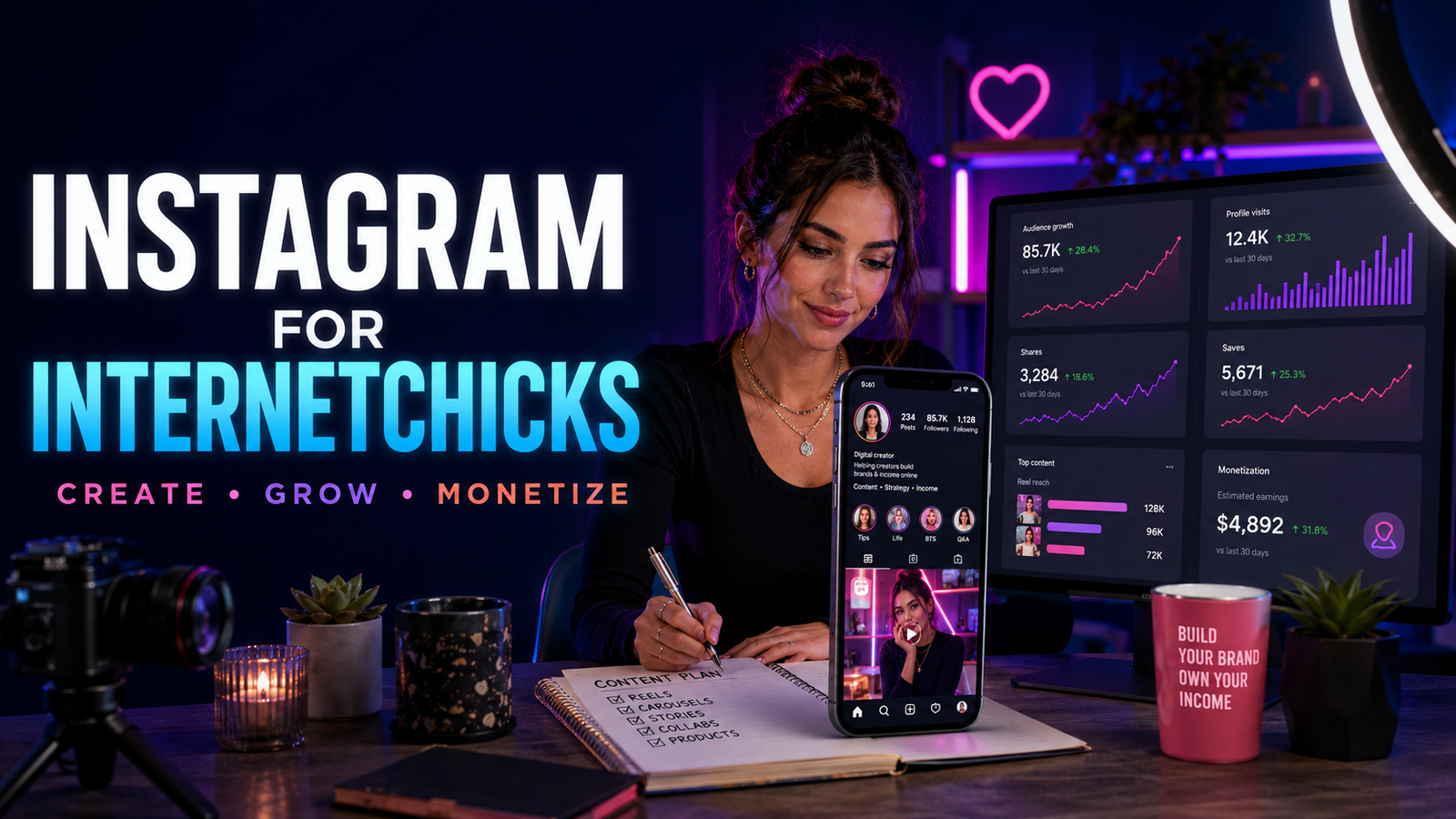
Her profile looked beautiful.
The colors matched. Every cover used the same font. Her travel photos were sharp, the skincare Reels were carefully edited, and the occasional business carousel looked as though it belonged in a polished agency portfolio.
But a new visitor still could not tell why to follow.
One post promised affordable weekend itineraries. The next reviewed a serum. The next explained negotiation. Stories were mostly reposts of the feed, Highlights contained expired links, and the bio said, “Digital creator | dreamer | helping you live your best life.”
Nothing was technically broken. The problem was that the account asked the audience to assemble its meaning.
That is the difficult part of Instagram for Internetchicks. The platform offers many surfaces, profile, Feed, Reels, carousels, Stories, Highlights, Live, Notes, comments, direct messages, collaboration posts, recommendations, search, and creator tools. Posting more does not automatically make those parts work together.
A useful Instagram presence gives each surface a job. Reels may introduce the creator to strangers. Carousels may explain or organize an idea. Stories may deepen an existing relationship. A profile may help a visitor decide. Direct messages may support a conversation, enquiry, or customer. Highlights may preserve essential context. The business may continue through a newsletter, product, service, membership, sponsor, affiliate link, or another channel.
This guide explains how to choose an account type, define a clear profile promise, build useful content pillars, plan Reels, carousels, photos, captions, Stories, Highlights, collaborations, and community systems, understand recommendation eligibility, disclose brand relationships, use music and rights safely, read Instagram Insights, secure team access, monetize without weakening trust, and publish at a pace that leaves room for a life beyond the app.
For filming and editing vertical video, use short-form video for Internetchicks. For the broader choice between platforms, see best platforms for Internetchicks. This article owns the Instagram operating system.
The Short Answer: How Should Internetchicks Use Instagram?
- Decide whom the account serves and what a suitable visitor should understand within seconds.
- Choose a personal, creator, or business account based on privacy, tools, and business needs.
- Use a searchable, recognizable name and handle that can travel across platforms.
- Write a bio that identifies the creator, value, proof, and next useful step.
- Use the profile image, pinned posts, links, and Highlights to answer predictable visitor questions.
- Give every Instagram surface a job rather than posting the same asset everywhere.
- Build three to five content pillars from audience needs, creator experience, and business direction.
- Turn pillars into recognizable series.
- Use Reels when motion, voice, demonstration, or discovery serves the idea.
- Use carousels when a sequence, comparison, checklist, argument, or visual explanation needs several frames.
- Use photos when the image itself carries story, evidence, taste, identity, or product detail.
- Use Stories for timely context, conversation, proof, updates, and relationship—not constant filler.
- Write captions that add meaning instead of repeating the image.
- Use clear topic language in the name, bio, spoken content, text, caption, and alt text where it naturally belongs.
- Publish original work and adapt repurposed ideas to Instagram rather than importing another platform’s watermark and assumptions.
- Use collaboration posts when authorship, audience fit, permissions, and responsibilities are clear.
- Disclose paid, gifted, affiliate, and other material relationships with plain language and the relevant platform tools.
- Check Account Status and recommendation eligibility before inventing an “algorithm penalty.”
- Measure each format against its job using views, reach, watch behavior, shares, saves, replies, profile actions, leads, revenue, and return.
- Protect the account with strong two-factor authentication, role-based access, backups, and a recovery plan.
The working sequence is:
Audience need → profile promise → content role → idea → format → brief → production → accessibility and rights review → publication → conversation → measurement → business outcome → next decision
Instagram Is a System, Not One Feed
Instagram does not use one universal ranking process or one viewer context.
Meta publishes separate explanations for systems such as Instagram Feed, Feed Recommendations, Stories, and Explore. The details change, but the practical lesson is stable: a Story watched by an existing follower is not the same viewing situation as a Reel recommended to a stranger.
| Surface | Main job for a creator | Typical viewer context | Useful evidence |
|---|---|---|---|
| Profile | Help a visitor understand and decide | The person is actively inspecting the account | Profile actions, follows, link or contact actions |
| Feed post | Serve followers and create a durable profile asset | Existing relationship or recommended post | Reach, shares, saves, comments, profile actions |
| Reel | Use motion, sound, demonstration, or story for discovery and response | Often a fast, full-screen viewing decision | Views, watch time, completion, shares, follows |
| Carousel | Build a sequence people can inspect, save, or share | Viewer swipes by choice | Reach, swipes where available, saves, shares, comments |
| Story | Provide timely context and deepen relationships | Existing audience, temporary sequence | Views, replies, sticker actions, link actions, exits |
| Highlight | Preserve selected Story information on the profile | Visitor needs evergreen context | Profile usefulness and destination actions |
| Live | Create a real-time event or conversation | Viewers join at different moments | Live viewers, participation, replay use, business outcome |
| Direct message | Continue a private conversation or support | One-to-one or group context | Qualified replies, resolved support, enquiries |
| Collab post | Share authorship and distribution | Audiences encounter one co-authored asset | Combined reach, audience fit, actions, partner outcome |
| Broadcast channel | Send updates or community prompts where available | Opted-in followers | Views, reactions, participation, retention |
The strategy becomes clearer when the creator asks, “Which surface best serves this idea and relationship?” rather than, “What does Instagram want today?”
Is Instagram the Right Platform for This Creator?
Instagram may fit when:
- The creator’s work has a strong visual, personal, educational, product, lifestyle, or community layer.
- Short video, photography, design, illustration, text slides, or Stories suit the creator’s natural communication.
- Brand relationships, client enquiries, affiliate recommendations, products, services, or events benefit from a public profile.
- The audience already uses Instagram to discover, compare, save, share, message, or buy in this niche.
- The creator can support conversation and moderation.
- Several content formats can express the same recognizable promise.
Instagram may not deserve immediate priority when:
- The creator needs searchable long-form depth more than feed discovery.
- The work contains little visual evidence and is stronger in audio or writing.
- The creator cannot safely maintain a public account.
- Direct website, email, sales, or client systems are missing.
- The platform’s pace encourages disclosure of private life the creator does not want to offer.
- The team has no capacity to answer DMs, moderate comments, or fulfill the demand content may create.
Instagram can be one layer in a wider system. It should not become the only place where the creator’s audience, proof, contacts, products, or identity live.
Choose the Account Type Deliberately
Instagram accounts can be personal or professional. Professional accounts can be Creator or Business accounts.
Meta’s current professional-account guidance positions Creator accounts for public figures, content producers, artists, and influencers, while Business accounts are intended for businesses, retailers, organizations, and service providers. Features and labels vary by country, account, age, and rollout.
Personal Account
Useful when:
- Privacy is the priority.
- The account is genuinely personal.
- Professional analytics and commercial tools are unnecessary.
A personal account may be private. This can be the correct choice when safety or intimacy matters more than public discovery.
Creator Account
Useful when:
- The person is the public-facing brand.
- Content, partnerships, community, and audience insights are central.
- The creator wants professional tools while presenting as an individual.
Business Account
Useful when:
- The account represents a shop, company, studio, location, organization, or service business.
- Team operations, business information, ads, commerce, and business integrations are important.
Do not choose an account type because a rumor says it receives more reach. Choose it for privacy, available tools, category, team structure, business operations, and the way the account should appear to visitors.
Professional accounts are public. Confirm that the creator is ready for the safety, discovery, and contact consequences before switching.
Define the Profile Promise
A profile promise answers:
- Who is this creator for?
- What will a follower repeatedly receive?
- Why should the creator’s perspective matter?
- What is the useful next step?
Weak:
Fashion | beauty | travel | lifestyle
Dream big. Be kind.
DM for collabs.
Stronger:
Repeat-outfit styling for women building a small work wardrobe
Real combinations, wear tests, and cost-per-wear notes
Start with the 12-piece guide ↓
Another:
I test creator tools inside real one-person projects
Costs, limits, setup, and 30-day follow-ups
New YouTube breakdown every second Thursday
The bio is not required to contain the creator’s whole personality. Its first job is orientation.
For the wider system behind positioning, voice, visual identity, naming, and trust, use personal branding for Internetchicks.
Build a Profile That Answers the Visitor’s Questions
A new visitor may ask:
- Is this the right account?
- What is it about?
- Who is behind it?
- Is the work credible?
- What kind of posts appear?
- Is the account active?
- What should I view first?
- How can I contact, buy, book, subscribe, or learn more?
- Is the link trustworthy?
Use each profile element deliberately.
Handle
Choose a handle that is:
- Recognizable
- Easy to say and spell
- As consistent as practical across platforms
- Free from unnecessary punctuation
- Unlikely to trap the creator inside a temporary trend
- Legally and strategically researched before becoming valuable
If the preferred handle is unavailable, add a relevant word such as studio, creates, with, by, guide, or the niche. Avoid a string of numbers people will forget.
Name Field
The name field can include the creator’s name, brand, role, or clear topic language. Write for human recognition and search, not a pile of keywords.
Examples:
- Maya Chen | Small-Space Design
- Noor Travels | Solo City Guides
- Ana Ruiz | Creator Contracts
Profile Photograph
Use:
- A clear face for a person-led brand
- A simple, readable mark for an organization
- Strong separation from the background
- A crop that survives a small circle
- An image consistent with current public identity
Do not shrink a detailed banner or full-body image into an unreadable dot.
Bio
A useful bio can carry:
- Identity
- Audience or topic
- Repeatable value
- Relevant proof
- Location when it serves the work
- One focused next step
Avoid proof that cannot be verified, exaggerated claims, vague empowerment language, and five competing calls to action.
Links
Use a direct destination when one action matters. Use a clear, accessible link page when several destinations are genuinely necessary.
Label:
- What each link contains
- Whether it is an affiliate or sponsored destination where relevant
- Whether the viewer is leaving Instagram
- Which link is current
Test on a logged-out mobile browser. Remove expired launches and broken tracking.
Contact Options
Separate business contact from personal contact. Use an email address that can be filtered, secured, and handed to a team without exposing the creator’s primary login.
Do not publish a home address, private phone number, or daily location merely to appear “professional.”
Use Pinned Posts as a Start-Here Shelf
Pinned posts can answer the visitor’s next questions.
A useful set may include:
- Start Here: Who the creator serves and what to expect
- Proof: A strong tutorial, transformation, case study, result, or point of view
- Path: A current offer, series, resource, or frequently requested explanation
Do not pin three outdated viral posts merely because their public numbers are large. A pinned post should help the right visitor decide today.
Turn Highlights Into a Small Information Architecture
Highlights preserve selected Stories on the profile.
Possible groups:
- Start Here
- About
- Results
- Services
- Shop
- Reviews
- FAQ
- Travel Guides
- Tutorials
- Press
- Events
- Accessibility
- Policies
Keep:
- Cover labels readable
- Sequences in a sensible order
- Prices and dates current
- Links working
- Sponsor disclosures preserved
- Private or real-time location details removed
- Old promotions archived when they confuse the current offer
A Highlight called “Random” may be fun for existing friends. It rarely helps a new visitor understand the account.
Create Content Pillars From Audience Needs
Content pillars are recurring areas of value. They are not decorative labels invented for a calendar.
Build them from:
- Questions the audience repeatedly asks
- Decisions the audience struggles to make
- Problems the creator can help solve
- Experiences the creator can document
- Stories only this creator can tell
- Proof the business needs to show
- Beliefs or observations worth developing
- Offers the audience may eventually need
Example for a budget interior creator:
| Pillar | Audience need | Possible series |
| Renter fixes | Improve a space without permanent changes | “Removed in Ten Minutes” |
| Real cost | Understand total price beyond the product label | “What the Room Actually Cost” |
| Small-space function | Make limited space work harder | “One Corner, Three Jobs” |
| Product evidence | Avoid buying the wrong item | “Thirty Days in a Real Apartment” |
| Design confidence | Make choices without copying a showroom | “Why This Combination Works” |
Three to five pillars are usually enough to create recognition without making the account repetitive.
Use content ideas for Internetchicks when the pillars are clear but the practical idea bank is thin.
Turn Pillars Into Recognizable Series
Series give an audience a familiar doorway.
Examples:
- Before You Buy
- One Outfit, Three Real Days
- The Honest Follow-Up
- Comment to Demonstration
- What the Contract Actually Says
- Five Minutes From Finished
- The Mistake Under the Result
- From Screenshot to Real Room
- Beginner, Better, Best-Fit
- One Question, Three Budgets
A series needs a repeatable promise, not an identical cover and opening every time.
Give Every Format a Distinct Job
One idea can travel through several formats, but each version should respect its context.
Example idea: “How to pack for a rainy three-day city trip.”
- Reel: Show the packing logic and one surprising tradeoff.
- Carousel: Present the complete checklist by category.
- Story: Share the real weather update and answer questions.
- Highlight: Save the evergreen version under City Packing.
- Live: Review follower packing lists before a holiday period.
- Email: Provide a printable list and route-specific notes.
The creator is not repeating a post. She is building an information family.
Use Reels for Motion, Voice, Demonstration, and Discovery
Instagram currently says creators can record and edit Reels up to 20 minutes. A platform limit is not a recommendation for every idea. Instagram has also warned that longer Reels may not receive the same recommendation treatment to new audiences, so verify the current help page before building a campaign around a particular duration.
Use Reels when:
- Movement proves the point
- Voice or performance carries the idea
- A process needs demonstration
- A before-and-after needs context
- A story benefits from pacing
- A person needs to be seen or heard
- The idea can reach a relevant stranger quickly
Begin with:
- A visible subject
- A specific promise
- Enough context to identify the audience
- A first frame that works before the viewer reads the caption
Do not reduce every idea to a breathless talking head. Use hands, screen recordings, products, environments, diagrams, movement, pauses, and sound when they improve understanding.
The full short-form video guide covers hooks, scripts, filming, audio, captions, rights, retention, and repurposing.
Design Reels Covers for the Places They Appear
A Reel cover may appear:
- In the profile grid
- In a dedicated Reels tab
- In feeds
- In shares or previews
Choose:
- One clear visual idea
- Readable type
- Enough contrast
- Safe spacing around crops and interface elements
- Consistency with the content
- A frame that does not promise a result the Reel lacks
If the cover needs a paragraph to explain the Reel, the visual promise is not ready.
Use Carousels for Progression, Not Slide Count
A carousel works when the swipe creates movement.
Useful structures:
- Question → explanation → examples → action
- Mistake → consequence → correction
- Before → decision → process → after
- Claim → evidence → limitation → conclusion
- Option A → Option B → comparison → fit
- Story scene → tension → choice → result → meaning
- Checklist grouped by stage
The first slide should identify the subject or tension. The middle should reward each swipe. The final slide should land the idea rather than becoming a wall of calls to action.
Write Slides That Can Be Read
Use:
- One main point per slide
- A clear hierarchy
- Large type
- Short line lengths
- Strong contrast
- Space around edges
- Plain language
- Visual examples when they teach faster than text
Avoid:
- Shrinking an article into ten screenshots
- Using color as the only distinction
- Placing essential context only in tiny footnotes
- Repeating the same sentence in the caption
- Requiring a viewer to swipe for the answer after withholding the entire point
Let Single Images Carry Real Meaning
A photo does not become strategically weak because Reels exist.
Use a single image when:
- The image is the evidence
- A portrait carries identity or emotion
- A product detail needs inspection
- A finished work deserves space
- A visual joke or contrast works immediately
- The caption adds story without needing a sequence
- The post marks a meaningful moment
Strong photography can make an account memorable in a feed full of moving templates.
Write Captions That Add a Second Layer
A caption may:
- Clarify the promise
- Tell the story outside the frame
- Add the method
- Name the limitations
- Provide sources
- Explain the commercial relationship
- Invite a specific response
- Direct a suitable person to the next step
Useful structure:
- First line that confirms the subject
- Context the media does not already show
- Main value or story
- Limitation, source, or disclosure
- One appropriate action
Do not begin every caption with a manufactured confession, a fake controversy, or “save this before it disappears.”
Use Instagram Search Language Naturally
Instagram can understand more than hashtags.
Make the subject legible through:
- Name field
- Bio
- Spoken words
- On-screen text
- Caption
- Alt text
- Location where relevant
- Account history and related content
Use the words the audience uses, but write for meaning.
Weak:
Solo travel solo female travel solo trip tips Europe solo travel guide safe solo destinations #solotravel #solofemaletravel
Stronger:
A realistic three-day Lisbon route for a first solo trip, including the streets I avoided after dark and the stop I would skip next time.
Hashtags can label a subject or community. They are not lottery tickets.
The wider SEO guide for Internetchicks explains intent, keyword research, creator search, and cross-platform discovery.
Write Alt Text for the Image’s Purpose
Instagram provides automatic alt text and lets users add their own descriptions. Its accessibility guidance explains that automatic alt text uses object recognition to describe photos for people with visual impairments.
Custom alt text should communicate what matters:
A creator sits at a small wooden desk beside a window. Her laptop shows a two-column contract comparison. The highlighted line says “Paid usage: 90 days.”
Avoid:
- Keyword lists
- “Image of” repeated without purpose
- Describing every decorative pixel
- Omitting text that carries the post’s meaning
- Treating the caption as a substitute when the image itself contains essential information
For a carousel, consider how each slide can be understood in sequence.
Add Captions to Video and Check Them Manually
Videos with meaningful speech or sound should include accurate captions.
Review:
- Names
- Usernames
- Product names
- Technical terms
- Numbers, prices, and units
- Speaker changes
- Meaningful sound
- Timing
- Contrast
- Line breaks
- Text hidden by Instagram’s interface
Automatic captions can save time, but the creator remains responsible for the published meaning. A sponsor name, dosage, price, legal term, or safety instruction can become dangerous when transcribed incorrectly.
Use Stories as a Sequence, Not a Disposal Bin
Stories can carry:
- Timely context
- Process
- Follow-up
- Questions
- Polls
- Links
- Event updates
- Product use
- Behind-the-scenes decisions
- Corrections
- Community response
- A personal moment within chosen boundaries
A useful Story sequence usually has:
- Orientation: What is happening and why should this viewer care?
- Movement: What changes, gets tested, becomes clearer, or needs a decision?
- Participation or proof: A demonstration, reply, poll, question, result, or example
- Landing: What should the viewer understand or do now?
Ten unconnected reposts may technically fill the Story tray while weakening attention.
Make Story Frames Readable
Use:
- One clear purpose per frame
- Large text
- High contrast
- Space away from the top and bottom interface
- Captions for speech
- A progress cue for longer sequences
- A direct label for links
- Enough time to read
Do not place pale text over a moving, detailed background and assume a shadow solves accessibility.
Use Stickers With a Job
A sticker can:
- Gather a decision
- Test demand
- Invite a question
- Link to a resource
- Set a reminder
- Create a quiz
- Add location context
- Make a product or person easier to identify
Ask a question the creator is prepared to answer. Do not use a question box to collect vulnerable stories, then publish them without informed permission.
Protect Real-Time Location
Delay location Stories when:
- The creator is alone
- The place is private
- The route or routine is predictable
- Children are present
- The event has a security concern
- A home, hotel, school, workplace, or vehicle can be identified
Location content can be useful without becoming a live tracking feed.
Use Close Friends for a Clear Boundary
Close Friends can support:
- A small pilot group
- Customers or members where terms permit
- A private creative process
- Friends and family separate from public content
- A temporary event cohort
- A more personal layer with understood expectations
It is not a secure document system. Members can screenshot or share. Do not post confidential contracts, client data, passwords, private addresses, unreleased products, or sensitive personal information merely because the circle is smaller.
Design Highlights After the Story Has Proved Useful
Not every Story deserves a permanent profile position.
Before saving it, ask:
- Will a new visitor understand the opening?
- Does the information remain accurate?
- Are links still useful?
- Does a sponsor disclosure remain visible?
- Is anyone shown with appropriate permission?
- Does the sequence expose an old location or private detail?
- Does it support a real visitor decision?
Re-edit when necessary. A Highlight is a public asset, not a storage folder.
Use Direct Messages as a Relationship and Service Channel
DMs may contain:
- Audience replies
- Brand enquiries
- Customer support
- Collaboration proposals
- Press requests
- Client leads
- Affiliate questions
- Harassment
- Impersonation
- Phishing
- Requests for free emotional or professional labor
Build triage:
| Message type | Response path |
| Genuine audience question | Answer, save for content research, or link a useful resource |
| Customer support | Move to the documented support channel and protect order data |
| Qualified client enquiry | Use an intake form, email, or call process |
| Brand proposal | Verify identity and move scope, budget, rights, and contract to business email |
| Press request | Confirm outlet, deadline, topic, format, and usage |
| Sensitive personal disclosure | Respond within capacity without promising unavailable care |
| Suspicious link or file | Do not open; verify through an independent channel |
| Harassment or threat | Preserve evidence, restrict or block, report, and escalate when necessary |
Set expectations in the bio, contact button, saved reply, or website. “DM me anytime” can become an unlimited support promise the creator never intended to make.
Turn Comments Into Conversation Without Performing Availability
A creator can:
- Answer useful questions
- Clarify a misunderstanding
- Thank someone for relevant experience
- Pin context
- Correct an error
- Ask a follow-up
- Remove spam
- Restrict harassment
- Leave some comments unanswered
Do not confuse argument volume with community quality.
Meta offers tools such as Hidden Words to filter unwanted comments and message requests. Creators can also restrict, limit, block, hide, or report depending on the situation.
Write moderation rules for:
- Hate and harassment
- Threats
- Doxxing
- Sexual comments
- Impersonation
- Medical or financial misinformation
- Spam and fake giveaways
- Attacks on guests or children
- Repeated boundary violations
High engagement is not worth making the creator or community unsafe.
Plan Collaborations Around Audience Fit
Instagram Collabs allow accounts to co-author posts or Reels. Meta’s current Collab-post guidance explains that the original author invites another account and the accepted post appears as co-authored content.
A strong collaboration has:
- A shared audience need
- A clear editorial idea
- Compatible values
- A distinct contribution from each person
- Written responsibilities
- Agreed publication timing
- Rights and reuse terms
- A review process
- A disclosure plan
- A comment and crisis plan
- A fair value exchange
Do not collaborate solely because another account has more followers.
Decide Ownership Before Publication
The original publishing account may control important parts of the post. Agree on:
- Who creates the draft
- Who is the original author
- Who can edit or remove the post
- How long it should remain live
- Where each party may reuse the asset
- Whether brands may promote it
- Who holds music, footage, and image licenses
- How data will be shared
- What happens if a collaborator leaves
- How costs and income are divided
A platform collaboration tool does not replace a contributor agreement.
Understand Recommendation Eligibility
Instagram’s recommendation systems can show content from public accounts to people who do not follow them through places such as Explore, Reels, Feed recommendations, search, and suggested accounts.
Meta’s recommendation eligibility guidance says its Recommendations Guidelines help decide what public-account content can be recommended. Professional accounts can use Account Status to see whether content may be eligible.
Important distinctions:
- Content can remain allowed on Instagram but be ineligible for recommendation.
- Eligibility does not guarantee recommendation.
- One post’s weak reach is not proof of an account restriction.
- Existing followers may still see content that is not distributed to new audiences.
- Policy, audience response, topic demand, timing, competition, and creative quality can all affect reach.
Check evidence before using the word “shadowban.”
Use Account Status as a Diagnostic Tool
Instagram’s Account Status guidance explains that creators can review content or behavior that may violate standards or lead to restrictions.
A practical diagnostic order:
- Check Account Status and recommendation eligibility.
- Review whether a notice identifies content, profile elements, or features.
- Read the linked rule rather than relying on a screenshot from another creator.
- Appeal through the available process when the decision appears wrong.
- Preserve screenshots, dates, URLs, and case details.
- Separate policy restrictions from ordinary performance changes.
- Review audience fit, packaging, format, and seasonality only after the status check.
Do not delete the entire archive in panic. A broad, irreversible response can destroy evidence and useful work.
Stop Treating “The Algorithm” as One Personality
Instagram’s official ranking explanation describes different ranking approaches across Feed, Stories, Explore, and Reels.
In practical terms:
Feed
Feed may include followed accounts and recommendations. Relationship, predicted interest, post information, creator information, and viewer activity can all matter.
Stories Ranking
Stories are relationship-heavy. Viewing history, interaction, and closeness help shape order.
Explore
Explore is a discovery surface built mostly from content by accounts a person does not follow. Topic fit and predicted interaction matter.
Reels Ranking
Reels also emphasize discovery and entertainment or usefulness. Viewer activity, information about the Reel, interaction history, and creator signals contribute.
The exact models change. No honest adviser knows a permanent secret weighting.
Build for:
- Clear audience relevance
- A strong viewing or reading experience
- Original contribution
- Accurate packaging
- Shares people genuinely want to make
- Saves that support later use
- Conversation worth having
- A recognizable creator relationship
Do not manufacture empty comments or ask people to perform ten actions to “help the algorithm.”
Publish Original Content With Visible Authorship
Originality can appear through:
- First-hand experience
- Reporting
- Demonstration
- Photography
- Illustration
- Performance
- Commentary
- Analysis
- A distinct edit
- A new educational structure
- A meaningful transformation of licensed or permitted material
Meta maintains guidance on original content on Instagram alongside recommendation and monetization rules.
If reposting or remixing:
- Identify the source
- Obtain permission or establish the legal basis
- Follow the feature’s terms
- Add genuine value
- Preserve required attribution
- Confirm commercial and advertising rights
- Do not imply the creator filmed or experienced something she did not
“Credit to owner” is not a rights strategy.
Repurpose Ideas, Not Watermarked Exports
One source idea can become:
- A Reel demonstration
- A carousel breakdown
- A Story Q&A
- A Live follow-up
- A photo with a deeper caption
- An email
- A long video
- An article
- A downloadable resource
Adapt:
- Opening
- Aspect ratio
- Crop
- Text placement
- Caption
- Audio
- Length
- Call to action
- Disclosure
- Link path
Use a clean master and confirm that every music, image, clip, font, sponsor, guest, and product license covers each destination.
The content repurposing guide explains how to build a content family without producing low-value duplicates.
Use Music With the Actual Destination in Mind
Music availability inside Instagram does not automatically grant every commercial use.
Meta’s Reels audio guidance distinguishes licensed audio, original audio, and other available sources. Access can vary by account type, country, rights agreements, and use.
Before choosing audio, ask:
- Is the post organic, sponsored, boosted, or intended for a partnership ad?
- Will the asset be reposted on another platform?
- Does the creator own the original recording and composition?
- Can a brand reuse or advertise it?
- Is the music available in the audience’s markets?
- What happens if the platform later mutes it?
Meta describes its Sound Collection as a source of royalty-free songs and sounds for eligible Meta uses, but the creator should still read the current license and placement terms.
Keep an archive master without music when future reuse is possible.
Disclose Brand Relationships Where People Can Notice
Branded content can involve money, free products, services, travel, discounts, commissions, or another exchange of value.
Use:
- Plain spoken disclosure in video
- Clear on-screen disclosure
- Written disclosure near the endorsement
- Instagram’s paid partnership label when required
- Affiliate disclosure before or with relevant links
- Jurisdiction-specific requirements
Instagram’s paid-partnership guidance covers disclosures across Feed, Stories, Broadcast Channels, Live, Reels, and video.
The platform label is useful, but it may not explain every relationship. “Paid partnership,” “Ad,” “Sponsored,” “Gifted by,” or “I earn a commission from this link” can state what happened more clearly.
The U.S. FTC’s influencer guidance emphasizes disclosures that are hard to miss and placed with the endorsement.
Separate Organic Posting From Partnership Ads
A brand may ask permission to use a creator’s Instagram content as an ad. That is not simply “boosting the post for more reach.”
Define:
- Exact asset
- Advertiser
- Accounts authorized
- Placement
- Territory
- Term
- Spend cap if relevant
- Audience restrictions
- Editing rights
- Caption and call-to-action control
- Claims
- Music and third-party rights
- Data access
- Approval
- Revocation process
- Fee
Meta provides content-level permissions for partnership ads. Platform permission handles delivery access. The commercial contract must still handle price, responsibility, rights, and risk.
Do not include partnership-ad rights forever inside one organic-post fee.
Use Creator Marketplace as One Lead Source
Instagram’s Creator Marketplace can help eligible creators connect with brands for branded content and partnership-ad opportunities.
Treat a marketplace invitation as a lead, not proof of fit.
Check:
- Brand identity
- Agency authorization
- Product and audience fit
- Scope
- Timeline
- Budget
- Usage
- Exclusivity
- Approval rounds
- Claims
- Cancellation
- Payment terms
- Tax and invoice requirements
Move complex work into a documented business process. Do not send identity documents, passwords, codes, or banking information through an unverified DM.
For the complete outreach and campaign system, use how Internetchicks get brand deals.
Present the strongest profile evidence, audience fit, formats, and case studies through a current media kit for Internetchicks.
Build Instagram Monetization as a Portfolio
Possible revenue streams include:
- Sponsored Feed posts
- Sponsored Reels
- Sponsored Stories
- Partnership ads
- Affiliate links and codes
- Creator Marketplace projects
- Platform subscriptions where eligible
- Live gifts or other platform features where available
- Digital products
- Services
- Consulting
- Courses
- Memberships
- Merchandise
- UGC production
- Licensing
- Email-supported launches
Features vary by age, location, account, policy compliance, and rollout. Meta’s Partner Monetization Policies require creators to monetize content through a natural, authentic audience and comply with applicable standards.
Never build the business forecast around a platform feature the account does not yet have.
Use how Internetchicks make money to compare revenue models before adding another monetization promise to the profile.
Price Instagram Work Beyond the Post
A “Reel plus three Stories” can include:
- Concept
- Research
- Product testing
- Script
- Shot planning
- Filming
- Editing
- Captions
- Story sequencing
- Links and tracking
- Disclosure
- Review rounds
- Reshoots
- Publication
- Moderation
- Reporting
- Organic archive time
- Category exclusivity
- Partnership-ad permission
- Cross-platform use
- Raw footage
Separate:
- Production
- Organic distribution
- Additional formats
- Usage
- Advertising permission
- Exclusivity
- Rush work
- Travel and expenses
- Reporting
Use influencer rates for Internetchicks for rate logic and contracts for Internetchicks for scope, rights, approvals, payment, and cancellation.
Use Affiliate Links Without Turning Every Story Into a Shelf
Recommend a product because it fits the audience, not because a link exists.
For each recommendation:
- Explain who it suits
- Explain who should skip it
- Show real use where possible
- Disclose the commission
- Check current price and availability
- Avoid unsupported claims
- Track returns and reversals, not only clicks
- Update or remove expired links
- Respect program rules for email, ads, codes, and link cloaking
The affiliate marketing guide covers program selection, commission math, tracking, content design, and trust.
Use Subscriptions Only With a Recurring Promise
Instagram Subscriptions may be available to eligible creators, but the difficult question is not whether the button exists.
It is:
What will make a suitable member glad to renew in month four?
Possible value:
- A recurring class
- A private discussion
- A research briefing
- Deeper tutorials
- Early access
- Member requests
- A structured challenge
- Exclusive Stories or Lives
- A small resource library
Do not promise daily personal access, instant replies, or an exhausting volume merely to justify a monthly price.
The paid memberships guide covers tiers, onboarding, moderation, retention, cancellations, churn, and sustainable delivery.
Connect Instagram to an Owned Path
Instagram can introduce and deepen relationships, but the creator should also control:
- Domain
- Website
- Email list
- Product files
- Customer records
- Contracts
- Portfolio
- Source assets
- Analytics exports
- Business contact
Use a suitable next step:
- Newsletter
- Detailed article
- Product page
- Booking page
- Portfolio
- Event registration
- Resource
- Shop
- Community
The destination should continue the post’s promise. A Story about a beginner checklist should not lead to an unrelated sales page.
The email marketing guide explains how to turn a temporary platform visit into a permission-based relationship the creator can continue.
Read Instagram Insights by Content Job
Instagram’s Insights overview includes areas such as Views, Interactions, New followers, and Content shared for eligible accounts and contexts.
Do not combine every number into one engagement score.
Profile
Review:
- Profile views or activity
- Follows
- Link actions
- Contact actions
- Direction or location actions where relevant
- Conversion from profile visit to the intended next step
Reel Insights
Review:
- Views and reach
- Watch time or average watch time where available
- Replays or repeat behavior where available
- Shares
- Saves
- Comments
- Follows
- Profile activity
- Business actions
Carousels and Feed Posts
Review:
- Reach
- Views or impressions where reported
- Shares
- Saves
- Comments
- Likes as context
- Profile actions
- Follows
- Link or conversion behavior
Story Insights
Review:
- Views or reach
- Replies
- Sticker interactions
- Link actions
- Forward and back behavior where reported
- Exits
- Completion across the sequence
- Business outcome
Collaborations and Sponsored Work
Review:
- Audience fit
- Organic and paid results separately
- Deliverables
- Reporting window
- Source definitions
- Link or code attribution
- Comments requiring a response
- Cost and revenue
- Brand-lift evidence only when actually measured
Calculate Rates With the Correct Denominator
Examples:
Share rate by reach = Shares ÷ Accounts reached × 100
Save rate by reach = Saves ÷ Accounts reached × 100
Follow conversion from profile = Follows attributed to the period ÷ Profile visits × 100
Story link action rate = Link actions ÷ Accounts that viewed the relevant frame × 100
Campaign conversion rate = Tracked conversions ÷ Qualified landing sessions × 100
Label the reporting window and source. Do not divide campaign orders by lifetime followers and call it conversion rate.
The analytics guide for Internetchicks explains reach, views, engagement denominators, attribution, ROI, baselines, and sponsor reporting.
Diagnose the Journey, Not the Ego
| Pattern | Possible explanation | Next check |
| High non-follower reach, few profile actions | Content may entertain without establishing creator relevance | Profile visits, follow reason, related posts |
| Many profile visits, few follows | Bio, pinned posts, or account promise may be unclear | Visitor path and audience mismatch |
| Strong saves, weak shares | Content may be personally useful but not socially relevant | Topic, format, privacy, audience use |
| Strong shares, weak link actions | Post may travel while the offer or destination does not fit | CTA, landing page, intent |
| Good Story opening, steep sequence exits | Too many frames, repeated setup, or unclear progression | Frame-by-frame purpose |
| Strong views, weak approved affiliate sales | Audience, product, price, country, or tracking may not fit | Clicks, sessions, reversals, stock |
| Lower reach, strong qualified enquiries | Small content may still create high business value | Contribution and repeatability |
The question is not “Why does Instagram hate me?” It is “Where did the relationship or decision weaken?”
Run Instagram Experiments With One Useful Difference
Possible tests:
- Demonstration opening versus spoken problem
- Photo-first carousel versus text-first carousel
- Outcome-led cover versus process-led cover
- Five-slide versus nine-slide explanation
- Story poll before explanation versus after
- One specific call to action versus none
- Collaboration with a closely matched specialist
- Search-led caption versus story-led caption
- Reel that ends with a next post versus a profile invitation
- Publishing one proven series at a sustainable cadence
Write:
- Hypothesis
- Variable
- Comparable content
- Main metric
- Guardrails
- Reporting window
- What the result would change
One post is a clue, not a law.
Calculate Whether Instagram Work Supports the Business
Example monthly Instagram contribution:
| Item | Amount |
| Sponsored campaign revenue | USD 2,800 |
| Approved affiliate commission | USD 460 |
| Product contribution attributed to Instagram | USD 920 |
| Total attributable contribution before Instagram costs | USD 4,180 |
| Freelance editing and design | USD 850 |
| Products, props, and locations | USD 310 |
| Music and asset licensing | USD 95 |
| Tools and reporting allocation | USD 125 |
| Direct Instagram production costs | USD 1,380 |
| Contribution before creator labor, overhead, and tax | USD 2,800 |
Contribution before creator labor = Attributable contribution − Direct production costs
If the creator spent 64 hours, that equals USD 43.75 per creator hour before overhead and tax.
The number does not decide the strategy alone. Instagram may also build trust, search visibility, a portfolio, press proof, or future demand. But the creator should know whether a beautiful content system is quietly consuming the entire business.
Publish at a Cadence the Whole Job Can Support
Count:
- Research
- Writing
- Photography
- Filming
- Editing
- Design
- Captioning
- Alt text
- Rights
- Sponsor approval
- Scheduling
- Live-post checks
- Comment and DM support
- Analytics review
- Customer fulfillment
- Recovery
A sustainable cadence may be:
- Two strong Feed assets per week plus purposeful Stories
- One Reel and one carousel per week
- A three-week campaign followed by a lighter review week
- A six-post seasonal series
- A lower baseline with more activity around real events
The right cadence is the one that protects the quality of the work and the person making it.
Use the content calendar for Internetchicks to plan commitments, capacity, approvals, sponsored deadlines, pause rules, and review windows.
Schedule Approved Work and Check the Live Post
Scheduling can reduce deadline pressure. It does not remove publishing responsibility.
Before scheduling:
- Final asset approved
- Caption approved
- Alt text complete
- Cover selected
- Tags and collaborators confirmed
- Paid-partnership details correct
- Links and codes tested
- Music rights reviewed
- Time zone confirmed
- Comments and moderation planned
- Sensitive-event pause rule understood
After publication:
- Confirm the correct crop
- Check caption and line breaks
- Test link destinations
- Confirm collaborator and business tags
- Confirm disclosure
- Check audio
- Verify captions
- Remove an incorrect post quickly when necessary
Do not schedule unfinished drafts and hope someone notices before they go live.
Build a Small Buffer Without Creating a Content Warehouse
A useful buffer may include:
- Two approved evergreen Feed posts
- One adaptable Story sequence
- One frequently requested answer
- A current resource update
- One behind-the-work asset
Do not produce three months of trend-dependent posts whose facts, links, prices, products, or cultural context may expire.
Use AI as an Assistant With Named Responsibility
AI can help with:
- Organizing audience questions
- Drafting alternate hooks
- Transcribing speech
- Caption drafts
- Translation drafts
- Alt-text starting points
- Rough storyboards
- Removing background noise
- Finding repeated ideas
- Creating a first content inventory
A human should verify:
- Facts
- Sources
- Product claims
- Rights
- Consent
- Likeness
- Confidential information
- Sponsor terms
- Cultural context
- Accessibility
- The final post
Do not upload private DMs, customer records, unreleased campaigns, contracts, or personal data to an AI system without appropriate authority and safeguards.
If synthetic or materially altered media could mislead a reasonable viewer, disclose the alteration and follow current Meta policies. Do not create a false testimonial, fake event, cloned voice, or realistic endorsement from a person who did not participate.
Protect Privacy Before the Content Is Captured
Check:
- Windows and reflections
- Mail and labels
- School and workplace names
- Street signs
- Vehicle plates
- Building access systems
- Medication
- Computer screens
- Family photographs
- Children’s routines
- Hotel and travel details
- Fitness or health data
- Client work
- Calendar notifications
- Location metadata
Create:
- Safe filming areas
- Delayed posting rules
- Boundaries for family and relationships
- A no-content list
- A guest permission process
- A response plan for accidental disclosure
Privacy is easier to protect before filming than after a post is copied.
Secure the Instagram Account Before a Campaign
Creators are targeted by fake brand offers, copyright notices, verification scams, support messages, account-recovery fraud, and malicious files.
Meta’s current two-factor authentication guidance explains that an additional code is required for login attempts from unrecognized devices.
Use:
- A unique password
- A password manager
- Authentication-app or stronger two-factor methods
- Secure backup codes
- Protected recovery email
- Updated phone and contact details
- Login alerts
- Device and session review
- Separate business contact from account recovery
- Backups of content and business records
- A documented recovery process
Never send a login code, two-factor code, backup code, password, or session link to a brand, agency, assistant, or “Meta support” account.
Give Teams Access Without Sharing the Password
Instagram offers shared access and Meta business tools in eligible contexts. Availability and roles vary.
Use the least access required.
| Person | Needed work | Appropriate access principle |
| Editor | Prepare media | Asset folder, not the account |
| Social manager | Draft, publish, reply | Limited role with review and removal date |
| Analyst | Read performance | Reporting access or export |
| Sponsor | Review campaign | Review file or link, never account access |
| Agency | Manage approved campaign | Contracted, scoped access with end date |
Keep an access register with:
- Person
- Role
- System
- Date granted
- Owner
- Review date
- Date removed
Friendship is not an access-control system.
Prepare for Phishing and Fake Brand Deals
Warning signs include:
- Pressure to act immediately
- A sender domain that resembles but does not match the brand
- A password-protected archive from an unknown contact
- A request to install a video player or campaign app
- A link to “appeal” an account problem through a non-Meta domain
- A promise of high pay with no scope
- A request to pay shipping, insurance, tax, or release fees upfront
- A request for a code
- A contract that grants access to the account
- A brand representative who cannot be verified independently
Verify through the brand’s official website or known staff. Open files in a protected workflow. Preserve evidence.
The online-safety guide covers impersonation, doxxing, harassment, account compromise, travel, and crisis planning.
Build a Team Workflow With Clear Owners
A practical status flow:
Idea → selected → brief → draft → production → edit → factual and rights review → sponsor review → accessibility → scheduled → published → moderated → measured → updated or archived
Assign:
- Editorial owner
- Asset owner
- Rights reviewer
- Sponsor contact
- Final publisher
- Community owner
- Analytics owner
- Security escalation
“Ready” should mean the same thing to everyone.
Archive Instagram Work Outside Instagram
Keep:
- Clean masters
- Original photographs and footage
- Design source files
- Captions and alt text
- Thumbnail and cover sources
- Licenses
- Releases
- Sponsor approvals
- Contracts
- Screenshots of final posts
- Publication URLs and dates
- Insights exports or reports
- Corrections
- Product and affiliate link records
An Instagram archive is not a complete business archive.
Common Instagram Mistakes Internetchicks Should Avoid
1. Writing a Bio That Could Belong to Anyone
“Helping you become your best self” does not identify the audience, method, or recurring value. Make the public promise specific enough to recognize.
2. Choosing a Professional Account Because It Supposedly Gets More Reach
Choose account type for privacy, tools, team operations, and business use—not a rumor about algorithmic favor.
3. Pinning Only Viral Posts
A viral post may attract the wrong audience or represent an old direction. Pin content that helps the right visitor understand and act.
4. Treating Highlights as an Expired Storage Room
Old prices, dead links, undisclosed partnerships, and real-time locations can damage trust or safety. Review Highlights regularly.
5. Making Every Format Do the Same Job
A Reel, carousel, Story, Live, photo, and DM create different viewing contexts. Adapt the idea.
6. Posting Reels With No Relationship to the Profile
A Reel may earn views while giving the viewer no reason to care about the creator’s wider work. Connect discovery to a recognizable promise.
7. Shrinking Articles Into Unreadable Carousels
Slides need hierarchy and space. Teach one movement rather than fitting every sentence.
8. Making the Grid More Important Than the Posts
A perfect checkerboard can make publishing awkward and individual posts weak. Build visual recognition without turning the grid into a puzzle.
9. Treating Hashtags as a Growth Strategy
Hashtags can label a topic. They cannot replace audience fit, authorship, useful content, or a clear profile.
10. Reposting the Feed to Stories Without Context
Add a reason to care, a question, a detail, an update, or a genuine next step. A tiny shared post with “new post” is easy to skip.
11. Asking for Engagement Before Giving Value
“Comment YES, save, share, follow, and DM me” turns the audience into a distribution team. Ask for one action that fits the content.
12. Using Licensed Music Without Checking Commercial Rights
An audio track available for organic use may not cover a sponsored post, boost, partnership ad, client reuse, or another platform.
13. Hiding a Paid or Gifted Relationship
Use plain disclosure and the platform tool where required. A vague thank-you is not always enough.
14. Giving a Brand Unlimited Ad Rights
Partnership-ad permission, editing, term, territory, and usage should be defined and priced separately.
15. Blaming a Shadowban Before Checking Account Status
Check policy evidence, recommendation eligibility, audience fit, format, timing, and comparable content.
16. Combining Organic and Paid Results
A boosted post and an organic post are different distribution conditions. Report them separately.
17. Answering Every DM as a Personal Obligation
Set response paths, hours, boundaries, and support channels. Access to the inbox is not unlimited access to the creator.
18. Sharing the Owner Password With the Team
Use available roles or shared access, limit privileges, review access, and retain recovery control.
19. Posting the Creator’s Location in Real Time
Delay sensitive travel, routine, home, school, and event details. A beautiful Story can still expose a dangerous pattern.
20. Building a Publishing Pace That Creates Resentment
The account depends on the creator’s judgment. Protect the person who supplies it.
An Instagram Profile Audit Template
Identity
- Is the handle recognizable and easy to communicate?
- Does the name field help humans identify the creator and topic?
- Is the profile image readable at a small size?
- Does the account type fit privacy and business needs?
Promise
- Can a new visitor identify the audience?
- Is the recurring value specific?
- Is the creator’s experience or point of view visible?
- Does the account feel connected rather than random?
Decision Path
- Do pinned posts explain, prove, and direct?
- Are Highlights current and organized?
- Is the main link useful and tested?
- Are contact options safe and appropriate?
- Is there one clear next step?
Content
- Do pillars come from real audience needs?
- Are series recognizable?
- Does each format have a job?
- Is original authorship visible?
- Are captions, alt text, and video captions useful?
Trust
- Are brand relationships disclosed?
- Are claims supported?
- Are reviews balanced?
- Are old prices and links updated?
- Are corrections visible?
Safety
- Is two-factor authentication active?
- Are recovery methods protected?
- Is team access reviewed?
- Are location and family boundaries clear?
- Are moderation and threat procedures documented?
Business Readiness
- Does the account connect to an owned destination?
- Are enquiries routed?
- Are usage rights priced?
- Are revenue and direct costs measured?
- Does the schedule fit capacity?
An Instagram Content Brief Template
Strategy
- Audience:
- Audience situation:
- Primary job:
- Content pillar:
- Series:
- Promise:
- Why this creator:
- Desired next step:
- Success evidence:
Format
- Reel, carousel, photo, Story, Live, Collab, or other:
- Why this format:
- Opening frame:
- Main movement:
- Final landing:
- Cover:
- Caption:
- Alt text or captions:
Production
- Assets:
- Location:
- People and permissions:
- Products:
- Sources:
- Music:
- Privacy and safety:
- Accessibility:
- Deadline:
- Production cap:
Business and Rights
- Sponsor or affiliate relationship:
- Disclosure:
- Collaborator:
- Original author:
- Organic archive term:
- Partnership-ad permission:
- Other usage:
- Exclusivity:
- Review rounds:
- Links and tracking:
Publication
- Date and time zone:
- Tags:
- Collaborator acceptance:
- Account setting:
- Comment plan:
- Story support:
- Live-post owner:
Measurement
- Reporting window:
- Main metric:
- Guardrails:
- Business result:
- Direct cost:
- Creator hours:
- Next decision:
A Monthly Instagram Review Template
Account Promise
- Did the month make the account easier or harder to understand?
- Which audience needs became clearer?
- Which series strengthened recognition?
Discovery
- Which content reached relevant non-followers?
- What led to profile visits and follows?
- Was recommendation eligibility clear?
Relationship
- Which Stories, comments, replies, or Lives created useful conversation?
- Which activity created pressure without value?
Business Results
- Which content produced enquiries, signups, sales, commissions, renewals, or partner results?
- What did production cost?
- Which rights or exclusivity were sold?
Sustainability
- Which format consumed too much time?
- Which task should be simplified, delegated, batched, paused, or stopped?
- Did the content system respect privacy and recovery?
Next Decisions
- Continue:
- Improve:
- Test:
- Pause:
- Retire:
A 30-Day Instagram Plan for Internetchicks
Days 1–5: Clarify the Account
Day 1: Define the intended audience, recurring need, creator advantage, and profile promise.
Day 2: Choose the appropriate account type and document privacy implications.
Day 3: Audit handle, name, profile image, bio, links, contact options, category, and location.
Day 4: Review pinned posts and Highlights. Archive anything expired, unsafe, or confusing.
Day 5: Turn the final profile promise into a one-sentence follow reason.
Days 6–10: Build the Content System
Day 6: Collect audience questions, DMs, comments, search language, customer friction, and business proof.
Day 7: Choose three to five content pillars.
Day 8: Design two repeatable series for each strong pillar.
Day 9: Assign jobs to Reels, carousels, photos, Stories, Highlights, Live, and DMs.
Day 10: Calculate weekly production and community capacity.
Days 11–16: Prepare the First Content Family
Day 11: Select one useful idea and write its audience, promise, and business relationship.
Day 12: Plan a Reel, carousel, Story sequence, and one owned destination from the same source idea.
Day 13: Research facts, examples, sources, permissions, music, product claims, and disclosure.
Day 14: Write the script, slides, caption, alt text, covers, and calls to action.
Day 15: Film or photograph with privacy, captions, safe areas, and clean masters in mind.
Day 16: Edit and complete the accuracy, rights, accessibility, sponsor, and safety review.
Days 17–22: Publish and Support
Day 17: Publish the first approved asset and run the live-post check.
Day 18: Answer useful comments and record audience language.
Day 19: Publish the adapted second format without copying the first post.
Day 20: Use Stories to add context, proof, or a meaningful question.
Day 21: Update a Highlight only if the Story remains useful.
Day 22: Review DMs, support load, spam, and safety signals.
Days 23–27: Measure the Journey
Day 23: Review reach, views, profile actions, follows, shares, saves, replies, and link behavior.
Day 24: Separate follower and non-follower response, organic and paid results, and different formats.
Day 25: Trace business actions through the actual landing path.
Day 26: Calculate direct costs, creator time, and contribution.
Day 27: Check Account Status, recommendation eligibility, broken links, and access permissions.
Days 28–30: Make the Next Decision
Day 28: Choose one series to continue and one variable to test.
Day 29: Simplify or stop one activity that consumed time without serving the audience or business.
Day 30: Plan the next month with a sustainable baseline, flexible space, moderation time, and recovery.
After thirty days, the goal is not to have posted the largest number of times. It is to have a clearer profile, a connected content system, a safer workflow, useful performance evidence, and a reasoned next move.
Build an Account That Makes Sense Beyond One Post
A strong Instagram account does not need to look perfectly arranged from a distance.
It needs to become more useful as someone moves closer.
The Reel earns attention without lying. The profile explains who made it. The pinned posts show what the creator stands for. The carousel adds depth. Stories reveal the process without surrendering privacy. The caption names the limitation. The paid partnership is visible. The link continues the promise. The DM receives a professional boundary. The analytics lead to a decision instead of a judgment about personal worth.
That is how Instagram becomes more than a content treadmill. It becomes one connected part of a creator business and public body of work.
Frequently Asked Questions About Instagram for Internetchicks
1. Is Instagram Still Worth Using for New Creators?
Yes, when the intended audience uses Instagram and the creator can express value through its formats. A new creator should not expect guaranteed reach, but a clear profile, original content, useful series, and community support can build discovery and trust. Test Instagram against actual business and audience outcomes.
2. Should an Internetchick Use a Creator or Business Account?
A Creator account generally fits a person-led public brand, artist, content producer, or influencer. A Business account generally fits a shop, organization, local business, service company, or brand. Choose based on privacy, team, commerce, integration, category, and tool needs—not a rumor that one account type gets more reach.
3. What Should an Instagram Bio Include?
Include a recognizable identity, the audience or topic, the recurring value, relevant proof where useful, and one clear next step. Avoid vague inspiration, unverified claims, private contact information, and several competing calls to action.
4. How Many Content Pillars Should Internetchicks Have?
Three to five strong pillars usually create enough range and recognition. Each should answer a recurring audience need and support several useful series. Remove pillars that exist only because a generic template said every creator needs them.
5. How Often Should Internetchicks Post on Instagram?
There is no universal best frequency. Choose a cadence that includes research, production, captions, accessibility, rights, sponsor review, comments, DMs, analytics, customer work, and recovery. Fewer strong posts can create better learning and trust than daily filler.
6. Are Reels Better Than Carousels and Photos?
They serve different jobs. Reels are useful for motion, voice, demonstration, and discovery. Carousels support sequence, explanation, and saves. Photos can carry evidence, identity, taste, and emotion. Choose the format from the idea and audience rather than assuming one format always wins.
7. How Long Should an Instagram Reel Be?
Use the shortest length that fully delivers the promise. Instagram currently allows Reels far longer than many creators need, and recommendation treatment can differ for longer videos. Check the current official limit, then choose length from the story, demonstration, audience, and retention evidence.
8. Do Hashtags Help Instagram Growth?
Hashtags can label a topic, place, campaign, or community. They are not a substitute for clear subject language, original work, useful content, profile fit, and audience response. Use a small relevant set when it helps classification or participation rather than pasting an unrelated block.
9. What Does Recommendation Eligibility Mean on Instagram?
It means public-account content may meet the guidelines for recommendation to people who do not follow the account. Eligibility does not guarantee distribution. Professional accounts can review relevant information in Account Status. A post can be allowed on Instagram while not being eligible for recommendation.
10. How Can Internetchicks Increase Instagram Engagement?
Create content that gives the right person a genuine reason to watch, read, save, share, reply, or continue. Ask specific questions, answer useful comments, build recognizable series, use each format deliberately, and connect discovery to a clear profile. Avoid engagement bait and purchased activity.
11. How Do Internetchicks Make Money on Instagram?
Revenue can come from sponsorships, partnership ads, affiliate links, subscriptions where eligible, products, services, consulting, memberships, merchandise, UGC, licensing, and email-supported launches. Feature availability and eligibility change. Measure margin, workload, rights, and audience trust—not revenue alone.
12. How Should Sponsored Instagram Content Be Disclosed?
Use clear language people can notice with the endorsement, such as “Ad,” “Sponsored,” “Gifted by,” or an affiliate explanation, plus Instagram’s paid partnership tool when required. The platform label may not replace every legal disclosure. Rules depend on location, audience, product, and campaign.
13. Why Has My Instagram Reach Suddenly Dropped?
Check Account Status and recommendation eligibility first. Then review audience fit, content format, topic demand, seasonality, competition, posting changes, organic versus paid distribution, and comparable historical posts. One weak result is not proof of a shadowban.
14. How Can Creators Protect Their Instagram Accounts?
Use a unique password, strong two-factor authentication, protected recovery methods, login alerts, role-based team access, regular session reviews, backups, and independent verification of brand contacts. Never share passwords or authentication codes through DMs, email, or support messages.
This article provides general educational information, not legal, tax, advertising, privacy, accessibility, copyright, financial, security, child-safety, employment, or platform-compliance advice. Instagram features, ranking systems, metrics, monetization tools, recommendation rules, and policies change. Review current official guidance and obtain qualified professional advice for the creator’s circumstances.
