

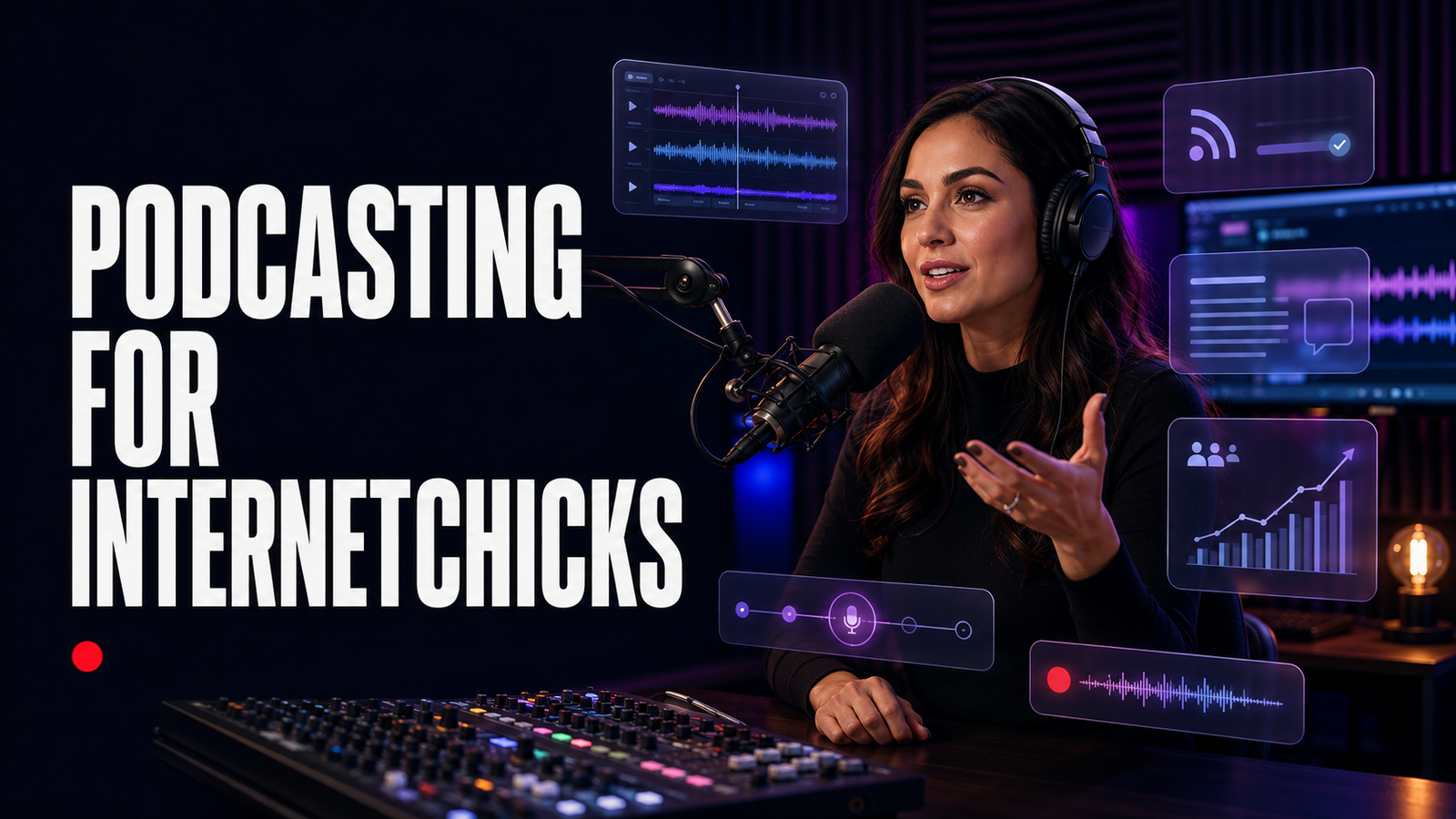
The first recording feels better than expected.
The host and guest talk for an hour. There are funny moments, useful stories, and one answer that could become a perfect clip. The new microphone looks serious on camera. By the end, everyone agrees: this should be a podcast.
Then the work begins.
One speaker is loud and close; the other sounds as if she is calling from a hallway. The air conditioner hums under the entire conversation. The guest mentioned a client who was not meant to be named. The opening takes nine minutes to reach the subject. Nobody confirmed whether the guest agreed to video clips or paid ads. The show title is already used by three other podcasts. The cover looks beautiful at full size and becomes unreadable in a phone app. The episode is uploaded to a media folder, but no one knows how an RSS feed reaches Apple Podcasts. The launch post says “new episode everywhere,” while one directory is still reviewing the show.
That is the honest shape of podcasting: a conversation can be easy; a dependable show is a publishing system.
Podcasting gives creators unusual depth. A listener may spend thirty, forty, or ninety minutes with one voice while driving, walking, working, cooking, or resting. That time can build trust, teach a difficult subject, preserve a story, create a body of searchable work, introduce collaborators, and support a business beyond a social feed. But a microphone does not automatically create intimacy, and a famous guest does not automatically create a useful episode.
The strongest podcasts make a clear promise, prepare with care, respect the listener’s time, sound comfortable enough to follow, publish where the audience can find them, and get better through evidence rather than expensive equipment.
This guide explains how Internetchicks can decide whether a podcast fits, choose an audience and format, name the show, design repeatable episodes, plan seasons, record clean audio, interview guests, produce video without weakening the audio experience, secure permissions, edit for meaning, select a host, understand RSS, distribute to Apple Podcasts, Spotify, and YouTube, write titles and show notes, publish transcripts, launch, grow returning listeners, analyze performance, sell sponsorships, build paid offers, use AI responsibly, protect guests and sources, and run a sustainable production workflow.
If you are still deciding between audio, video, livestreaming, newsletters, and social content, start with the best platforms for Internetchicks. This article begins when a recurring podcast is a serious option—not when buying a microphone is the whole plan.
The Short Answer: How Should Internetchicks Start a Podcast?
Start with one specific listener, one repeatable promise, and three pilot episodes recorded before the public launch.
- Define who the show helps or entertains and why she would return.
- Choose a focused subject with enough depth for at least twenty credible episode ideas.
- Select a format the host can sustain: solo, interview, co-hosted, narrative, panel, advice, review, or hybrid.
- Decide whether audio is the primary product and whether video materially improves it.
- Research the show name across search engines, podcast directories, social accounts, domains, businesses, and trademark records.
- Write a one-page show brief covering the promise, tone, episode structure, cadence, boundaries, and next action.
- Record in a quiet, soft room with the microphone close to each speaker and headphones for monitoring.
- Capture separate local tracks for host and guests when possible, plus a clear backup.
- Use a guest agreement covering recording, editing, publication, clips, promotion, commercial use, and sensitive subjects.
- Edit for clarity, pace, truth, privacy, and listener value—not merely the removal of filler words.
- Create readable square cover art and complete show and episode metadata.
- Choose a podcast host that provides a valid RSS feed, useful analytics, export, migration, team access, support, and transparent terms.
- Submit or connect the feed to relevant listening platforms and verify every listing before announcing “everywhere.”
- Publish useful titles, show notes, resources, transcripts, captions for video, and an owned show page.
- Launch with enough material to prove the format, then promote individual episode ideas rather than repeating “listen to my podcast.”
- Measure discovery, starts, consumption, completion, follows, return, actions, cost, and production time using consistent definitions.
- Monetize only when the offer fits the audience and the show can make clear sponsorship and affiliate disclosures.
The practical sequence is:
Listener → show promise → format → pilot → clean recording → careful edit → host and RSS → distribution → discovery → return → revenue
The microphone is part of step five, not step one.
What Is a Podcast?
A podcast is a recurring or limited series of episodes that listeners can access on demand. Traditionally, a podcast is delivered through an RSS feed to listening apps, although video platforms now use the word for shows distributed through video playlists, direct uploads, or connected feeds as well.
Podcast formats include:
- Solo commentary, essays, lessons, or stories
- Interviews
- Co-hosted conversations
- News, analysis, and reviews
- Advice, questions, and listener submissions
- Investigations and narrative documentaries
- Fiction and audio drama
- Roundtables and panels
- Rewatch, recap, and companion shows
- Video-first conversation shows
- Private or paid audio feeds
- Limited series tied to a book, course, launch, event, or research project
The medium is not defined by two people sitting across a table. It is defined by an episode experience and a way to follow the next release.
Podcast, YouTube Show, Livestream, and Audio Room
| Format | Publishing behavior | Listener or viewer expectation | Strong use |
|---|---|---|---|
| RSS podcast | Episodes reach subscribed listening apps through a feed | On-demand, often background or headphone listening | Interviews, stories, education, recurring commentary |
| YouTube podcast | Episodes are videos in a podcast-designated playlist | Visual or audio-only playback with YouTube discovery | Video conversations, demonstrations, searchable interviews |
| Livestream | Content is transmitted in real time | Attendance, immediacy, chat, participation | Q&As, live shows, events, community sessions |
| Audio room | Conversation happens live, usually with lightweight production | Real-time listening and stage participation | Topical conversation, networking, informal interviews |
| Recorded video series | Episodes are published on demand without necessarily using podcast distribution | Intentional viewing | Visual teaching, documentaries, demonstrations |
A show can occupy several rows. A video podcast may be recorded like a studio program, released to YouTube, exported as audio to an RSS feed, clipped vertically, and occasionally performed live. Each version needs a reason and a workflow. Recording cameras “just in case” can double the production burden without improving the listener experience.
Is a Podcast the Right Next Format?
Podcasting fits when:
- The creator’s strength is conversation, voice, analysis, interviewing, or narrative.
- The subject benefits from nuance that does not fit a short post.
- The audience can listen while doing something else.
- The idea can support a recognizable series, not only one conversation.
- Guests can add expertise, lived experience, access, or disagreement.
- The creator wants a library with a longer useful life than a social post.
- The show connects naturally to email, video, membership, products, services, or brand work.
- The creator can handle research, scheduling, editing, publishing, and promotion repeatedly.
- Privacy, safety, accuracy, and rights risks can be managed.
Another format may be better when:
- The subject depends on visual demonstration and audio description would make it awkward.
- The idea is strong for one episode but thin for a series.
- The creator dislikes listening, follow-up questions, or editing conversation.
- The main plan is to interview larger creators and borrow their audiences.
- Every episode would require expensive travel or production the show cannot sustain.
- The creator needs rapid search traffic and has no distribution plan beyond podcast apps.
- The content needs substantial legal, medical, financial, or investigative review the team cannot provide.
- A newsletter, video, article, or private call would serve the audience more clearly.
The Twenty-Episode Test
Write twenty episode ideas without repeating the same promise.
Weak ideas are labels: “confidence,” “business,” “beauty,” “social media.” Strong ideas contain a question, problem, conflict, person, decision, or outcome:
- Why good creators sound generic in brand pitches
- What a talent manager checks before accepting a client
- The hidden cost inside a “free” product collaboration
- How three photographers price the same commercial brief
- What changes when a hobby channel becomes a company
If the twentieth idea is as interesting as the first, the subject may have series depth. If the list becomes vague after four, make a limited series or use another format.
Decide What the Listener Gets From Every Episode
A podcast needs a show promise: the kind of experience a listener can expect repeatedly.
Examples:
- “Every Tuesday, one working creator explains the decision that changed her business.”
- “We investigate the contract clause behind a real creator-economy dispute.”
- “A thirty-minute planning session for people building content beside a full-time job.”
- “Two film fans revisit one action movie and ask what still works.”
- “One listener’s difficult audience question, answered with evidence and a practical next step.”
The promise should identify:
- Who: the intended listener
- Subject: the territory the show owns
- Transformation or feeling: what the listener gains
- Method: interview, story, analysis, experiment, or another device
- Pattern: when or how the experience repeats
- Difference: why this version deserves to exist
“Interesting conversations with interesting people” is not a difference. Most interview shows believe that is what they make.
Write the One-Page Show Brief
| Field | Decision |
| Working title | Clear, distinctive, and researchable |
| Primary listener | One useful person, not “everyone” |
| Show promise | The recurring value in one sentence |
| Subject boundaries | What belongs and what does not |
| Format | Solo, interview, narrative, co-hosted, or hybrid |
| Episode length | A planning range, not an artificial rule |
| Cadence | Weekly, fortnightly, monthly, seasonal, or limited |
| Recurring beats | Opening, story, framework, questions, close |
| Tone | Warm, skeptical, precise, funny, investigative, calm, or another mix |
| Evidence standard | What needs sourcing, review, or correction |
| Guest standard | Why a person belongs on the show |
| Boundaries | Private, unsafe, confidential, or inappropriate areas |
| Primary next action | Follow, email, resource, membership, event, product, or service |
| Success definition | What should improve after the first season |
This page gives hosts, editors, guest bookers, designers, sponsors, and collaborators the same show.
Choose a Podcast Format You Can Sustain
Solo Podcast
Solo episodes can build a direct relationship and make scheduling easier. They demand structure, energy, examples, and a voice that carries the episode without conversational momentum.
Use a script, detailed outline, or story map. Do not turn a long social-media caption into twenty minutes of repetition. A solo host should change pace through examples, questions, scenes, evidence, and clear sections.
Interview Podcast
Guests bring expertise and stories. The host brings the episode. A guest’s résumé is not the narrative; preparation, questions, follow-up, editing, and framing make the conversation useful.
Choose guests for fit, not follower count. A less famous practitioner with precise experience may create a stronger episode than a visible guest who has already given the same answers everywhere.
Co-Hosted Podcast
Co-host chemistry can make a show feel alive, but roles and ownership must be explicit. Agree on preparation, hosting, editing, expenses, revenue, intellectual property, passwords, absence, conduct, sponsor decisions, archive rights, and what happens if one host leaves.
Friendship is not a substitute for a co-host agreement.
Narrative or Documentary Podcast
Narrative shows combine reporting, scripting, interviews, archival material, fact-checking, sound design, and story structure. They can be powerful and time-consuming. Budget for research, source protection, releases, licensing, legal review, transcription, and multiple edits.
Start with a short limited series or one carefully produced pilot before promising a weekly investigation.
Panel or Roundtable
Several voices can create range and chaos. Give each person a purpose, share the topic and boundaries in advance, record separate tracks, enforce turn-taking, and edit repetition. A panel should reveal meaningful difference, not reward whoever interrupts fastest.
Advice and Listener-Submission Show
Questions create relevance and participation. Collect only necessary information, explain whether the submission may be edited or published, obtain appropriate permission, anonymize when needed, and avoid giving individualized high-stakes advice beyond competence.
Limited Series
A fixed number of episodes can suit a research question, release, journey, course, event, or story. It gives the project a real ending and may be more sustainable than an indefinite weekly promise.
Hybrid Format
A show can alternate interviews, solo analysis, and listener questions if one promise holds them together. Name the episode type so the audience understands the pattern.
Choose Audio-First, Video-First, or Both
Video podcasting can expand discovery and create visual clips. It also changes the room, equipment, editing, hosting, guest preparation, accessibility, storage, and rights.
Audio-First
Choose audio-first when the voice and conversation carry the experience. Benefits include lighter production, smaller files, more flexible guest environments, and easier background listening.
The host must explain visual references: “The chart rises sharply after March,” not “look at this.” Any video version can remain simple without pretending to be a television show.
Video-First
Choose video-first when facial expression, body language, objects, screens, demonstrations, performance, or the YouTube experience materially matters. Compose the set, eyelines, cameras, light, captions, visual evidence, and edit for watching.
The extracted audio still needs to make sense if it will be sent to podcast apps. Avoid long silent reactions and unexplained “this one here” references.
Record Both Deliberately
If both matter:
- Give every speaker an individual microphone and camera plan.
- Record isolated high-quality audio tracks.
- Slate or clap for synchronization when needed.
- Keep the audio narrative understandable.
- Capture visual inserts rather than relying on a wide shot for everything.
- Confirm guest permission for audio, video, thumbnails, clips, ads, and transcripts.
- Budget separate edit, review, caption, storage, and publishing time.
- Design titles and thumbnails for each platform without changing the episode’s truth.
YouTube’s current model treats a podcast as a playlist whose episodes are videos, although eligible creators in supported locations may also deliver an audio-first show through RSS. Its official podcast creation guide and RSS delivery guide explain the current routes. Verify availability rather than assuming every account has the same option.
Name the Podcast Before Building the Brand
A show name should be memorable, pronounceable, searchable, expandable, and legally usable.
Research the Name
Search:
- Apple Podcasts, Spotify, YouTube, and other relevant directories
- General web and video search
- Social handles and creator platforms
- Domain names
- Company and assumed-name records where relevant
- Trademark databases for target countries and categories
- Similar spellings, sounds, meanings, and translations
Finding no exact podcast title does not prove the name is clear. A similar media, education, entertainment, or service brand may still create confusion.
The trademark guide for Internetchicks explains why a recurring series title can function differently from the title of a single creative work.
Prefer Clarity Over a Private Joke
A clever title can work when the subtitle, description, cover, and episode names make the subject clear. An ambiguous one-word name may be difficult to search and hard to distinguish in conversation.
Say the name aloud. Ask someone to spell it after hearing it once. View it truncated on a phone. Imagine a guest introducing it without reading. Check whether the phrase traps the show in one temporary format or platform.
Create a Show Description That Makes a Decision Easy
The description should answer:
- Who is this for?
- What happens in an episode?
- What subjects belong?
- Who hosts it, and why should the listener trust her?
- How often does it publish?
- Where can the listener find resources or contact the team?
Avoid filling the first lines with awards, a long biography, or broad adjectives. Lead with the listener’s reason to press play.
Build a Recognizable Episode Structure
Structure protects the listener from a recording that takes too long to discover its point.
Example: A 35-Minute Interview Episode
| Time | Beat | Purpose |
| 0:00–0:30 | Cold open | A strong, truthful moment that creates the episode question |
| 0:30–1:30 | Welcome | Show identity, guest, subject, and necessary disclosure |
| 1:30–5:00 | Context | Why this conversation matters now |
| 5:00–14:00 | Origin or problem | Establish the real situation, not the full biography |
| 14:00–25:00 | Decisions and evidence | Explore what changed, failed, or worked |
| 25:00–31:00 | Application | Translate the story into useful choices for the listener |
| 31:00–34:00 | Closing question | Land the theme without repeating the entire episode |
| 34:00–35:00 | Next step | Credits, links, next episode, and sponsorship information |
The timings are illustrative. A strong ten-minute answer should not be cut to satisfy a table, and a weak tangent should not survive because the planned block was long.
The Cold Open
Use a short moment that genuinely represents the episode. Do not edit a guest into a more shocking claim than she made. Avoid giving away the only answer or beginning with a joke that requires ten minutes of missing context.
The Introduction
Tell the listener what she is about to get. Long theme music, sponsor messages, biographies, ratings requests, and network announcements can make the episode feel as if it is avoiding itself.
The Middle
Move through questions or scenes that cause development. A useful middle contains decisions, specific moments, disagreement, consequences, examples, and reflection—not a chronological résumé.
The Close
End when the episode has landed. Summarize only what needs reinforcing, give one relevant next action, credit contributors, disclose relationships, and tell the listener what to expect next.
Plan Seasons, Cadence, and Editorial Capacity
Weekly is not automatically more professional than monthly. Choose a schedule from the full workload:
- Topic development and research
- Guest outreach and scheduling
- Pre-interview
- Script or outline
- Recording setup and backup
- Recording
- Edit and sound mix
- Fact, legal, guest, sponsor, and accessibility review
- Artwork, title, notes, transcript, and captions
- Upload, feed, and directory checks
- Newsletter, clips, and promotion
- Analytics and archive management
A forty-minute episode can represent several hours or several weeks, depending on the format.
Cadence Models
| Model | Good fit | Main risk |
| Weekly | Simple format, fast feedback, recurring habit | Burnout and weak preparation |
| Fortnightly | Interviews, research, video, or a small team | Needs clear reminders |
| Monthly | High-production or specialist episodes | Slow learning and weaker habit |
| Seasonal | Narrative arc, limited capacity, or themed runs | Audience drop between seasons |
| Limited series | One defined question or project | No automatic next season |
| Batch release | Bingeable story or course-like sequence | Less time to adjust from feedback |
Build a production buffer. Record enough pilots to learn the format and keep at least one releasable episode ahead when possible. Do not record an entire season before discovering that the microphone, structure, or premise does not work.
Use the content-ideas guide for Internetchicks to build topic pillars, then make each episode earn its place with a distinct question.
Design a Minimum Viable Podcast Setup
The minimum setup is not the cheapest object list. It is the simplest system that can produce intelligible, consistent speech in the real recording environment.
Start With the Room
An untreated kitchen with hard walls, windows, and a distant microphone can make premium equipment sound poor. Choose a quiet, soft space with curtains, rugs, upholstered furniture, books, or purpose-built treatment. Avoid bare corners, traffic, appliances, fans, computer noise, loose jewelry, table vibration, and rooms where other people must remain silent under unrealistic conditions.
Record one minute of room tone. Clap once and listen to the decay. Speak at the energy of the actual show. Move the chair, touch the desk, type, breathe, and turn pages. The noises that seem invisible during conversation become obvious in headphones.
Soundproofing and acoustic treatment are different. Treatment reduces reflections inside the room; true sound isolation limits sound entering or leaving and may require construction. A foam square cannot stop a truck.
Choose the Microphone for the Voice and Room
Common options include:
- USB dynamic microphone: simple connection, close speaking position, often practical in an ordinary room
- USB condenser microphone: detailed sound but may capture more room and background noise
- XLR dynamic or condenser microphone: connects through an audio interface or recorder and supports a more expandable setup
- Lavalier microphone: useful for mobile or video movement, with clothing and placement risks
- Shotgun or boom microphone: keeps the frame clear but requires careful placement and room control
- Handheld recorder or microphone: useful for field interviews and reporting
Choose by polar pattern, connection, monitoring, gain needs, room, speaking distance, portability, repairability, and whether several microphones must be recorded separately.
Price is not the first test. A modest microphone a hand’s width from the mouth usually beats an impressive microphone at the far edge of a table.
Use Headphones
Closed-back headphones help the host hear clipping, hum, guest echo, cable trouble, and accidental playback. Each remote participant should use headphones to keep the call from re-entering the microphone.
Monitor at a safe level. Loud monitoring does not improve the recording and can fatigue hearing.
USB Versus XLR
USB is convenient for one microphone and a small setup. XLR can be more flexible for multiple speakers, replaceable cables, dedicated preamps, hardware controls, and studio expansion.
Do not upgrade because XLR looks professional on camera. Upgrade when routing, reliability, repair, multiple inputs, or sound control requires it.
Audio Interface or Recorder
An interface converts microphone signals for the computer. A standalone recorder can capture without depending entirely on the computer and may provide a useful backup. Check input count, microphone power requirements, preamp performance, headphone mixes, multitrack recording, storage, batteries, file recovery, and how remote audio enters the system.
Microphone Accessories
A stable stand or boom keeps placement consistent. A pop filter or windscreen reduces some plosives. A shock mount can reduce vibration. Proper cables prevent intermittent noise. None of these replaces speaking technique and a suitable room.
The best-tools guide for Internetchicks compares creator equipment and software by workflow rather than hype.
Learn Basic Microphone Technique
Good technique reduces editing.
- Keep a consistent, close distance.
- Aim slightly off-axis if plosives are strong.
- Move the microphone with the speaker, not toward the center of the table.
- Avoid tapping the desk, adjusting the stand, or handling paper beside the capsule.
- Turn away to cough or drink, then pause before speaking.
- Keep voice level natural; do not whisper because a microphone is present.
- Give every in-person speaker a dedicated microphone when possible.
- Leave a short pause after a mistake and restart the sentence cleanly.
- Record room tone for repair and transitions.
Watch input meters, but listen as well. A moving meter cannot tell whether the chosen microphone is the laptop across the room.
Set Gain Without Chasing Loudness
Gain controls the input level. Set it so normal speech is healthy and excited speech has headroom. Digital clipping cannot be made clean by lowering the track later.
Do not record a quiet “testing one, two” if the guest will tell an animated story. Ask her to say a real answer at real energy. Confirm both the local recording and the backup.
Record Remote Podcast Guests Cleanly
Remote interviews fail in predictable ways: no headphones, distant laptop microphone, unstable Wi-Fi, one mixed call track, browser permissions, automatic device switching, notification sounds, and no local backup.
Send a Guest Recording Guide
Keep it human and short:
- Join from a computer in a quiet, soft room.
- Use headphones.
- Use the agreed microphone and keep it close.
- Connect power and, when practical, wired internet.
- Close heavy applications, sync tools, and unnecessary tabs.
- Silence phones, watches, computers, and smart speakers.
- Do not use a virtual background unless requested.
- Bring water and avoid noisy jewelry or clothing.
- Join early for the technical check.
- Tell the host immediately if something becomes private or uncomfortable.
Do not shame a guest who lacks studio equipment. Offer achievable improvements: a wired headset, smaller room, blanket near reflective surfaces, phone backup, or local voice recording.
Prefer Separate Local Tracks
Some remote-recording tools capture each participant locally and upload separate tracks. This protects quality from some call compression and enables independent level, noise, timing, and edit control.
Check:
- Browser and device compatibility
- Audio and video recording quality
- Local versus cloud capture
- Progressive upload and recovery
- Separate tracks
- Echo cancellation behavior
- Guest account requirements
- Consent and recording indicators
- Data location, retention, AI, and training terms
- Export formats
- Team permissions
- Backup call recording
Do not trust a platform label such as “studio quality” without a real test from the guest’s type of device and connection.
Make a Double-Ender Backup
When appropriate, ask each participant to record herself locally on a phone, recorder, or computer while the conversation happens. Clap or count together for synchronization. Confirm storage and start status before the interview.
A backup is useful only if someone checks that it exists and can be opened.
Handle Connection Trouble
If the conversation freezes or overlaps:
- Pause and mark the problem.
- Let the connection stabilize.
- Repeat the last question and answer cleanly.
- Turn off nonessential video if audio is primary.
- Switch connection or device using the agreed backup.
- Reschedule if the guest’s meaning or dignity is being damaged.
Do not publish a broken interview merely because the calendar says an episode is due.
Prepare Guests Without Pre-Recording the Life Out of Them
A good pre-interview protects the episode while leaving room for discovery.
Discuss:
- The show and intended listener
- The central episode question
- Why this guest fits
- Important experiences, examples, and dates
- Subjects that require verification
- Names or claims that may create risk
- Private, confidential, traumatic, or off-limit areas
- Sponsor relationships and conflicts
- Recording, edit, transcript, clip, and publication permissions
- Pronunciation and identity preferences
- Technical setup and backup contact
- Release timing and promotion expectations
Do not ask the guest to perform every story in full during the pre-interview. Map the terrain, identify the useful scenes, and save the live detail for the recording.
Use a Guest Brief, Not a Surprise Trap
Send the theme, practical details, and broad areas. You do not always need to send every exact question, but never hide the nature of the show or ambush someone with an allegation, traumatic event, private recording, or sponsor demand for entertainment.
Investigative interviews may require a different process and qualified editorial or legal advice. “She agreed to be on a podcast” does not authorize every tactic.
Ask Better Podcast Interview Questions
Weak questions invite summaries:
- “Tell us about yourself.”
- “What was your journey?”
- “What advice do you have?”
- “What is next?”
More useful questions ask for a moment or decision:
- “Take me to the day you realized the old pricing model was failing.”
- “What did the email actually ask you to do?”
- “Which option looked safest, and why did you reject it?”
- “What did you believe then that you no longer believe?”
- “What would I have seen if I were in the room?”
- “What part of that result cannot be copied by someone listening?”
- “Who disagrees with your approach, and what are they right about?”
Listen for the Door
A guest often places the most interesting detail at the end of an answer: “We almost canceled the launch,” “My co-founder disagreed,” or “That number did not include refunds.” That is the door. Follow it before returning to the list.
Ask One Question at a Time
A host who asks four questions usually receives the easiest answer. Remove the preamble, ask one clear question, wait, and let silence work.
Clarify Without Humiliating
Ask for definitions, dates, examples, sources, and uncertainty. “When you say everyone, who was included?” is more useful than pretending a broad statement is precise.
Protect the Listener From Insider Language
Spell unfamiliar names. Expand acronyms. Explain the object, company, event, or document the guest can see but the listener cannot. The host represents the listener who is curious, not the host who wants to prove she belongs in the room.
Script a Solo Podcast That Still Sounds Human
A script can improve accuracy and pace. It sounds robotic when it was written for the eye rather than the ear.
Write for Breath and Meaning
- Use shorter sentences around difficult ideas.
- Put one thought in each paragraph.
- Use contractions when they fit the voice.
- Mark pauses, emphasis, names, and pronunciations.
- Replace stacked clauses with a sequence.
- Read every line aloud during revision.
- Cut introductions that explain what the episode will eventually explain.
- Use specific scenes and examples.
- State sources naturally and place full links in the notes.
Outline When a Full Script Is Too Tight
Use cards or sections containing:
- The point
- The example
- The evidence
- The transition
- The sentence that must be accurate
- The listener question
- The call to action
Record in sections. A clean restart is easier to edit than trying to recover a paragraph while speaking.
Record Video Without Neglecting the Podcast
Video adds three jobs: visual storytelling, visual continuity, and visual privacy.
Frame the Conversation
Use camera angles that support eyeline and edit choices. Check lighting, focus, white balance, exposure, power, card capacity, heat, time limits, and synchronization. Capture a usable wide or safety angle for cuts when resources allow.
Keep branded sets quiet enough that the conversation remains primary. A wall of colored lights cannot rescue a weak question.
Make Visual References Accessible to Audio Listeners
Describe the essential object or result:
“The original cover uses six thin lines of type; the revised version has one large title and a face in the lower-right corner.”
Do not force the audio audience to imagine what “this” means for five minutes. If the visual is the episode, make a true video and create an audio companion designed for listening.
Protect the Frame
Remove documents, addresses, client work, family photos, prescriptions, reflections, screens, and location clues. Get consent from people who may appear or be heard. Turn off notifications on all devices, including the guest’s.
Use Guest and Contributor Agreements
Written permission reduces ambiguity. Depending on the production and risk, a guest or contributor agreement may cover:
- Permission to record audio and video
- Right to edit for length, clarity, format, safety, and standards
- Podcast, website, video, social, email, advertising, and promotional distribution
- Full episodes, trailers, clips, transcripts, quotations, thumbnails, and stills
- Organic, monetized, sponsored, and paid promotional use
- Guest-provided music, images, slides, recordings, and other materials
- Name, biography, title, likeness, and pronunciation
- Fees, expenses, credits, and revenue participation
- Confidential and off-record procedure
- Fact-check or review process, if any
- Embargo and publication timing
- Cancellation, takedown, and correction process
- AI transcription, editing, translation, dubbing, and voice or likeness restrictions
Do not promise blanket guest approval if the editorial process cannot support it. Do not tell a nervous guest “we can remove anything later” when contracts, sponsors, schedules, or distributed files make that untrue.
The contracts guide for Internetchicks explains scope and rights; qualified advice is important for investigations, minors, medical stories, disputed claims, confidential sources, employment restrictions, and high-value commercial use.
Establish On-Record, Background, and Off-Record Rules
Different industries use these terms differently. Define them before the conversation.
One workable internal approach might be:
- On the record: may be recorded, attributed, edited, and published under the agreement.
- Background: may inform the work under specifically agreed attribution rules.
- Off the record: may not be published or attributed; whether it may guide further reporting should be stated.
The guest must ask before entering a protected mode, and the host must confirm. A guest cannot reliably declare an already recorded answer “off the record” retroactively unless the publisher agrees.
For a personal interview show, the humane choice may be to remove a detail even when publication is technically permitted. For an accountability interview, public interest may change that decision. Build an editorial standard rather than bargaining under deadline.
Protect Sources, Subjects, and Private Information
Before publication, check for:
- Home, school, workplace, health, financial, immigration, travel, and family details
- Names of children or vulnerable people
- Client and employer confidentiality
- Active legal disputes or allegations
- Personal data inside shared documents or screens
- Security routines, passwords, access methods, or exact locations
- Statements about people who were not given a fair chance to respond
- Trauma details that do not serve the story
- Voice characteristics that could identify an intended anonymous source
Anonymity is not achieved by changing a first name while leaving a job, town, event, and date intact. The online-safety guide for Internetchicks provides a broader risk review.
Clear Music, Clips, Artwork, and Archive Rights
A podcast episode may contain separate rights in:
- Host script and performance
- Guest contribution
- Sound recording
- Musical composition and recording
- Intro, outro, and transition music
- Film, television, news, or social clips
- Archive interviews
- Photographs and episode artwork
- Logos, fonts, and illustrations
- Video footage and screenshots
- Listener messages or voice notes
Buying a song, subscribing to a music service, giving credit, or using a short excerpt does not automatically grant podcast, synchronization, video, clip, advertising, or worldwide rights.
Keep a Rights Log
Record the source, owner, license, permitted media, territory, term, attribution, edit rights, monetization, advertising, archive, clip, and expiration status of each non-original asset. Preserve the agreement and the license version that applied when the episode was produced.
If a license covers the full podcast but not paid social ads, do not place the music under a sponsored episode clip. If a guest provides a photograph, confirm that she actually controls the needed rights.
Read the copyright guide for Internetchicks before building the show’s sound around borrowed media.
Edit the Podcast for Meaning, Not Perfection
Editing should help the listener follow the truth of the conversation.
Editorial Edit
Shape:
- The episode question
- Essential context
- Order of ideas
- Repetition
- Tangents
- Unclear references
- Unsupported claims
- Sensitive information
- Sponsor placement
- The ending
Preserve uncertainty and meaning. Do not splice words to create a claim the speaker did not make, remove a qualification that changes an answer, or use a dramatic pause from another moment.
Dialogue Edit
Reduce distractions such as false starts, accidental repetitions, long technical gaps, severe verbal clutter, mouth noise, and interruptions. Human speech can remain human. Removing every breath and “um” may create unnatural rhythm and unnecessary labor.
Audio Repair
Possible processes include high-pass filtering, hum removal, noise reduction, de-clicking, equalization, de-essing, compression, level automation, limiting, and loudness normalization. Apply them because a problem exists. Heavy processing can create metallic voices, pumping noise, lisping, or listener fatigue.
Work from the best source, repair conservatively, and compare against an unprocessed reference.
Mix and Master
Balance speakers, music, clips, and transitions so the listener does not reach for the volume control. Check on good headphones, ordinary earbuds, a phone speaker, and a car or small speaker when relevant.
Podcast hosts and platforms publish current file and loudness recommendations. Use a consistent internal delivery specification, but do not confuse measured loudness with pleasant sound. A harsh voice at the “correct” number is still harsh.
Export an Archive Master and Delivery File
Keep a high-quality lossless master and the session or edit information needed for future corrections. Export the distribution file to the host’s current specification. Preserve chapter, transcript, artwork, rights, release, and source records with the episode.
Use clear file names and versions. “final_final_REAL2.mp3” is not an archive system.
Build a Review and Approval Process
Not every episode needs seven approvers. Every episode needs named responsibility.
Possible checks include:
- Editorial structure
- Factual claims and source notes
- Names and pronunciations
- Defamation, privacy, copyright, and regulatory risk
- Guest or source review where promised
- Sponsor claims and disclosure
- Audio quality and technical integrity
- Transcript and caption accuracy
- Title, description, artwork, and links
- Final feed and platform playback
Set deadlines and define silence. Does no response mean approval, delay, or escalation? A brand, guest, co-host, and legal reviewer should not each believe someone else has the final call.
When correcting an episode, preserve the original evidence, document what changed, update the audio and written materials, and communicate according to the seriousness of the error.
Understand Podcast Hosting and RSS
The media file does not usually travel directly from the editing computer to every listener’s app.
A podcast hosting provider stores or delivers episode media, creates and updates the show’s RSS feed, and provides publishing and analytics tools. The RSS feed is a structured file containing show and episode information: title, description, artwork, media location, dates, identifiers, and other metadata. Podcast directories read that feed and use it to display new episodes.
The simple model is:
Creator uploads episode to host → host updates RSS feed → listening apps read feed → listener requests episode media
Submitting the show to a directory is usually a setup task. After that, correctly published feed updates can deliver future episodes without manually uploading the same audio to every traditional podcast app. Platform-native video and special features may use different workflows.
Choose a Podcast Host Carefully
Compare:
- Ownership and control of the RSS feed
- Custom domain and feed URL options
- Storage, bandwidth, episode, and show limits
- Audio and video support
- Dynamic ad or content insertion
- Private feeds and subscriptions
- Analytics definitions and IAB certification or alignment
- Team roles and approval workflow
- Scheduled publishing and time zones
- Transcripts, chapters, and episode artwork
- Website and embeddable player
- Distribution tools
- Listener data, privacy, and tracking
- AI processing and training terms
- Export and backup
- Support and incident history
- Pricing at current and expected scale
- Feed redirect and migration process
- What happens if payment fails or the service closes
Free hosting may be suitable. “Free” does not answer who controls the feed, what advertising or data rights apply, whether old episodes remain available, or how the show moves later.
Protect the Feed
- Use an account controlled by the business, not a temporary contractor.
- Enable strong multi-factor authentication.
- Give team members appropriate individual roles.
- Keep recovery methods secure.
- Document the feed URL, host, directories, ownership emails, and verification accounts.
- Back up media, artwork, metadata, transcripts, analytics exports, and contracts independently.
- Remove access when roles end.
The RSS feed is infrastructure. Treat it like a domain or mailing list, not a disposable link.
Migrate Podcast Hosts Without Losing the Show
A rushed host change can split listings, interrupt delivery, and confuse analytics.
Before moving:
- Export or back up every episode, title, description, date, identifier, artwork file, transcript, chapter, and analytics report.
- Confirm how the new host imports existing metadata and media.
- Check that episode identifiers remain stable where appropriate.
- Verify the new feed privately.
- Configure the old feed’s permanent redirect to the new feed using the hosts’ current migration instructions.
- Update directory ownership or feed settings where required.
- Test new and old feed URLs, listings, follows, and playback.
- Keep the old account available for the recommended transition period.
- Monitor for duplicate shows, missing episodes, broken artwork, and analytics discontinuity.
- Update the website, media kit, automations, and team documentation.
Do not cancel the old host first and hope directories find the new feed. Obtain support when the feed, paid subscribers, dynamic ads, or catalog has meaningful value.
Prepare Podcast Metadata That Travels Well
Metadata helps listeners and platforms understand the show. It also prevents each directory listing from becoming a different version of the brand.
Show-Level Metadata
Prepare:
- Show title
- Author or publisher name
- Clear description
- Primary and secondary categories
- Language
- Explicit-content status
- Copyright information
- Contact and ownership email
- Website
- Square show cover
- Serial or episodic order
- Complete, trailer, bonus, season, and episode tags where supported
Apple’s current RSS requirements require appropriate feed tags, artwork, and at least one episode for a feed-based show. Feed validation tests technical readiness; it does not certify every factual, legal, or editorial claim.
Episode-Level Metadata
Each episode should have:
- Distinct title
- Concise description
- Publication date and time zone
- Episode and season information where useful
- Episode type
- Explicit-content setting
- Media file
- Stable identifier managed by the host
- Episode artwork when used
- Transcript and chapters where supported
- Useful website or resource link
Avoid putting season and episode numbers inside titles when a platform asks for structured tags instead. Check current directory guidance before mechanically adding “Episode 027” to every title.
Design Podcast Cover Art for a Tiny Screen
The show cover may appear smaller than a postage stamp beside several competitors.
Use:
- A short, legible title
- Strong contrast
- One clear visual idea
- A face only when the host’s identity materially helps
- A style connected to the wider personal brand for Internetchicks
- Safe margins for cropping and interface overlays
- Original or licensed fonts, images, and illustration
Avoid:
- A subtitle that becomes a grey line
- Several host portraits at tiny size
- Microphone icons added only to prove it is a podcast
- Thin type over a busy photograph
- Platform logos that imply endorsement
- “Official” unless the claim is accurate
- Awards, stars, or chart claims that cannot be supported
Apple’s current show-cover specification accepts RSS show art from 1400 by 1400 through 3000 by 3000 pixels, prefers the largest size, and requires PNG or JPG with a solid background. Other services may apply their own file, crop, and content rules, so keep an editable master and export platform-specific versions.
Test the cover at 50, 100, and 300 pixels. Ask a person unfamiliar with the show what she can read and what subject she expects.
Publish to Apple Podcasts, Spotify, YouTube, and Other Apps
Distribution is not one button with permanent results. Create a directory checklist and verify each destination.
Apple Podcasts
For a public RSS show, create the relevant account, submit the feed through Apple Podcasts Connect, resolve validation issues, confirm ownership and access, and choose availability. Apple’s submission guide explains the current process and notes that feeds are validated before publication.
Test the feed privately before submission. After approval, check show name, publisher, artwork, categories, description, order, explicit setting, episode titles, duration, and playback on more than one device.
Spotify
If Spotify hosts the show, it makes the show available on Spotify, but its current distribution guidance says creators need to submit the RSS feed to services beyond Spotify, such as Apple Podcasts and Amazon Music. Do not assume hosting on one service means every directory is active.
If another provider hosts the feed, claim or submit the show using Spotify’s current creator process. Confirm ownership, listing, categories, links, episode order, and analytics access.
YouTube and YouTube Music
On YouTube, a podcast is organized as a playlist and episodes are videos. Creators may upload produced video, use a simpler visual treatment, or connect an eligible RSS feed where that feature is available. Audio delivered from RSS may be converted into platform video using the show art.
Choose the route intentionally. A static-image RSS import may provide distribution; a filmed show may perform differently in browse, search, recommendations, and clips. Do not create two public copies of every episode without a duplication plan.
Other Directories and Apps
Prioritize according to audience geography and device behavior. Relevant services may include Amazon Music, Pocket Casts, Overcast, Castbox, iHeartRadio, and others. Requirements and availability change.
For every destination, record:
| Field | Record |
| Service | Directory or platform name |
| Account owner | Business-controlled email and role |
| Show URL | Verified public listing |
| Feed status | Source feed and claim status |
| Submission date | When it entered review |
| Approval date | When the public listing worked |
| Analytics access | Owner and dashboard |
| Special settings | Category, content rating, video, transcript, paid options |
| Last check | Date playback and metadata were verified |
Say “available on Apple Podcasts and Spotify” when those are the verified services. “Everywhere” is a large technical claim.
Create Episode Titles People Can Understand
An episode title must work for a follower, a searcher, and a person seeing it without the cover.
Weak:
- The One Where Everything Changed
- Episode 14 With Sarah
- Let’s Talk About It
- Monday Motivation
Stronger:
- Why Creator Retainers Fail After the First Month — Sarah Malik
- The Contract Clause That Can Double a Campaign’s Real Scope
- How a Solo Podcaster Records Remote Guests Without a Studio
- We Audited Three Media Kits: What Brands Could Not Find
Use the person when her name creates useful context. Lead with the subject when it does not. Do not force a keyword phrase into every title, write misleading suspense, or make the guest sound as if she endorsed a claim she challenged.
Title the Idea, Not the Recording Session
The best title may become clear after editing. Ask:
- What question does the episode answer?
- What decision, conflict, or result drives it?
- Which specific phrase would the intended listener recognize?
- What must remain accurate after truncation?
- Does the title distinguish this episode from the rest of the catalog?
The SEO guide for Internetchicks explains how to map a genuine search need without flattening the content into keywords.
Write Podcast Show Notes That Help the Listener
Show notes are not a transcript dump or a wall of social links.
A useful episode page can include:
- A direct summary of the episode question and value
- Guest name, role, and relevant context
- Main ideas or chapters
- Sources, corrections, and further reading
- Products, services, or relationships mentioned
- Sponsorship and affiliate disclosures
- Transcript
- Guest and show links
- One primary next action
- Credits for production, music, artwork, and contributors
Put essential resources near the relevant note, not beneath fifteen promotional links. Check every URL and preserve a correction path.
Create a Home for Each Episode
An owned episode page can support searchable text, transcript access, citations, embeds, email signup, corrections, and links that remain under the creator’s control. Do not copy a thin two-sentence description across every page and expect search traffic.
Connect episodes to relevant articles, videos, tools, and future shows. A podcast catalog should become a knowledge system, not an audio storage unit.
Publish Accurate, Useful Podcast Transcripts
A transcript makes audio available to people who cannot hear it, prefer reading, need to search a phrase, use translation, process information better in text, or want to cite the episode.
W3C’s transcript guidance explains that a basic transcript includes speech and meaningful non-speech audio, while a descriptive transcript for video also covers visual information needed for understanding. It recommends clear speaker identification, useful headings and links, and easy placement near the media.
Do Not Publish Raw Automatic Text Without Review
Automatic transcription can misstate:
- Names and titles
- Numbers, dates, and prices
- Accents and dialects
- Technical terms
- Negation
- Speaker identity
- Overlapping speech
- Sensitive or defamatory claims
Correct meaning, speakers, punctuation, paragraphs, and important sound cues. Mark editorial clarifications. If the episode is video and necessary information appears only visually, include it in a descriptive transcript or explain it in the spoken track.
Transcript, Show Notes, and Captions Have Different Jobs
| Asset | Main job |
| Transcript | Text equivalent and searchable record of the episode |
| Show notes | Curated context, resources, links, disclosures, and next actions |
| Captions | Synchronized speech and meaningful audio for video playback |
| Article | A separately structured written answer that may draw from the episode |
Do not call a short summary a full transcript. Do not place a full transcript in the description field if it makes the listing unusable.
Launch a Podcast Without Manufacturing a “Big Launch”
A launch should help the right people understand, sample, and follow the show. It does not need a countdown to an empty feed.
Before Launch
- Finish the show brief and naming checks.
- Produce and review the trailer or introductory episode.
- Complete at least two strong full episodes or an appropriate limited-series buffer.
- Configure the host, feed, artwork, metadata, website, email, analytics, and backup.
- Submit early enough for directory review.
- Verify every public listing and player.
- Prepare transcripts, captions, notes, citations, disclosures, and correction contact.
- Create clips and promotional assets from real finished episodes.
- Brief guests on timing and approved assets.
- Write the next production schedule before attention arrives.
Trailer Versus Episode Zero
A trailer is a short invitation: who the show is for, what it does, who hosts, sample moments, and when it begins. An episode zero can explain the premise in more depth. Neither should become an autobiography that delays the useful episodes.
How Many Episodes Should Launch Together?
One episode focuses attention. Several let a new listener test the range and continue. A serialized story may require a carefully chosen release pattern. There is no magic number.
Choose based on the format, production buffer, promotion, and whether each release can receive individual care. Do not empty half a season into the feed because a launch checklist said “three episodes” without considering the listener.
Ask for One Useful Action
Choose the next step: follow the show, play the next episode, join the email list, submit a question, or share with one relevant person. Asking for follows, ratings, reviews, comments, five social follows, a membership, a product purchase, and a consultation in the same close weakens all of them.
Grow a Podcast One Episode Promise at a Time
“New podcast episode out now” tells an existing fan that a file exists. It gives a new listener no reason to care.
Promote:
- The question the episode resolves
- A surprising but accurate finding
- A useful story
- A respectful disagreement
- A practical framework
- A guest’s specific expertise
- A moment that makes sense without manipulation
- The next problem the listener can solve
Build a Distribution Package Per Episode
Possible assets include:
- Searchable episode page
- Email with the core idea
- One audiogram with captions
- One vertical video clip
- One quotation card with context
- One carousel or thread explaining a framework
- Guest-ready copy and art
- A short article expanding a question
- Internal links from relevant evergreen pages
- A follow-up listener prompt
Create fewer assets well. A clipped sentence floating over stock footage may produce views and no listeners.
Use Email to Build Return
Email can announce the episode, provide its central insight, link resources, collect questions, and remind listeners of the next release without depending on app notifications. Ask for the email relationship honestly and make the message valuable even if the recipient does not press play.
The email-marketing guide for Internetchicks covers consent, deliverability, segmentation, and measurement.
Cross-Promote With Relevant Shows
Options include:
- Guest appearances
- Feed swaps or trailer exchanges
- Host-read recommendations
- Collaborative episodes
- Private network referrals
- Newsletter swaps
- Curated playlists or resource pages
Choose audience fit and trust. A large unrelated show may create brief starts and weak completion; a smaller adjacent show may create returning listeners.
Disclose paid placement or material connections. Agree on dates, copy, files, tracking, territory, and how long the promotion remains in the feed.
Help Guests Share Without Making Them the Marketing Department
Send accurate assets sized for relevant platforms, the public link, a short description, captions, publication time, and the section that represents the guest fairly. Sharing should be invited, not treated as unpaid consideration hidden inside the interview.
Do not choose guests only for reach. The best guest strategy makes better episodes; any audience exchange is secondary.
Use Clips as Complete Doorways
A clip should have enough context to be understood, a truthful hook, readable captions, clear speaker identity, and a reason to hear the full episode. Remove private details and check sponsor, guest, music, archive, and platform rights.
Do not edit hesitation away to make an uncertain answer sound certain. Viral distortion can grow the wrong audience and damage the source relationship.
Build Community Around the Show Without Demanding Access
Invite listeners to submit questions, corrections, stories, or examples through a clear route. Explain whether messages may be read, edited, anonymized, recorded, or used in promotion. Do not publish a private email because it would make good content.
Possible community practices include:
- Monthly listener questions
- Polls that shape a future topic
- Source calls with eligibility and privacy terms
- Members-only office hours
- A moderated discussion space
- Live tapings
- Resource updates after an episode
- Corrections and follow-up episodes
Community is not constant access to the host. Publish contact boundaries, response expectations, moderation rules, and crisis-resource limits.
Use the audience-growth guide for Internetchicks to connect discovery, depth, and ownership without turning listeners into numbers.
Measure the Podcast With Definitions, Not Impressive Screenshots
Podcast metrics come from different systems. A host may estimate downloads and audience across RSS delivery. Apple and Spotify can provide platform-specific listening behavior. YouTube reports video impressions, views, watch time, and traffic sources. A website reports search and clicks. These numbers are related; they are not interchangeable.
Discovery Metrics
- Show and episode impressions where available
- Search queries and directory discovery
- Website search sessions
- Clip reach and qualified click-through
- Guest, newsletter, social, referral, and cross-promotion traffic
- Trailer or sample starts
- New listeners or viewers
Consumption Metrics
- Valid or filtered downloads
- Listeners, viewers, or plays under the platform’s definition
- Listening or watch time
- Average consumption or watch duration
- Episode completion
- Drop-off by segment
- Back-catalog consumption
- Audio versus video behavior
Return Metrics
- Follows or subscriptions
- Returning audience
- Week-over-week retention
- Episodes consumed per listener
- Email subscribers who continue opening podcast messages
- Attendance at the next show event
- Repeat membership or purchase behavior
Spotify currently surfaces episode completion and week-over-week returning-audience information in its engagement analytics. YouTube podcast reporting can include impressions, click-through, views, sources, watch time, demographics, and engagement. Use the metric available, but retain its platform, reporting window, and definition.
Action and Business Metrics
- Resource and show-note clicks
- Email signups
- Listener questions or qualified leads
- Affiliate clicks and purchases
- Membership starts and retention
- Product or ticket sales
- Sponsor delivery and conversions
- Revenue after fees and refunds
- Production hours and cash cost
Quality and Risk Metrics
- Recording failures
- Corrections
- Guest concerns
- Transcript and caption error themes
- Copyright or platform claims
- Support requests
- Unsafe submissions or moderation actions
- Publishing delays
IAB Tech Lab’s Podcast Measurement Technical Guidelines exist because downloads, audience, and ad delivery need consistent technical definitions. Ask hosts and sponsors what a reported number means before comparing it with another dashboard.
Useful Podcast Analytics Formulas
Follower Conversion Rate
Follower conversion rate = new followers during the window ÷ qualified new audience during the same window × 100
If an episode brings 800 measured new listeners and the show gains 64 followers:
64 ÷ 800 × 100 = 8%
Do not claim the episode caused every follow without suitable attribution. Use the formula as a directional measure with a clearly labeled audience definition.
Episode Completion Rate
Where the platform provides eligible starts and completions:
Completion rate = completed eligible plays ÷ eligible starts × 100
If 360 of 600 eligible starts reach the platform’s completion threshold:
360 ÷ 600 × 100 = 60%
Platforms define starts, plays, and completion differently. Use their supplied measure for official reporting and compare like with like.
Show-Note Click Rate
Show-note click rate = tracked resource clicks ÷ eligible episode-page visitors × 100
If 75 of 1,500 page visitors click the featured resource:
75 ÷ 1,500 × 100 = 5%
Clicks from listening apps may not be visible in website analytics. State the measured surface.
Effective Sponsorship CPM
Effective CPM = sponsorship fee ÷ verified ad impressions × 1,000
If a host-read placement earns $1,200 and produces 40,000 verified impressions under the agreed window and definition:
$1,200 ÷ 40,000 × 1,000 = $30 effective CPM
This is arithmetic, not a recommended rate. Production, rights, exclusivity, performance, host credibility, clips, category, and sales work may make CPM alone unsuitable.
Contribution per Episode
Episode contribution = attributable net revenue − variable episode costs
Then subtract relevant overhead and labor to assess profitability. A sponsored episode can produce positive revenue and still be a poor use of the team if research, reshoots, approvals, clips, fees, and rights were not priced.
The analytics guide for Internetchicks covers attribution, cohorts, benchmarks, and decision thresholds in more depth.
Diagnose Performance Without Blaming Episode Length
If listeners leave early, the episode may be too long. It may also have:
- A slow introduction
- An unclear title-to-content match
- Loud or repetitive ads
- Poor audio
- Too much biography before the subject
- Visual references that fail in audio
- A guest speaking in abstractions
- A misleading clip attracting the wrong audience
- A natural stopping point before the official ending
Mark the retention curve against the actual episode. Listen around the change. Compare similar formats, sources, and audience cohorts. Do not cut every episode to twenty minutes because one graph fell at minute twenty.
An unusually high completion rate on a very short trailer is not evidence that a sixty-minute interview should become a trailer.
Monetize a Podcast Without Weakening Listener Trust
A show can make money through advertising, sponsors, affiliates, paid subscriptions, memberships, products, services, licensing, events, speaking, and business outcomes. The right model follows the relationship the show has actually built.
Direct Sponsorships
A sponsor may buy:
- Pre-roll, mid-roll, or post-roll placement
- Host-read endorsement
- Produced ad
- Episode or season association
- Branded segment
- Show-note and newsletter placement
- Social or video clips
- Category exclusivity
- Live recording or event integration
- Usage rights for the creator’s voice, likeness, or content
Price the complete scope. Define ad length, placement, talking points, claims, edit rounds, feed duration, download window, impression method, make-goods, competing brands, cancellation, archive, clips, paid use, and reporting.
Use the influencer-rates guide for Internetchicks for scope-based pricing and the media-kit guide for presenting podcast evidence without inflated totals.
Baked-In Versus Dynamically Inserted Ads
A baked-in ad is part of the episode file and can remain in future downloads unless edited and replaced. A dynamically inserted ad may be served according to date, location, audience, campaign, or inventory rules.
Agree on:
- Whether the ad stays forever or for a campaign window
- Which back-catalog episodes can carry it
- Geographic and audience targeting
- Frequency and competitive separation
- Measurement and invalid-traffic handling
- Who approves and supplies creative
- What happens after expiration
- Whether ad technology collects listener data
Do not sell “permanent” host endorsement casually. Opinions, prices, availability, safety information, and the creator’s relationship with the brand can change.
Affiliate Marketing
Affiliate links and codes can work when the product genuinely fits the episode. Disclose the commission audibly near the recommendation and in the show notes near the link. Preserve merchant terms, landing pages, coupon conditions, and attribution notes.
The affiliate-marketing guide for Internetchicks covers link governance, claims, and tracking limits.
Paid Subscriptions and Memberships
Possible benefits include ad-free episodes, early access, bonus shows, private feeds, archives, office hours, transcripts, community events, and supporter credits. Promise a cadence and support process the creator can maintain.
Clarify platform dependence, cancellations, billing, feed security, member privacy, and what happens if the show pauses. The paid-memberships guide for Internetchicks provides a complete retention and benefits framework.
Products and Services
A podcast may create demand for consulting, education, books, digital products, merchandise, events, or another creator business. The episode should remain worthwhile without purchase. Make the offer the logical next step, not an interruption disguised as advice.
Licensing and Adaptation
Original reporting, formats, stories, characters, music, and archives may support book, film, television, live, foreign-language, or derivative opportunities. Do not promise adaptation rights that belong partly to a co-host, writer, guest, composer, photographer, or source.
Map chain of title before negotiating. Valuable options and licenses deserve qualified advice.
Disclose Podcast Ads and Endorsements in the Audio
Listeners may never open the notes. A sponsorship or material connection mentioned in audio needs a disclosure the listener can hear and understand.
The FTC says its endorsement principles apply across media including podcasts. Its Endorsement Guides questions and answers emphasize that sufficiency depends on context and that material relationships may require clear, conspicuous disclosure. Other jurisdictions have their own rules.
Use ordinary language:
“Acme paid to sponsor this episode.”
“Acme sent me this product for free, and the link in the notes may pay me a commission.”
Place the disclosure before or with the endorsement, at a volume and pace the audience can follow. Keep it in clips, transcripts, video, and republished assets when the commercial message remains. A sponsor jingle or “partner” label may not explain the relationship.
Do not make health, financial, earnings, environmental, performance, or comparative claims that the creator and advertiser cannot support.
Make the Podcast Accessible From the Beginning
Accessibility is easier when it is part of production.
- Record clear voices with limited background noise.
- Ask speakers not to overlap unnecessarily.
- Identify speakers and spell unfamiliar names.
- Explain visual material in the audio.
- Provide an accurate transcript near the episode.
- Caption video and clips.
- Use readable cover and episode graphics.
- Avoid flashing and unnecessarily rapid visual edits.
- Make the player and page usable by keyboard and assistive technology.
- Provide accessible ways to contact the show and submit questions.
- Link sources with meaningful text.
- Offer content warnings where they help listeners make informed choices.
Legal obligations vary, but a transcript and strong audio make the work usable in more situations. Accessibility is part of the episode, not an SEO attachment added months later.
Use AI in Podcast Production Without Giving Away Judgment
AI-assisted tools can help with transcription, noise cleanup, speaker labeling, rough cuts, chapters, clip suggestions, translations, summaries, titles, research organization, and metadata. They can also invent facts, mishear names, erase vocal character, expose confidential recordings, and create unauthorized voice or likeness uses.
Before uploading recordings, review:
- Data retention and deletion
- Human review
- Model training and opt-out
- Ownership and license terms
- Security and access
- Guest and source consent
- Sensitive-data handling
- Subprocessor and location information
- Voice cloning, dubbing, and biometric implications
- Ability to export and remove data
Human review remains necessary for transcripts, quotations, claims, speaker identity, edits, titles, translations, disclosures, and corrections.
Do not clone a host or guest voice, fabricate an answer, create a synthetic endorsement, or translate someone into speech she did not approve. Put AI permissions and restrictions in contributor and sponsor agreements where relevant.
Build a Podcast Team Without Losing Accountability
Roles may include:
- Executive producer
- Host or co-host
- Showrunner or managing producer
- Researcher
- Guest producer or booker
- Recording engineer
- Audio or video editor
- Fact-checker
- Legal or standards reviewer
- Transcript and accessibility editor
- Designer
- Audience and social producer
- Ad operations and sales
- Analytics lead
One person can hold several roles. Every responsibility still needs an owner, deadline, access level, and backup.
Create an Episode Status System
Use stages such as:
Idea → approved → research → booked → pre-interviewed → recorded → edited → reviewed → scheduled → published → promoted → analyzed → archived
Track guest agreement, rights, sponsor, transcript, artwork, links, captions, and corrections separately. “Edited” does not mean “safe to publish.”
Protect Team Access
Use individual accounts and least-necessary permissions. Document who controls the host, directories, website, domain, email, ad system, storage, payments, and archive. Remove access immediately when work ends.
For a growing operation, review the business-insurance guide for Internetchicks alongside contracts, privacy, equipment, media, cyber, and event risks.
Common Podcasting Mistakes
1. Starting With a Microphone Instead of a Promise
Equipment cannot define who should listen or why the show should return.
2. Choosing a Topic Too Broad to Recognize
“Life, business, culture, and everything in between” makes every episode possible and no episode necessary.
3. Naming the Show Without a Search
Podcast-directory availability does not clear a trademark, business, domain, or confusingly similar series.
4. Treating Every Conversation as an Episode
Recording captures time. Editing and framing create listener value.
5. Placing One Microphone in the Middle of the Table
Distance, room echo, and unequal voices become permanent production problems. Give each speaker a close microphone.
6. Recording Remote Guests Without Headphones or Backups
Echo, connection compression, and lost uploads can make a strong interview unusable.
7. Asking Biography Questions Instead of Decision Questions
A chronological résumé rarely produces the specific scenes and tension listeners remember.
8. Adding Video With No Visual Strategy
Cameras double work when they produce only a static wide shot and unexplained visual references for audio listeners.
9. Using Music Without the Needed Rights
A consumer subscription, credit, or short duration does not automatically grant podcast, video, advertising, or clip permission.
10. Assuming the Host Distributes Everywhere
Some destinations require creator submission, claiming, verification, or separate video publishing. Check each listing.
11. Writing Vague Episode Titles
Inside jokes and guest names without subjects give unfamiliar listeners no reason to start.
12. Publishing Raw Automatic Transcripts
Names, numbers, negation, speaker identity, and sensitive claims require human correction.
13. Measuring Downloads as If They Were People
Downloads, plays, listeners, views, completion, and followers use different systems and definitions.
14. Selling Rights the Sponsorship Fee Did Not Cover
Clips, paid ads, archive, exclusivity, dynamic insertion, and voice or likeness use need explicit scope and price.
15. Publishing Forever Because the Show Started Weekly
A season can pause, change, or end. Protect the quality and people before protecting an arbitrary streak.
A 30-Day Podcast Launch Plan for Internetchicks
Days 1–7: Design the Show
- Define the listener and the recurring outcome or feeling.
- Write twenty distinct episode ideas.
- Choose audio-first, video-first, or a deliberate combined workflow.
- Select the format and cadence.
- Research the working name and alternatives.
- Write the one-page show brief.
- Define editorial, guest, evidence, privacy, and sponsor boundaries.
Output: a defensible show concept, not a microphone purchase list.
Days 8–14: Build and Test Production
- Choose the quietest suitable room.
- Test microphone placement, headphones, interface or recorder, and backup.
- Select recording and editing tools.
- Draft the guest guide, agreement, and pre-interview process.
- Outline or script the pilot.
- Record a private technical test at real episode length and energy.
- Review audio, video, privacy, pacing, storage, and recovery; fix the largest problem.
Output: one tested production path.
Days 15–21: Produce the Pilot Package
- Record the first full pilot.
- Edit for structure, meaning, accuracy, and sound.
- Run fact, rights, guest, sponsor, and privacy review.
- Create and correct transcript and captions.
- Design cover art and test it at thumbnail size.
- Write show description, episode title, notes, resources, and disclosure.
- Produce a second pilot to confirm the workflow is repeatable.
Output: two reviewed episodes and a realistic production estimate.
Days 22–30: Publish and Learn
- Choose the host and protect the account.
- Complete feed metadata and upload the trailer or first episode.
- Validate and test the feed.
- Submit or connect Apple Podcasts, Spotify, YouTube, and relevant directories.
- Verify public listings, artwork, order, descriptions, and playback.
- Publish the owned episode page, transcript, notes, and email.
- Release one contextual clip and one useful written takeaway.
- Review discovery, consumption, follow, action, technical, and time data.
- Record what to retain, what to remove, and what to test; then book the next production cycle.
Output: a functioning show system with evidence for the next episode.
Make the Next Episode Worth Following
A good podcast can feel intimate, but intimacy is not created by an unedited hour or a microphone close to someone’s face.
It comes from attention. The host understood what the listener needed. The guest knew what kind of conversation she was entering. The room was quiet enough that nobody had to strain. The questions went past the résumé. The edit preserved meaning. The music was licensed. The sponsor was disclosed. The transcript could be read. The feed worked. The title told the truth. The next episode had a reason to exist.
That care is audible.
For Internetchicks, podcasting works best when it becomes more than a place to talk. Build a show with a promise people recognize, a production system the team can repeat, and a catalog worth discovering months after launch day.
Frequently Asked Questions About Podcasting for Internetchicks
1. How much does it cost to start a podcast?
It can begin with a computer or phone the creator already owns, a suitable microphone or wired headset, headphones, free editing software, cover art, and a hosting plan. The real cost also includes research, recording, editing, transcripts, storage, guest coordination, promotion, and creator time.
Do not copy a universal startup budget. Price the actual format, use existing equipment where it works, and upgrade only after a pilot identifies the limiting problem.
2. What equipment does a beginner podcaster need?
A beginner needs a quiet, soft room; one close microphone per speaker; headphones; a computer, phone, or recorder; recording and editing software; storage; and a backup. Remote guests also need headphones and a stable connection.
A stand, pop filter, audio interface, lights, and cameras may help according to the format. Clear, monitored audio matters more than an expensive studio appearance.
3. Should Internetchicks make an audio or video podcast?
Choose audio-first when voice and conversation carry the experience and background listening is central. Choose video-first when expression, objects, demonstrations, or YouTube viewing materially improves the episode. Record both only when the production can manage separate visual and audio needs.
If distributing extracted audio, explain important visuals aloud. If video has no storytelling job, cameras may add cost without adding value.
4. How long should a podcast episode be?
Long enough to fulfill the episode promise and no longer. A focused solo answer may need twelve minutes; an investigation or deep interview may need an hour. Listener context, format, pace, release cadence, and production capacity matter more than a universal target.
Study retention beside the actual content. Do not stretch a useful episode to look substantial or cut a strong explanation to copy an average.
5. How often should a new podcast publish?
Use the most frequent cadence the team can sustain across research, booking, recording, editing, review, transcripts, publishing, promotion, and recovery. Weekly, fortnightly, monthly, seasonal, and limited-series schedules can all work.
Publish the pattern clearly and build a buffer. A dependable fortnightly episode usually serves listeners better than five rushed weekly episodes followed by silence.
6. What is the best podcast format for a creator?
The best format matches the creator’s strength and the listener promise. Solo shows suit structured expertise; interviews suit specific outside experience; co-hosted shows need genuine perspective and clear ownership; narrative shows suit reported stories; advice shows need careful consent and boundaries.
Record pilots in the two strongest formats. Compare episode quality, workload, repeatability, and audience response before committing to a season.
7. How can I record a podcast guest remotely?
Use a remote recording service that can capture separate local tracks, ask every participant to wear headphones, keep microphones close, and run a technical check. Record a backup on a second device or route when appropriate.
Send a short guest guide, connect power, close heavy apps, silence notifications, and agree on a backup contact. If the connection damages meaning, pause and repeat rather than repairing everything later.
8. Do I need a podcast hosting provider?
Most public RSS podcasts use a hosting provider to store or deliver media, manage metadata, generate the RSS feed, and support distribution and analytics. Self-hosting is possible but adds technical, bandwidth, security, and maintenance responsibilities.
Choose a host by feed control, reliability, analytics, export, migration, team access, data terms, support, and total cost—not only its recording interface.
9. How do I publish a podcast on Apple Podcasts and Spotify?
Publish the finished episode and metadata through a host, obtain the RSS feed, validate it, and follow each service’s current creator submission or claiming process. Hosting on Spotify makes the show available there, but other directories may still require separate submission.
Use business-controlled accounts and verify artwork, title, description, categories, episode order, explicit setting, links, and playback before announcing availability.
10. How can a new podcast grow from zero listeners?
Start with a specific audience and make each episode solve a recognizable question. Use clear titles, searchable episode pages, transcripts, email, relevant guests, cross-promotion, useful clips, and a direct reason to follow the next release.
Promote the episode idea, not merely the existence of the show. A small relevant audience that completes and returns is a stronger foundation than a large accidental clip audience.
11. How many podcast downloads are good?
There is no universal good number. Format, category, age, release frequency, geography, audience source, back catalog, measurement provider, and business goal all change the meaning. A specialist show can create valuable leads with fewer listeners than an entertainment show needs for advertising.
Compare consistent windows and definitions. Track consumption, return, actions, cost, and audience fit alongside valid downloads.
12. How do podcasters make money?
Podcasters can earn through sponsors, dynamically inserted ads, affiliate links, paid subscriptions, memberships, products, services, events, speaking, licensing, and business leads. Platform eligibility and terms vary.
Price production, rights, exclusivity, reporting, fees, refunds, sales work, and creator time. Disclose commercial relationships clearly in the episode and notes. Monetization should fit the listener relationship rather than turn every conversation into a sales funnel.
13. Can I use popular music or movie clips in a podcast?
Not automatically. Buying or streaming media, giving credit, or using a short portion does not by itself grant podcast, video, synchronization, clip, advertising, archive, or international rights. Exceptions such as quotation or fair use depend on law and specific facts.
Use original or properly licensed assets, keep evidence, and obtain qualified advice for disputed, recognizable, or commercially important material.
14. Does every podcast need a transcript?
Providing an accurate transcript is a strong accessibility and publishing practice, and legal obligations may apply depending on the organization, content, service, audience, and jurisdiction. Transcripts also support search, citation, translation, comprehension, and repurposing.
Review automatic text for speakers, names, numbers, negation, terminology, and sensitive claims. For video podcasts, include important visual information that the audio alone does not communicate.
This article provides general educational information, not legal, tax, safety, financial, accessibility, or platform-specific advice. Podcast features, requirements, and measurement definitions change. Check current official guidance and obtain qualified advice for material rights, editorial, privacy, advertising, employment, and business risks.
