

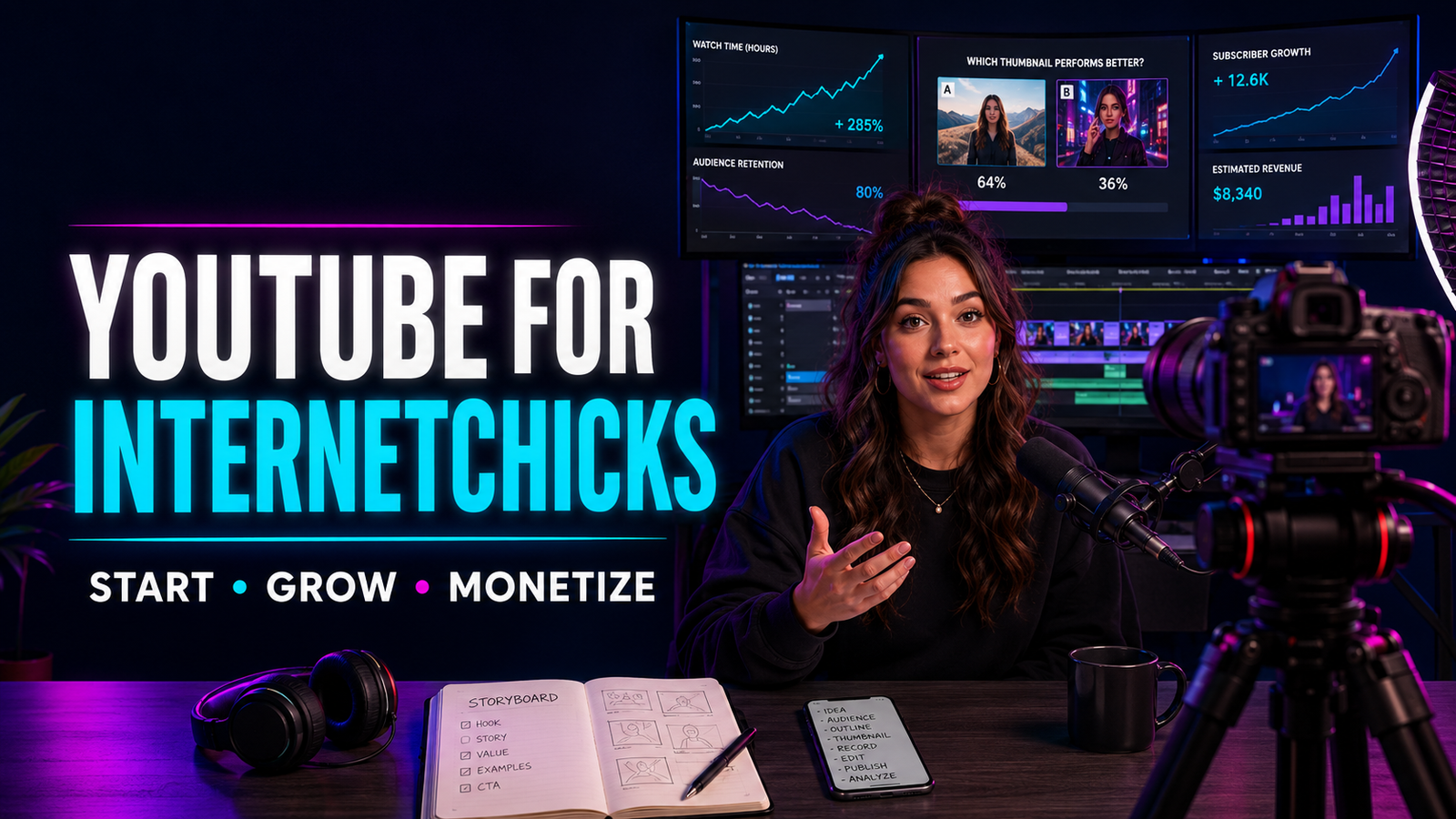
At 1:13 in the morning, the upload finally reached 100 percent.
She had spent two weeks on the video. The camera looked good. The edit had music, animated text, and a smooth introduction. She had researched every point and trimmed the final cut until it felt tight. Then YouTube asked for a title and thumbnail.
That was when the confidence disappeared.
She wrote six vague titles, chose a smiling frame from the footage, added three tiny words to the corner, and published because she was too tired to think anymore. The video received fewer views than a casual Short she had filmed beside a window in twelve minutes.
The lesson was not that long-form video was a waste of time. It was that a YouTube video is more than the file uploaded at the end. The idea, promise, title, thumbnail, opening, structure, viewing experience, next-video path, and production cost all belong to the same product.
For Internetchicks, YouTube can become a searchable library, a trust-building channel, a portfolio, a community, a source of advertising or sponsor income, and a bridge to products, services, email, memberships, podcasts, or livestreams. It can also consume forty hours per upload while teaching the creator almost nothing if every video begins from a random idea and ends with a desperate hope that “the algorithm” notices.
This guide explains how to define a channel promise, research useful video ideas, build recognizable series, write titles and design thumbnails before filming, script without sounding stiff, record strong audio and images, edit for understanding, use chapters and captions, handle rights and disclosures, publish with a complete package, read retention and traffic data, build returning viewership, monetize responsibly, and create a YouTube workflow that fits a real life.
If the goal is fast vertical storytelling, begin with short-form video for Internetchicks. For live shows, use the livestreaming guide. For audio or video podcasts, see podcasting for Internetchicks. This article owns the long-form YouTube system.
The Short Answer: How Should Internetchicks Start and Grow on YouTube?
- Decide whom the channel serves and what kind of progress a returning viewer should expect.
- Choose a small set of repeatable series instead of calling a broad subject a niche.
- Research audience questions, adjacent videos, search language, comments, communities, and first-hand problems.
- Give every video one primary promise and one realistic viewer.
- Draft the title and thumbnail concept before production so the video has a clear door.
- Make the title and thumbnail accurate, distinct, readable, and complementary.
- Structure the video around movement: a decision, transformation, investigation, demonstration, challenge, story, or answer.
- Open by confirming why the click was worth making.
- Use the shortest length that fully delivers the promise; YouTube says there is no universal optimal video length.
- Prioritize clean sound, controlled light, steady framing, and useful evidence before expensive equipment.
- Record with a shot plan, source log, consent plan, and backup routine.
- Edit for meaning first, pace second, and visual decoration last.
- Add accurate captions, useful chapters, a clear description, and a relevant next-video path.
- Use playlists, end screens, cards, comments, and community posts to help interested viewers continue.
- Publish at a pace the creator can support with research, production, replies, analysis, and recovery.
- Read impressions, click-through rate, retention, watch time, traffic sources, returning viewers, and business outcomes together.
- Diagnose weak packaging separately from a weak viewing experience.
- Test meaningful title and thumbnail differences without turning every upload into clickbait.
- Treat sponsorships, affiliate links, products, memberships, services, and platform revenue as different business models.
- Secure the account, grant role-based access, protect private information, and retain original project files.
The working sequence is:
Audience need → channel promise → video idea → title and thumbnail concept → brief → research → script and shot plan → production → edit → rights and accessibility review → upload package → publish → conversation → analysis → next decision
What Does “YouTube for Internetchicks” Actually Mean?
It does not mean copying a famous YouTuber’s studio, posting every day, or turning an existing Instagram account into a horizontal feed.
It means using YouTube as a system where individual videos can be discovered through search, Home, Suggested, subscriptions, playlists, external links, and the channel’s own library. Each viewing decision may introduce the creator to a stranger, deepen a relationship with a returning viewer, or connect one useful video to another.
YouTube contains several creative forms:
| Format | Best use | Main creative demand |
|---|---|---|
| Long-form uploaded video | Tutorials, essays, reviews, stories, documentaries, challenges, interviews, transformations | A complete promise, sustained structure, useful packaging |
| Shorts | Rapid discovery, concise demonstrations, quick stories, experiments | Immediate context, concentrated value, vertical adaptation |
| Livestreams | Real-time participation, events, classes, commentary, community ritual | Run-of-show, moderation, technical reliability |
| Premieres | Scheduled first viewing of a completed upload with live chat | Event planning without pretending the video is live |
| Video podcasts | Repeatable conversation or hosted show that also works as audio | Strong listening experience and intentional visual production |
| Community posts | Questions, updates, polls, images, conversation between uploads | Relevance and restraint rather than constant promotion |
A healthy channel may use several formats, but it should not confuse format variety with strategic clarity. The same viewer should still understand why returning is worthwhile.
Is YouTube the Right Next Channel?
YouTube is especially useful when the creator’s value becomes stronger with depth, evidence, demonstration, narrative, comparison, or searchable explanation.
It may fit when:
- The audience repeatedly asks questions that cannot be answered honestly in thirty seconds.
- A process becomes clearer when viewers can see the steps.
- The creator can bring original experience, access, taste, reporting, performance, or analysis.
- Older videos can remain useful after the publication week.
- The business benefits from trust before a purchase or enquiry.
- A recurring show or series suits the creator’s personality.
- The creator wants a library that connects search, recommendation, and community.
It may not be the best immediate priority when:
- The creator has no reliable time for research, editing, or packaging.
- Every planned topic depends on other people’s copyrighted clips.
- The idea works only because another platform’s trend is currently moving.
- The creator dislikes the production process and has no team or simpler format.
- The business needs a direct sales page or email system more urgently.
- Publishing one video would remove the capacity to serve existing customers or protect health.
YouTube does not require a lifelong commitment. A well-designed six-video season can test the fit more honestly than one expensive pilot followed by months of guilt.
Start With the Channel Promise, Not the Equipment
A channel promise answers three questions:
- Who should recognize themselves here?
- What useful or meaningful experience will they repeatedly receive?
- Why is this creator equipped to deliver it?
Weak channel description:
Lifestyle, beauty, travel, business, vlogs, motivation, and fun.
Stronger promise:
Practical beauty experiments for people with reactive skin, tested over enough time to show what changed and what did not.
Another:
Honest behind-the-scenes videos about building a one-person design business without pretending every month is a six-figure launch.
The stronger versions leave room for personality while making the audience’s reason to return visible.
A Useful Channel Promise Formula
Use this as a drafting tool, not public copy:
I make [type of viewing experience] for [specific people] who want to [progress or outcome], using [distinct experience, method, access, or point of view].
Examples:
- I make field-tested travel guides for women planning their first solo city trip, using real routes, prices, safety decisions, and accessibility checks.
- I make calm home-organization experiments for renters who cannot renovate, using reversible changes and honest one-month follow-ups.
- I make creator-business breakdowns for small online personalities who want sustainable income, using contracts, real cost math, and practical workflows.
The promise can evolve. It should not change so often that the audience has to rediscover the channel every week.
A Niche Is a Pattern of Value, Not a Tiny Box
“Choose a niche” is often delivered as though a creator must select one noun and stay there forever.
A more useful niche combines:
- A recognizable audience
- A recurring need, tension, identity, or aspiration
- A repeatable form of value
- A creator perspective that can deepen over time
- Enough range for many good videos
“Fitness” is a category. “Strength training for busy beginners who feel intimidated by gyms” is closer to a channel position. “Testing simple strength routines in ordinary spaces and explaining how to progress safely” adds a repeatable form.
The niche should be narrow enough to create recognition and wide enough to sustain curiosity.
Build Series Before Building a Giant Idea List
A channel becomes easier to understand when videos belong to recognizable families.
Possible series include:
- I Tested It: A product, method, habit, tool, or claim tested under clear conditions
- Start Here: Beginner-friendly explanations that create a foundation
- Behind the Work: Process, cost, mistakes, revisions, and decisions
- Before You Buy: Comparisons, demonstrations, ownership costs, and fit
- One Problem, Three Options: A decision guide for different circumstances
- Thirty Days Later: Follow-up evidence rather than instant reaction
- Expert at My Desk: Interviews organized around a precise audience question
- The Rebuild: Transforming an object, room, routine, system, skill, or business asset
- What Nobody Shows: The hidden labor, tradeoff, or limitation behind a familiar result
- Viewer Clinic: Anonymized or consented examples that apply a method
Series reduce the burden of inventing a new channel identity every upload. They also let viewers understand the experience before clicking.
Use content ideas for Internetchicks to expand the raw pool, then use a content calendar to decide which ideas become commitments.
Research YouTube Video Ideas From Real Demand
Good research does not begin and end with copying autocomplete phrases.
Build an evidence stack:
Audience Language
Collect exact questions from:
- Comments on the creator’s own posts
- Email replies
- Sales or consultation calls
- Community discussions
- Product reviews
- Support messages
- Search suggestions
- Forum threads where the audience explains the problem in detail
- Comments on adjacent videos
- Questions people ask after trying common advice
The most useful phrase may not have impressive search volume. It may reveal the friction that makes an ordinary topic worth watching.
Existing YouTube Results
Search the topic and study:
- Which promise appears repeatedly?
- Which viewer seems to be served?
- What do titles and thumbnails emphasize?
- Which videos are current and which remain popular years later?
- What do the top comments say was missing?
- Are viewers asking for a beginner, budget, accessible, regional, updated, or follow-up version?
- Is the subject better served by a demonstration, story, experiment, interview, or comparison?
The goal is not to recreate the ranking video with a different face. It is to understand the current answer space and find an honest contribution.
First-Hand Evidence
Ask what the creator can show that a search summary cannot:
- A real test
- A documented result
- A failed attempt
- A professional process
- A before-and-after with controlled conditions
- Access to a place, craft, community, or expert
- Original data
- An unusual comparison
- A personal decision with transferable lessons
- The cost and time others omit
An Internetchick does not need to be the world’s final authority. She does need to distinguish experience from assumption.
Score Ideas Before Spending Production Days
A simple score prevents enthusiasm from becoming an automatic green light.
Rate each factor from 1 to 5:
| Factor | Question |
| Audience need | Does a recognizable viewer genuinely care? |
| Channel fit | Does this strengthen the channel promise? |
| Distinct contribution | Can the creator add experience, proof, access, or judgment? |
| Packaging clarity | Can the value be expressed in a credible title and thumbnail? |
| Production feasibility | Can it be made well with available time, money, people, and rights? |
| Business relevance | Could it support a useful relationship, offer, or strategic goal? |
| Durability | Will it remain useful long enough to justify the work? |
Do not simply choose the highest total. A low rights or safety score can veto an otherwise exciting idea.
Give Every Video One Primary Viewer and One Promise
“People who like skincare” is not a production brief.
Try:
A person with dry, sensitive skin who is considering an expensive barrier cream and wants to know how it behaves under makeup after several hours.
Now write the promise:
By the end, the viewer will see how three barrier creams apply, wear, pill, and feel across a normal workday, plus who should skip each one.
The promise controls the research, products, test conditions, shots, title, thumbnail, structure, and ending. It also helps the creator remove material that may be interesting but does not belong in this video.
Design the Title and Thumbnail Before Filming
The title and thumbnail are not decoration added after editing. Together, they form the invitation.
That invitation should:
- Identify or strongly imply the subject
- Make a relevant outcome, tension, question, contrast, or story visible
- Be understandable on a small screen
- Distinguish the video from adjacent choices
- Represent what the video actually delivers
- Leave enough curiosity for a click without hiding the entire premise
YouTube’s current title and thumbnail guidance emphasizes accuracy and concise wording. Misleading packaging can win the wrong click and lose the viewer immediately.
Let the Title and Thumbnail Do Different Work
Weak combination:
- Title: “I Tried Five Budget Microphones”
- Thumbnail text: “I TRIED 5 BUDGET MICROPHONES”
Stronger combination:
- Title: “Five Budget Microphones Tested in a Noisy Room”
- Thumbnail: The same spoken sentence shown as five visibly different waveforms, with “Which One Hid the Fan?”
The title provides context. The thumbnail creates a visual decision.
Useful Title Structures
These are starting points, not formulas to repeat mechanically:
- I Tested [thing] for [time or condition]—Here Is What Changed
- How to [specific outcome] Without [meaningful constraint]
- [Number] Options Compared for [specific person or use]
- I Rebuilt [thing] With [constraint]: Cost, Process, and Result
- Before You Buy [product], Check These [number] Details
- What [experience] Actually Costs in [place or year]
- Why [common approach] Failed—and the Fix That Worked
- A Beginner’s Guide to [specific task], From [start] to [finish]
- [Expert or practitioner] Answers the Questions [audience] Is Afraid to Ask
- I Followed [method or claim] for [period] Under Real Conditions
The subject should dictate the structure. Do not force a quiet interview into the packaging of a dramatic challenge.
Build a Thumbnail Brief
Specify:
- The one idea the image must communicate
- The main subject
- The visual evidence or contrast
- The emotional tone
- The background and separation
- Whether any text is truly necessary
- The smallest-screen readability test
- The rights status of every visual element
- The versions needed for an experiment
A thumbnail should not depend on six objects, three arrows, five lines of text, and a face making an expression unrelated to the video.
Use Native A/B Testing With a Real Hypothesis
YouTube currently lets eligible creators test up to three titles, thumbnails, or title-and-thumbnail combinations. The platform selects a result using watch-time share rather than click-through rate alone, and a test can take days or as long as two weeks.
That matters. A package that earns many low-quality clicks is not automatically the best package.
Useful test:
- Version A emphasizes the visible result.
- Version B emphasizes the difficult constraint.
- Version C emphasizes the comparison.
Weak test:
- Three nearly identical crops with the text moved a few pixels.
Run tests to learn what the audience understands, not to keep poking a video until a number turns green.
Write a One-Page Video Brief
Before the script, write:
| Field | Decision |
| Primary viewer | Who is this for right now? |
| Viewer situation | What are they trying to understand, choose, avoid, or achieve? |
| Video promise | What will be true by the end? |
| Format | Tutorial, test, essay, interview, story, review, documentary, challenge, vlog |
| Distinct evidence | What can this video show that a generic summary cannot? |
| Title options | At least three accurate directions |
| Thumbnail concepts | At least two visually different directions |
| Key beats | The necessary movement from opening to landing |
| Sources and claims | What must be verified? |
| Rights and consent | What must be licensed, released, blurred, or omitted? |
| Primary action | What should a suitable viewer do next? |
| Success evidence | Which metrics and qualitative signals match the job? |
| Production cap | Maximum time, money, complexity, and revision rounds |
The brief creates a shared answer to “What are we making?” A solo creator needs that answer as much as a team.
Choose a Long-Form Structure That Creates Movement
Long videos do not hold attention because something changes on screen every three seconds. They hold attention because the viewer feels progress.
Tutorial
Outcome → starting conditions → steps → checkpoints → common failure → finished result
Show the destination early. Explain prerequisites before the viewer discovers them halfway through.
Test or Experiment
Question → method → conditions → observations → complication → result → limitation
Define the test before revealing the outcome. Do not turn one personal result into a universal claim.
Review or Comparison
Viewer decision → criteria → evidence → tradeoffs → fit by person → recommendation
“Best” means nothing without criteria and context.
Video Essay or Investigation
Tension → question → context → evidence → competing explanation → synthesis → implication
Make the argument visible. Sources should support the reasoning, not decorate it.
Transformation or Build
Starting state → constraint → plan → work → setback → adjustment → reveal → what remained imperfect
The middle is the value. A reveal without process becomes a before-and-after slideshow.
Interview
Audience question → why this guest → thematic chapters → follow-up → practical landing
A guest’s biography is not automatically a story. Organize the conversation around what the viewer came to understand.
Vlog
Reason this day matters → expectation → choices → friction → change → reflection
A vlog still needs a reason to watch beyond access to the creator’s schedule.
Open by Confirming the Click
The opening should make the viewer feel, “Yes, this is the video I chose.”
It can:
- Show the outcome or stakes
- State the precise problem
- Begin inside a meaningful moment
- Present the question the video will resolve
- Reveal a surprising constraint
- Establish credibility through relevant evidence
- Preview the journey without summarizing every answer
Avoid:
- A long logo animation
- General greetings before context
- Asking for a subscription before delivering value
- Explaining the channel’s entire history
- Repeating the title word for word
- Manufacturing danger or drama that the video cannot support
- A fast montage with no understandable promise
A quiet opening can work. A deliberate opening can work. The requirement is not volume; it is orientation.
Script for Speech, Vision, and Evidence
A long-form script may be:
- Fully written
- Built from detailed beats
- Built from questions and evidence
- A hybrid with scripted openings, transitions, definitions, claims, and closing
Use a full script when language must be precise, the argument is complex, accessibility matters, or the creator tends to wander. Use beats when spontaneity, demonstration, or conversation carries the value.
Write in three columns when the production is visual:
| Spoken idea | What the viewer sees | Evidence or production note |
| Why the old setup failed | The unstable desk and vibrating camera | Record the vibration before fixing it |
| The first change | Clamp installed from two angles | Show exact part and cost |
| The limitation | Desk cannot support heavier arm | Include manufacturer specification |
This prevents the finished video from becoming a podcast with unrelated B-roll.
Read the Script Aloud
Speech needs:
- Breath
- Varied sentence length
- Words the creator actually uses
- Clear transitions
- Definitions near unfamiliar terms
- Room for the viewer to see
- Fewer stacked clauses
- Pronunciation notes for names and technical language
If the creator cannot say a sentence naturally, the viewer will hear the struggle.
Choose Length From the Promise
There is no correct universal length for a YouTube video. YouTube’s own recommendation guidance says there is no optimal video length.
The useful question is:
At what point has the video fully delivered the promised experience without repeating itself?
A six-minute comparison can be complete. A forty-minute documentary can feel concentrated. A twelve-minute tutorial can feel padded when the real instruction ends at minute four.
Estimate length from the beats:
- Read or rehearse the core script at a natural pace.
- Add time for demonstrations, pauses, reactions, transitions, and visual inspection.
- Remove repeated context before removing evidence.
- Protect the ending from being rushed because the introduction ran long.
Do not add empty footage to reach a monetization milestone or imitate a competitor’s runtime.
Build the Minimum Viable YouTube Setup
The best beginner setup is the simplest one that reliably captures the story.
Audio First
Viewers may accept an ordinary image. They struggle to follow speech hidden under echo, wind, clipping, traffic, clothing noise, or a loud computer fan.
Improve audio in this order:
- Choose a quieter room or time.
- Move the microphone closer.
- Reduce hard reflective surfaces where practical.
- Set levels with the loudest expected speech.
- Monitor with headphones.
- Record a backup when the production matters.
- Buy new equipment only after identifying the real problem.
A phone with a well-placed wired lavalier can outperform an expensive microphone placed across the room.
Camera
A current phone, webcam, mirrorless camera, DSLR, camcorder, or cinema camera can all be appropriate.
Choose based on:
- Reliability
- Recording limits
- Heat
- Battery and power
- Autofocus
- Lens needs
- Audio inputs
- Stabilization
- Low-light performance
- File size
- Familiarity
- The cost of replacing or repairing it
The camera should support the work, not become the work.
Light
Begin by controlling one useful source:
- Face a window and manage changing daylight.
- Use one soft artificial light and shape the background separately.
- Keep mixed color temperatures from making skin and products look inconsistent.
- Check glasses, reflective packaging, screens, and dark skin tones carefully.
- Expose for the subject, not the brightest decorative object.
Light should help the viewer read the face, action, texture, or evidence.
Support and Background
Use a stable tripod, stand, clamp, or surface. Remove private information, addresses, school names, medicine labels, family photographs, client work, keys, badges, and reflective surprises from the frame.
A background does not need to look expensive. It needs to feel intentional and safe.
Plan the Shoot Before the Camera Is On
A shot plan can include:
- Talking-head sections
- Demonstration angles
- Wide establishing shots
- Close detail
- Screen recordings
- Before and after
- Process stages
- Objects and labels
- Expert or guest footage
- Location sound
- Room tone
- Thumbnail photographs
- Transitions that explain place or time
- Safety or privacy crops
- Backup takes of essential claims
Record proof when it happens. Recreating a reaction or condition later can mislead the audience.
Use a Production Checklist
Before recording:
- Batteries charged and power connected
- Memory available
- Date, time, and camera settings correct
- Lens and microphone checked
- Airplane or do-not-disturb mode set when appropriate
- Exposure, focus, and white balance tested
- Audio monitored
- Background reviewed for privacy
- Products and props confirmed
- Release and location permissions complete
- Sponsor requirements visible
- File and folder names prepared
- Backup plan understood
Record a short test, move it through the actual edit, and listen on ordinary speakers before committing to a full day.
Record Screen Content Without Exposing the Creator
Screen recordings can reveal:
- Email addresses
- Browser tabs
- Password managers
- Customer names
- Account balances
- Calendar details
- Private messages
- Location history
- File paths
- API keys
- Notifications
- Recovery information
Use a clean browser profile or demonstration account, hide bookmarks, close unrelated apps, disable notifications, and review the recording frame by frame. Blur is a repair tool, not a privacy plan.
Work With Guests and Contributors Professionally
Before recording, agree on:
- The format and subject
- Recording date and expected duration
- Whether the conversation is live or edited
- How the guest will be introduced
- Topics that are out of scope
- Whether approval is factual, limited, or not offered
- Clip and promotional use
- Advertising or sponsor context
- Ownership and license terms
- Travel or expense arrangements
- Accessibility needs
- Cancellation and technical failure plans
- How private or off-record information will be handled
Use written releases or contributor agreements suited to the production. A friendly direct message is not always enough when the video may later be sponsored, licensed, clipped, advertised, translated, or sold.
For broader contract planning, use contracts for Internetchicks. For ownership questions, see copyright for Internetchicks.
Edit for Understanding Before Pace
Editing should help the viewer follow the promise.
Work in passes:
1. Story Pass
Build the complete sequence. Remove material that does not move the question, process, emotion, evidence, or decision.
2. Clarity Pass
Fix missing context, unsupported leaps, repeated explanations, confusing chronology, unexplained terms, and visuals that contradict the narration.
3. Evidence Pass
Confirm sources, labels, dates, calculations, on-screen claims, demonstrations, and the limits of the result.
4. Pace Pass
Shorten pauses that feel accidental, trim setup the viewer no longer needs, and allow important details enough time to land.
5. Visual Pass
Add B-roll, diagrams, screen content, captions, labels, maps, images, and transitions only where they improve meaning.
6. Sound Pass
Balance voices, reduce distracting noise carefully, check music under speech, smooth edits, and listen on headphones, laptop speakers, and a phone.
7. Risk Pass
Review rights, privacy, sponsor disclosure, safety, health or financial claims, children, personal data, and footage of people who did not consent.
Fast cuts do not automatically create retention. Sometimes they merely prevent the viewer from inspecting what matters.
Use B-Roll as Information
Useful B-roll can:
- Prove the claim
- Show scale or texture
- Orient time and place
- Demonstrate a step
- Cover an edit without hiding meaning
- Reveal a reaction
- Compare conditions
- Make an abstract explanation visible
Decorative B-roll should not imply that stock footage is the creator’s own experience. Label simulations, recreations, illustrative footage, archive material, and sponsored product imagery where context requires it.
Handle Music, Clips, Images, and Fair Use Carefully
“I gave credit” is not a license.
Before using third-party material, identify:
- The copyright owner
- The specific asset
- The license or permission
- The allowed platforms
- Commercial and advertising rights
- Territory
- Term
- Modification rights
- Attribution requirement
- Whether the asset may appear in sponsored content
- Evidence of the license at the time of use
YouTube’s fair-use guidance makes clear that courts decide fair use case by case and that credit or a disclaimer does not automatically make a use fair. Copyright exceptions also differ by jurisdiction.
Even a defensible use can receive a Content ID claim or dispute. Build the editorial need and business risk into the decision before the upload.
Disclose Sponsorships and Commercial Relationships Clearly
When a video includes a paid product placement, sponsorship, endorsement, gifted product, affiliate relationship, or another material connection, disclosure should be easy to notice and understand.
Use:
- Plain spoken language in the video
- Clear on-screen disclosure when appropriate
- A written disclosure near relevant links or claims
- YouTube’s paid-promotion setting when required
- The rules of the creator’s jurisdiction and the campaign’s target market
YouTube requires creators to identify eligible paid product placements, sponsorships, and endorsements. Platform tools do not replace the creator’s own clear disclosure. The U.S. FTC’s influencer disclosure guidance likewise focuses on disclosures people can see and understand with the endorsement.
Do not hide “affiliate” below a long equipment list or rely on “thanks to Brand” when the audience may not know what that means.
Use AI Without Hiding the Human Decision
AI tools can assist with:
- Organizing research notes
- Generating alternative brief questions
- Transcription
- Caption drafts
- Rough selects
- Translation drafts
- Noise reduction
- Removing filler from an edit
- Storyboards
- Thumbnail ideation
- Finding repeated words
- Identifying sections that may need definitions
They can also fabricate facts, flatten a voice, reproduce bias, expose confidential material, mishandle likeness, and create rights questions.
YouTube currently requires disclosure when creators use AI or other tools to meaningfully alter or generate realistic content that could be mistaken for reality. Cosmetic production assistance is not the same as a realistic synthetic event, but the creator should review the current rule for the exact use.
Keep a human responsible for:
- Facts and sources
- Permissions and licenses
- Consent and likeness
- Sensitive context
- Sponsor claims
- Editorial fairness
- Accessibility
- The final upload
Efficiency is useful. Untraceable authorship is not.
Export a Master That Survives the Platform
Keep more than the compressed upload.
For important videos, retain:
- The edit project
- Original camera and audio files
- Graphics and fonts
- Licenses and releases
- Source notes
- Caption file
- Thumbnail source
- A high-quality archive master
- The final upload file
- Sponsor approval and disclosure record
- A record of title, thumbnail, description, and publication date
YouTube’s recommended upload settings remain a useful technical reference, but the correct export also depends on the project’s resolution, frame rate, color workflow, sound, and archive needs. Do not convert everything to a fashionable setting without understanding the source.
Before upload:
- Watch the full exported file, not only the edit timeline.
- Confirm the beginning and end are complete.
- Check lip sync.
- Listen for missing channels, distortion, or sudden level changes.
- Inspect fine text and screen recordings.
- Verify captions against the final edit.
- Check sponsor graphics and links.
- Confirm no private frame slipped through.
- Test the file on more than one device when the project matters.
Treat the Upload Page as a Publishing Checklist
Uploading is not clerical work. It is the last place several important decisions meet.
Review:
- Title
- Description
- Thumbnail
- Playlist
- Audience setting
- Paid-promotion setting
- Altered or synthetic content disclosure
- Language
- Captions
- Recording date and location where appropriate
- License
- Comments
- Chapters
- Cards
- End screen
- Visibility
- Schedule or Premiere choice
- Monetization and ad-suitability answers when eligible
- Checks for copyright and other issues
Do not let upload defaults silently apply yesterday’s sponsor, affiliate link, disclosure, category, or description to today’s video.
Write Descriptions for People Who Want the Next Detail
The opening lines should orient the viewer without stuffing keywords.
A useful description may contain:
- A concise explanation of the video
- The most relevant next resource or action
- Clear sponsorship and affiliate disclosure
- Chapters
- Sources or supporting references
- Product, guest, or contributor information
- Related videos or playlist
- Credits and license information
- Contact or business link
- Corrections or updates when necessary
Do not place the essential truth only in the description. If a video makes a health, money, safety, or sponsor claim, the viewer should not need to open a hidden panel to understand the context.
Use Chapters to Improve Navigation
Chapters help viewers locate sections, return to a step, and understand the video’s structure.
For manual chapters, YouTube’s current chapter instructions require the first timestamp to begin at 00:00, at least three timestamps in ascending order, and chapters of at least ten seconds.
Write chapter names as useful labels:
Weak:
- Intro
- Part 1
- More Info
- Last Part
Stronger:
- What We Are Testing
- How the Five Products Were Scored
- Wear Test After Four Hours
- Which Product Fits Each Skin Type
Chapters should not spoil every narrative beat, but they should not punish viewers who came for a practical answer.
Add Accurate Captions and a Useful Transcript
Automatic captions are a draft, not a completed accessibility review.
Check:
- Names
- Product and place names
- Technical terms
- Numbers and units
- Punctuation
- Speaker changes
- Meaningful non-speech audio
- Timing
- Line breaks
- Words hidden by interface elements
- Moments where text appears too quickly to read
Captions primarily represent the audio in sync with the video. A transcript can provide a searchable, skimmable version on the creator’s website. Show notes summarize and link. These are related assets with different jobs.
Accurate captions support deaf and hard-of-hearing viewers and also help people watching in noise, in a second language, or with sound unavailable. Plan them before the deadline.
Make the Video Understandable Beyond Sound and Sight
Accessibility is not limited to caption files.
Consider:
- Saying names and labels that appear only on screen
- Describing a visual change when it carries the conclusion
- Avoiding essential information conveyed by color alone
- Using readable type and contrast
- Holding diagrams long enough to inspect
- Avoiding unnecessary flashing
- Explaining charts in speech
- Providing links and source text outside the image
- Offering an audio-description track when the visual story requires one and the feature is available
- Including accessibility needs in guest and sponsor planning
Accessibility added during the brief usually costs less and works better than accessibility repaired after export.
Localize Only After the Core Experience Works
Translation can extend a proven video, but volume is not the same as access.
YouTube currently supports translated titles and descriptions, additional audio tracks, localized thumbnails, and other multi-language video features for eligible creators and workflows.
Begin with:
- Audience evidence from particular regions or languages
- A small set of high-value videos
- A qualified human review
- Localized examples and units where appropriate
- Correctly timed captions
- A thumbnail that works culturally and linguistically
- A support plan for comments or customer questions
Do not publish automatic translation into a sensitive health, legal, technical, or financial context without informed review.
Understand the Main YouTube Discovery Paths
Creators often speak about “the algorithm” as though every viewer enters through one gate.
Videos may be found through:
- Home
- Suggested or Up Next
- Search
- Subscriptions
- Notifications
- Playlists
- Channel pages
- Shorts
- External websites and apps
- Direct or unknown sources
- End screens and cards
Each path creates a different viewing context.
Search
The viewer often has a question, task, name, place, product, or decision in mind. Clear topic language, a satisfying answer, useful metadata, and credible evidence matter.
Home
The viewer may not be seeking this exact subject. The package must make a relevant promise to a person whose past behavior suggests interest.
Suggested
The video appears beside or after another viewing experience. Topic relationship, audience overlap, satisfaction, and a natural next step matter.
Subscriptions and Notifications
The viewer already made some commitment to the channel. Recognition, trust, and a consistent reason to return matter.
YouTube explains that recommendations are personalized and use more than raw watch time, including viewing behavior and satisfaction signals. Its current recommendation-system overview is a better starting point than myths about secret upload times or magic tags.
Do YouTube SEO Without Writing for a Machine
YouTube search optimization begins with the video’s usefulness for the query.
Use:
- Audience language in the title when it remains natural
- A clear spoken and visual subject
- A description that adds context
- Accurate chapters
- Captions
- Relevant sources
- A channel library that demonstrates topical depth
- A thumbnail that communicates the result or decision
Do not repeat the same keyword in the title, first sentence, every chapter, file name, tags, and a paragraph of hashtags.
Tags can help with misspellings or limited context, but they do not rescue a weak topic or viewing experience. The broader SEO guide for Internetchicks explains keyword research, intent, on-page content, and creator search across platforms.
Build a Next-Video Path
A viewer who enjoyed one video should not need to investigate the entire channel to find the next useful step.
Create paths with:
- A verbal recommendation at the moment it becomes relevant
- A card when it supports rather than interrupts the current video
- An end screen with one strong next choice
- A description link
- A pinned comment
- A playlist with a meaningful order
- A series structure that makes continuation obvious
Weak ending:
Like, comment, subscribe, hit the bell, follow me everywhere, buy my course, join my email list, and watch one of these six videos.
Stronger ending:
Now that your microphone is positioned correctly, the next problem is the room. This video shows three ways to reduce echo without rebuilding it.
The next action should feel like service, not housekeeping.
Use Playlists as Guided Paths, Not Storage Drawers
Useful playlists can organize:
- Beginner sequence
- A named series
- One problem at increasing levels
- Product or destination comparisons
- A course-like learning path
- A project from start to finish
- A limited season
Write a clear playlist title and description. Remove videos that no longer fit. Order the experience intentionally. A playlist titled “Uploads” does not help the viewer decide.
Publish on a Sustainable Cadence
A weekly upload is not automatically superior to a strong video every two or three weeks.
Count the whole job:
- Research
- Access and permissions
- Products or travel
- Writing
- Filming
- Guest coordination
- Editing
- Captions
- Thumbnail design
- Source and rights review
- Sponsor approvals
- Publishing
- Replies and moderation
- Analytics review
- Corrections
- Archive and backup
Use a minimum viable cadence that survives an ordinary month, not a launch-month burst.
Possible models:
| Model | Use when | Risk |
| Weekly | Format is repeatable and production is controlled | Quality or recovery time may disappear |
| Every two weeks | Videos need deeper research or editing | Creator may overexpand each project |
| Monthly documentary or flagship | Access, reporting, travel, or craft demands time | Too little learning if every video changes format |
| Six-video season | The creator wants a contained test or thematic run | Momentum may fade without a clear return plan |
| Mixed cadence | Flagship videos are supported by lighter formats | Lighter uploads may become unrelated filler |
Consistency means a reliable promise and process. It does not mean sacrificing health to a date on a public calendar.
Launch a New Channel With a Small Library
One video can begin a channel, but a small related library gives an interested viewer somewhere to continue.
A useful launch may include:
- One “start here” video
- One problem-solving search video
- One perspective or story video
- One comparison, test, or demonstration
- One follow-up already in production
Do not delay for months while trying to manufacture a perfect ten-video launch. Publish enough to make the direction visible, then learn from real viewers.
Promote the Video Without Dumping a Link Everywhere
Create a distribution package:
- One short clip that delivers a complete idea
- A behind-the-scenes post
- A useful still or chart
- An email written around the audience problem
- A related article or transcript
- A community question
- A guest sharing kit
- A direct message only where there is a real relationship and relevance
Each asset should provide value in its own context. “New video—go watch” gives a stranger no reason to leave the platform they are already using.
The content repurposing guide shows how to adapt a source idea without photocopying the same post across every channel. Email marketing for Internetchicks explains how to build a direct return path outside the feed.
Grow Returning Viewers, Not Only Subscriber Count
Subscribers can be useful, but a subscription does not guarantee a future view.
Returning viewership grows when:
- The channel promise is recognizable
- Series create anticipation
- Videos serve related audience needs
- The creator’s perspective becomes valuable
- The next video is a natural continuation
- Publication does not feel random
- Comments and community activity deepen the subject
- The viewer trusts the packaging
- The creator follows up on unresolved questions
Ask for a subscription when the viewer can understand what future value it represents:
I test creator tools under real project deadlines. Subscribe if you want the next comparison after thirty days of use, not an unboxing on day one.
That is more meaningful than asking because “most viewers are not subscribed.”
Build Community Without Demanding Personal Access
YouTube comments can become:
- Feedback
- Follow-up questions
- Source corrections
- New examples
- Viewer stories
- Research language
- Community connection
- Harassment
- Spam
- False claims
- Pressure for personal access
Publish and enforce boundaries. Filter blocked words where useful. Hide or report abusive accounts. Do not leave threats or personal information visible for “engagement.” Prepare a response path for credible safety issues.
The creator does not owe:
- A response to every comment
- Medical, legal, financial, or crisis support
- Private contact
- A debate with harassment
- Access to family
- An explanation of location
- A public defense of every boundary
For a broader protective system, use online safety for Internetchicks.
Read YouTube Analytics as a Sequence
Do not begin with “Was this video good?”
Begin with:
- Where was it shown?
- Who appeared to receive the opportunity?
- Did the package earn the right click?
- Did the opening confirm the promise?
- Where did attention strengthen or weaken?
- Did viewers continue, return, subscribe, comment, or act?
- Did the result justify the production cost?
Impressions
An impression is a registered display of the video’s thumbnail on qualifying YouTube surfaces. It does not include every possible place someone might encounter the video.
Impressions Click-Through Rate
CTR estimates how often a registered thumbnail impression led to a view.
Impressions CTR = Views from registered thumbnail impressions ÷ Registered thumbnail impressions × 100
The numerator and denominator matter. External views, notifications, embeds, and other sources can make total views differ from views attributed to thumbnail impressions.
YouTube’s impressions and watch-time guidance explains these registered metrics and why reports may update at different speeds.
Watch Time
Watch time is the total time viewers spent watching. It reflects scale and consumption together, so compare it with views, traffic source, length, and audience context.
Average View Duration
Average view duration = Total watch time ÷ Views
A longer video may produce a longer average duration while retaining a smaller percentage. That does not make it automatically better.
Average Percentage Viewed
Average percentage viewed = Average view duration ÷ Video length × 100
This can help compare consumption, but differences in format and length still matter.
Audience Retention
The retention curve shows the percentage of viewers still watching at each moment. YouTube’s key-moments guidance notes that:
- A gradual decline is common.
- A flat section suggests viewers continued through that portion.
- Spikes may indicate rewatching, sharing, or viewers jumping to a moment.
- Dips show skipping or exits.
The graph reveals where behavior changed. It does not reveal the reason by itself.
Returning and New Viewers
Study whether the channel is reaching new people, giving previous viewers a reason to return, or doing both. A discovery video and a deep community episode may create different patterns.
Traffic Sources
Separate Search, Browse, Suggested, External, notifications, channel pages, playlists, and other paths. A low overall CTR can hide a strong search package and a weaker Home test—or the reverse.
Business Outcomes
Depending on the video’s job, measure:
- Email signups
- Qualified enquiries
- Product sales
- Affiliate clicks and approved commissions
- Membership starts
- Sponsor deliverables
- Bookings
- Downloads
- Repeat customer activity
- Revenue and contribution after cost
The complete analytics guide for Internetchicks explains denominators, attribution, baselines, ROI, sponsor reports, and experiments across channels.
Diagnose the Package and the Video Separately
Use this decision table as a starting hypothesis:
| Pattern | Possible interpretation | Next check |
| Low impressions, strong response from those reached | Topic may be narrow, new, seasonal, or not yet matched to a larger audience | Traffic source, audience fit, related library, time window |
| Healthy impressions, weak CTR | Package may be unclear, undifferentiated, inaccurate, or reaching the wrong audience | Title-thumbnail promise by source |
| Strong CTR, steep opening loss | Package may overpromise, or the opening may delay or contradict it | First 30–60 seconds and comment language |
| Strong opening, mid-video decline | Structure, repetition, missing progress, or weak segment may be responsible | Retention against the script beats |
| Strong retention, few next-video views | Ending or library path may be weak | End-screen click behavior and next-video relevance |
| Many views, weak business result | Audience or call to action may not fit the offer | Landing page, attribution, audience geography, intent |
| Low views, high qualified conversions | Small video may still be commercially valuable | Contribution, customer fit, repeatability |
Do not rewrite the title, thumbnail, opening, description, and publishing strategy at the same time. A changed result will not explain what worked.
Review Retention Like an Editor
Mark the video’s beats on the retention timeline:
- Promise
- Orientation
- First proof
- Major transition
- Sponsor segment
- Demonstration
- Reveal
- Recommendation
- Ending
Then ask:
- Did the video delay the first evidence?
- Did a title promise one question while the introduction opened another?
- Did the edit repeat a conclusion?
- Did a sponsor segment arrive without a bridge?
- Was an essential visual hard to see?
- Did viewers rewatch a useful detail?
- Did a chapter attract people directly to one section?
- Did the ending begin several minutes before the video stopped?
Retention is not a command to remove every pause, emotion, explanation, or difficult idea. It is evidence for a better editorial question.
Run Experiments That Can Teach Something
Useful YouTube experiments include:
- Outcome-led title versus process-led title
- Visual result versus human reaction in the thumbnail
- Direct opening versus story opening
- Demonstration before explanation versus explanation before demonstration
- One recurring series against another
- Search-led topic versus Home-led concept
- End screen to a specific next video versus a broad playlist
- Shorter sponsor read versus integrated demonstration
- Captions and localized package for an evidenced language audience
Write before the test:
- The hypothesis
- The variable
- The comparable set
- The decision window
- The main metric
- Guardrail metrics
- What would change next
One viral result is not a universal production rule.
Understand YouTube Monetization as a Stack
YouTube revenue may include:
- Advertising revenue share
- YouTube Premium revenue share
- Channel memberships
- Super Chat, Super Stickers, or Super Thanks where available
- Shopping features
- Direct sponsorships
- Affiliate marketing
- Digital products
- Services or consulting
- Courses or workshops
- Merchandise
- Licensing
- Paid community
- Email-supported launches
Each stream has different eligibility, margin, volatility, rights, workload, and trust implications. A creator can build a valuable channel before platform ads become available.
Check YouTube Partner Program Rules by Date and Country
This section is deliberately dated because YouTube has announced a change.
Current Position in August 2026
In countries where the expanded program is available, YouTube currently describes an earlier YPP access route for eligible creators with:
- 500 subscribers
- Three valid public uploads in the previous 90 days
- Either 3,000 valid public watch hours in the previous 12 months or 3 million valid public Shorts views in the previous 90 days
This earlier tier can unlock selected fan-funding and Shopping features, subject to country, age, policy, and feature requirements. It is not the full ads-and-Premium revenue-sharing threshold.
For current ads and YouTube Premium revenue sharing, YouTube currently lists:
- 1,000 subscribers and 4,000 valid public watch hours in the previous 12 months, or
- 1,000 subscribers and 10 million valid public Shorts views in the previous 90 days
Shorts Feed watch hours do not count toward the 4,000-hour route. Meeting a number does not guarantee acceptance; the channel is reviewed against monetization policies. Verify the details in YouTube’s current YPP overview and expanded YPP guidance.
Announced Change From February 1, 2027
YouTube has announced that, beginning February 1, 2027, new creators seeking ads and Premium revenue sharing will need:
- 1,000 subscribers and 8,000 qualified watch hours in the previous 365 days, or
- 1,000 subscribers and 20 million qualified Shorts views in the previous 90 days
YouTube says creators already in YPP will not lose status merely because of the new entry thresholds. It has also announced new activity requirements and a transition for some older fan-funding terms. Review the official YPP changes page before publishing or acting on these figures.
The useful business lesson is not to chase a threshold at any cost. It is to build videos that create a suitable audience, a sustainable library, and several legitimate ways to serve that audience.
Originality and Reused Content Are Business Issues
Permission to upload material does not automatically make a channel eligible for monetization.
YouTube’s channel monetization policies treat reused content separately from copyright enforcement. A channel can avoid a copyright strike and still fail monetization review if it repackages other material with little original value or unclear authorship.
Internetchicks should make the creator’s contribution unmistakable through:
- Original reporting
- Meaningful commentary
- Demonstration
- Analysis
- Editing with a clear new purpose
- On-camera or narrated authorship
- Evidence of production
- A distinct story or educational structure
Mass-produced templates, scraped clips, synthetic narration over borrowed footage, and tiny edits to existing videos may also weaken audience trust even before a policy review.
Price Sponsorships Beyond the View Count
A YouTube sponsorship can involve:
- Research
- Script integration
- Product testing
- Filming
- Editing
- Review rounds
- Category exclusivity
- Link placement
- Pinned comments
- Shorts or social cutdowns
- Paid usage
- Whitelisting or creator licensing
- Raw footage
- Reporting
- A long period in the video archive
Separate:
- Production fee
- Distribution or integration fee
- Usage rights
- Exclusivity
- Additional deliverables
- Rush work
- Reshoots outside scope
- Travel and expenses
Do not sell perpetual advertising rights, raw footage, and broad category exclusivity as though they were included in one mid-roll mention.
Use influencer rates for Internetchicks for price logic, brand deals for Internetchicks for outreach and campaign fit, and the media-kit guide for proof and presentation.
Calculate Whether a Video Made Business Sense
Revenue alone can hide the workload.
Example:
| Item | Amount |
| Sponsor fee | USD 2,200 |
| Affiliate commission approved | USD 310 |
| Platform revenue attributable in review window | USD 180 |
| Total revenue | USD 2,690 |
| Contractor editing | USD 650 |
| Products and materials | USD 190 |
| Travel and location | USD 160 |
| Music and asset licenses | USD 75 |
| Payment and conversion costs | USD 55 |
| Direct cash costs | USD 1,130 |
| Contribution before creator labor, tax, and overhead | USD 1,560 |
Contribution before creator labor = Total revenue − Direct cash costs
If the creator spent forty hours, the contribution before overhead and tax equals USD 39 per creator hour. That may be acceptable for a strategic flagship video, a valuable library asset, or a relationship that leads to future work. It may be poor economics for a one-off campaign with broad rights and no reuse value.
Track the decision, not merely the payout screenshot.
Connect YouTube to a Business the Creator Controls
A suitable viewer may continue to:
- A newsletter
- A detailed article
- A product
- A service
- A consultation
- A membership
- A portfolio
- A resource page
- A shop
- An event
The destination should match the video. A beginner tutorial may lead to a checklist. A deep case study may lead to a professional enquiry. A product comparison may use clearly disclosed affiliate links.
For a wider revenue map, see how Internetchicks make money, affiliate marketing for Internetchicks, and digital products for Internetchicks.
Secure the Channel Before It Becomes Valuable
Account security is part of production.
YouTube’s current channel security guidance recommends stronger account protection such as passkeys or two-step verification, malware awareness, and a recovery plan.
Use:
- A unique account password
- Passkey or strong two-step verification
- Protected recovery methods
- Hardware security keys where appropriate
- A password manager
- Separate work devices or profiles where risk justifies them
- Verified sponsor files and links
- Restricted browser extensions
- Regular access review
- Backups outside the platform
- A documented recovery and incident plan
Creators are frequent phishing targets. A fake “campaign brief,” “copyright notice,” media player, archive, or contract can contain malware or steal a session.
Give Team Members Roles, Not Passwords
Do not share the owner’s login with an editor, assistant, agency, or sponsor.
YouTube provides channel permissions with different access roles. Give the least privilege needed, set an expiry or review date internally, remove access promptly, and keep ownership and recovery controlled.
Maintain a simple register:
| Person or vendor | Role | Access granted | Owner | Review date | Removed |
| Editor | Limited channel role plus project drive | Upload draft and review analytics as required | Channel owner | Monthly | No |
| Thumbnail designer | Asset folder only | Approved stills and title brief | Producer | End of project | Pending |
| Sponsor | No channel access | Private review link only | Partnerships lead | Campaign close | Not applicable |
Trust does not require permanent access.
Build a Repeatable Production Workflow
A practical status system:
Idea → research approved → brief approved → script or beats → pre-production → filming → edit → fact and rights review → sponsor review → captions and package → scheduled → published → measured → updated or archived
Define entry and exit rules.
“Editing” is vague. “Rough cut contains every necessary beat and all missing footage is listed” is actionable.
For every video, assign:
- Editorial owner
- Fact-check owner
- Rights owner
- Sponsor contact
- Final publisher
- Security escalation
- Deadline
- Production cap
- Archive location
A solo creator may hold every role, but naming the roles prevents one tired person from forgetting an entire class of risk.
Repurpose the Research, Not Only the Final Cut
One YouTube project can create:
- Short complete clips
- An article
- An email
- A photo carousel
- A podcast discussion
- A livestream follow-up
- A downloadable checklist
- A case study
- A sponsor report
- A future update video
Start from the research, decisions, footage, and audience questions. Do not simply crop random thirty-second sections and call the work repurposed.
Keep a clean master without platform watermarks, a transcript, chapter notes, thumbnail stills, and a rights record that states where each element can travel.
Update Old Videos With Judgment
Older YouTube videos may continue receiving views long after the creator’s facts, prices, links, opinions, or business have changed.
Possible actions:
- Update the title or thumbnail when the package is unclear but the content remains sound
- Add a correction or current resource to the description and pinned comment
- Replace broken links
- Add or correct captions and chapters
- Create a new version when the process or facts materially changed
- Link the old video to the new one
- Unlist or remove content when leaving it public creates meaningful harm or confusion
- Preserve internal records of what changed
Do not rewrite history quietly when a correction matters. Make the update legible to the viewer.
Set the Audience Correctly and Protect Children
Every creator must choose whether a channel or video is made for kids. The setting is not a way to say that a video is merely family-friendly.
YouTube’s audience-setting guidance says creators must identify content made for children and warns that automated systems should not be treated as a substitute for the creator’s decision. Made-for-kids content has restrictions on features such as personalized advertising, comments, notifications, cards, and end screens.
If children appear in a production:
- Obtain the permissions required in the relevant jurisdiction.
- Protect names, schools, routines, locations, documents, and private spaces.
- Avoid humiliating, dangerous, exploitative, or developmentally inappropriate situations.
- Do not make a child responsible for the channel’s income or publication decision.
- Set clear rules for sponsor involvement and product claims.
- Plan how old footage will be handled as the child grows.
- Seek qualified advice when work, compensation, privacy, labor, education, or guardianship rules may apply.
An audience setting is one platform choice. It does not replace the wider duty to protect a child.
Common YouTube Mistakes Internetchicks Should Avoid
1. Starting With Gear Instead of a Viewing Promise
A new camera cannot decide who the video serves or why someone should stay. Define the experience first, then solve the production limits that experience creates.
2. Calling a Broad Category a Niche
“Lifestyle” gives the production no direction. A recognizable audience, recurring need, format, and point of view create a usable channel position.
3. Filming Before the Package Is Clear
If the title and thumbnail cannot express the video honestly, the idea may still be too vague. Drafting the invitation early exposes that problem before the expensive work.
4. Copying a Competitor’s Video Instead of Reading the Gap
Search results reveal current expectations, not a script to reproduce. Add a distinct experience, test, audience, constraint, method, or conclusion.
5. Making the Thumbnail Repeat the Title
The package has two surfaces. Let one establish context and the other create a visual reason to inspect the video.
6. Using Clickbait to Earn the Wrong Viewer
A misleading package may improve a click metric briefly while damaging retention, satisfaction, comments, trust, and future willingness to click.
7. Spending Two Minutes on Greetings and Setup
Orient the viewer before channel history, housekeeping, or a long personal introduction. The video can still feel warm and human.
8. Cutting Faster Instead of Building Progress
Constant motion cannot replace a meaningful question, obstacle, revelation, decision, or transformation. Retention begins in structure.
9. Writing a Script That Sounds Like an Article
Read it aloud. Shorten stacked clauses, make transitions conversational, and leave room for images to carry information.
10. Treating B-Roll as Wallpaper
Every generic keyboard, coffee cup, city street, and slow-motion walk adds time without necessarily adding meaning. Show proof, process, place, contrast, and consequence.
11. Assuming Credit Makes a Clip Legal
Credit, a disclaimer, a short duration, or the absence of immediate claims does not create permission. Determine the legal and editorial basis before publication.
12. Hiding the Sponsor
The audience should understand the commercial relationship when the endorsement occurs. Use platform settings and clear human disclosure.
13. Publishing Unchecked Automatic Captions
Names, numbers, accents, product terms, and technical language are often where errors matter most. Review the final timing and text.
14. Measuring Only Views
A high view count can hide poor audience fit, low return, weak conversion, expensive production, or rights the creator sold too cheaply.
15. Treating CTR as a Universal Grade
CTR changes with traffic source, audience, topic, timing, and the number of impressions. Read it with watch time and retention.
16. Changing Everything After One Disappointing Upload
If the creator changes the topic, title, thumbnail, style, length, cadence, and offer at once, the next result cannot explain the change.
17. Publishing Random Topics to “Stay Consistent”
Calendar consistency that weakens channel recognition is not strategic consistency. A skipped filler upload may protect the library.
18. Sharing the Owner Password
Use channel permissions and least access. Remove vendors when work ends and maintain recovery control.
19. Chasing YPP Numbers With Low-Value Content
Thresholds create eligibility to apply, not a durable business. Inflated, purchased, scraped, or repetitive activity can damage policy standing and audience quality.
20. Building a Channel the Creator Cannot Survive
The final workflow must leave capacity for health, relationships, customers, administration, and life away from the camera. A channel is not successful if it consumes the person whose judgment gives it value.
A Complete YouTube Video Brief Template
Strategy
- Working idea:
- Primary viewer:
- Viewer’s current situation:
- One-sentence promise:
- Channel series:
- Primary job:
- Business relationship, if any:
- Why this creator:
- What makes the video distinct:
- What the video will not cover:
Packaging
- Working title A:
- Working title B:
- Working title C:
- Thumbnail concept A:
- Thumbnail concept B:
- Subject and visual evidence:
- Small-screen readability check:
- Accuracy risk:
- A/B test hypothesis, if used:
Editorial
- Opening:
- Main question:
- Key beats:
- Evidence:
- Sources:
- Counterpoint or limitation:
- Ending:
- Relevant next video:
- Primary call to action:
Production
- Format:
- Estimated length:
- Location:
- Camera and audio route:
- Essential shots:
- Screen recordings:
- Products, props, or wardrobe:
- Guests and releases:
- Travel:
- Accessibility:
- Safety and privacy:
- Backup:
- Production cap:
Rights and Business
- Music:
- Clips and images:
- Licenses:
- Sponsor:
- Disclosure:
- Affiliate links:
- Usage rights sold:
- Exclusivity:
- Approval rounds:
- Embargo:
- Audience setting:
- Synthetic-content disclosure:
Publishing Plan
- Final title:
- Thumbnail:
- Description:
- Chapters:
- Captions:
- Playlist:
- Cards:
- End screen:
- Visibility:
- Publication date and time:
- Distribution assets:
- Moderation owner:
Measurement
- Reporting window:
- Primary metric:
- Guardrail metrics:
- Traffic sources:
- Retention hypothesis:
- Business outcome:
- Direct cost:
- Creator hours:
- Sponsor report:
- Decision for the next video:
A Final Upload and Publication Checklist
Content
- The title and thumbnail match the finished video.
- The opening confirms the click.
- Claims, names, dates, prices, and calculations are verified.
- Sources and limitations are included where they help.
- The ending provides a relevant landing.
Rights and Compliance
- Music, footage, photographs, graphics, fonts, and products have been reviewed.
- Guest, location, and contributor permissions are complete.
- Sponsorship and affiliate relationships are clearly disclosed.
- Paid-promotion and synthetic-content settings are correct.
- The audience setting is accurate.
- Private, confidential, and personal information has been removed.
Accessibility
- Captions match the final export.
- Important visual information is expressed accessibly.
- Text is readable on a small screen.
- Color is not the only way information is communicated.
- Links and sources exist outside the image.
Technical
- The complete exported file has been watched.
- Sound works on ordinary devices.
- Resolution, aspect ratio, frame rate, and audio are appropriate.
- No missing media, offline font, black frame, or accidental slate remains.
- The upload has finished processing to the intended quality.
Publishing Check
- Description and links are correct.
- Chapters work.
- Playlist, cards, and end screen support a useful path.
- Comments and moderation settings are intentional.
- Monetization and ad-suitability choices are accurate.
- The scheduled time and time zone are correct.
- A live-page check is assigned after publication.
Archive
- Original footage and project are backed up.
- Caption and thumbnail sources are saved.
- Licenses, releases, sponsor approvals, and source notes are stored.
- Final metadata and publication date are recorded.
A 30-Day YouTube Launch Plan for Internetchicks
Days 1–5: Define the Channel
Day 1: Write the audience, need, creator advantage, and draft channel promise.
Day 2: Audit existing content, audience questions, skills, proof, and production limits.
Day 3: Choose three repeatable series and explain how each supports the same promise.
Day 4: Study relevant YouTube results, comments, search language, and gaps without copying.
Day 5: Build a twenty-idea bank and score the ideas for need, fit, distinction, feasibility, and durability.
Days 6–10: Design the First Video Set
Day 6: Select three connected launch videos and one backup idea.
Day 7: Write the primary viewer and promise for each.
Day 8: Draft at least three titles and two thumbnail directions per video.
Day 9: Choose formats, structures, evidence, and next-video paths.
Day 10: Set the production cap, publication cadence, and success evidence.
Days 11–16: Prepare Production
Day 11: Complete research, sources, claims, and tests for video one.
Day 12: Write the script or beats and mark every necessary visual.
Day 13: Secure products, locations, guests, permissions, licenses, and sponsor requirements.
Day 14: Build the shot plan, schedule, file structure, safety review, and backup plan.
Day 15: Test camera, light, audio, screen recording, captions, and export through the full workflow.
Day 16: Photograph or design thumbnail options while the production is available.
Days 17–22: Make and Package the First Video
Day 17: Record the core performance and essential evidence.
Day 18: Record B-roll, inserts, clean sound, and missing proof.
Day 19: Back up, label, and build the story edit.
Day 20: Complete clarity, evidence, pace, visual, and sound passes.
Day 21: Run rights, privacy, sponsor, accessibility, and accuracy reviews.
Day 22: Export, watch the complete file, correct captions, and finalize the title and thumbnail.
Days 23–26: Publish and Support
Day 23: Upload privately or unlisted; complete settings, checks, chapters, cards, end screen, and description.
Day 24: Schedule or publish, verify the live page, and respond to useful early questions.
Day 25: Share one context-specific distribution asset and record audience language.
Day 26: Begin video two while the system—not only the excitement—is fresh.
Days 27–30: Learn Without Panicking
Day 27: Review traffic sources, impressions, package response, and the opening.
Day 28: Map retention to video beats and record possible explanations.
Day 29: Review comments, returning-viewer signals, next-video actions, business outcomes, costs, and production time.
Day 30: Decide one thing to continue, one to test, one to simplify, and one to stop. Lock the next production cycle.
After thirty days, success is not a magic subscriber count. It is a clearer audience, a recognizable channel direction, a finished production system, one published piece of evidence, and a better next decision.
Make YouTube a Library Worth Returning To
The most durable YouTube channels do not feel like endless attempts to please a machine.
They feel like places built by someone who notices what the audience needs, chooses subjects with care, makes an honest invitation, delivers the promised experience, and knows where the viewer may want to go next.
That care is visible in small decisions: the title that does not exaggerate, the thumbnail that explains rather than shouts, the opening that respects the click, the caption that spells a name correctly, the sponsor disclosure that does not hide, the limitation left in the review, the old link corrected months later, and the schedule that protects the creator from becoming resentful of her own channel.
YouTube rewards no single formula forever. The creator’s stronger advantage is a body of work whose usefulness, authorship, and point of view become clearer with every upload.
Frequently Asked Questions About YouTube for Internetchicks
1. Is YouTube Still Worth Starting for a New Creator?
Yes, when the creator has a clear audience, a repeatable form of value, and enough capacity to make useful videos. A new channel should not expect instant distribution, but searchable and recommendable long-form videos can create a durable library. Test the fit with a small related season instead of waiting for perfect conditions.
2. What Should an Internetchick’s First YouTube Video Be?
Choose a video that clearly demonstrates the channel promise and can genuinely help the intended viewer. A beginner guide, documented test, specific transformation, honest comparison, or strong “start here” topic often works better than a general introduction about the creator.
3. How Do I Choose a YouTube Niche?
Combine a recognizable audience, a recurring need or aspiration, a repeatable format, and a creator perspective. The niche should be specific enough that viewers understand why to return but broad enough to support many strong series. Test it through actual videos and audience response.
4. How Long Should a YouTube Video Be?
Use the shortest length that fully delivers the promise. YouTube says there is no universal optimal length. A focused six-minute tutorial may outperform a padded twelve-minute version, while a detailed documentary may earn forty minutes. Read retention with the format and audience in mind.
5. How Often Should Internetchicks Upload to YouTube?
Choose a cadence that includes research, production, packaging, captions, rights, replies, analysis, and recovery. Weekly can work for controlled formats; every two weeks, monthly, or seasonal publishing may fit deeper work. Consistency should describe a reliable promise and sustainable process.
6. Do I Need an Expensive Camera to Start a YouTube Channel?
No. A phone or basic camera with controlled light, stable support, and clear audio can make strong videos. Improve the actual bottleneck. A closer microphone, quieter room, cleaner background, or better shot plan may help more than a new camera body.
7. Should I Write the Title and Thumbnail Before Filming?
Yes, at least as working concepts. If the video’s value cannot be expressed accurately, the idea may be unclear. Early packaging also identifies shots, evidence, contrasts, and outcomes the production needs. Finalize the package after the edit so it matches what the video truly delivers.
8. What Is a Good YouTube Click-Through Rate?
There is no universal rate that defines success. CTR changes with traffic source, audience, topic, channel size, timing, and impressions. Compare similar videos and sources, then read CTR with watch time, retention, satisfaction, next-video behavior, and business outcomes.
9. Why Do Viewers Leave a YouTube Video in the First Minute?
Possible causes include misleading packaging, delayed context, a long greeting, weak audio, an unclear promise, repeated setup, wrong audience, or a different question from the one the title implied. Retention shows where viewers left; review the opening and test one explanation at a time.
10. How Can a Small YouTube Channel Get More Views?
Make a specific video for a recognizable viewer, add experience or proof, package it clearly, build related series, improve the opening and structure, connect videos, distribute with context, and learn from traffic and retention. Avoid purchased engagement, copied videos, and random uploads made only for frequency.
11. How Many Subscribers Are Needed to Make Money on YouTube?
There is no subscriber minimum for direct sponsorships, affiliate income, services, or creator-owned products, though audience fit and trust matter. YouTube Partner Program thresholds depend on feature, country, date, policy compliance, and other requirements. Check YouTube Studio and current official help because the ads-and-Premium entry thresholds are scheduled to change on February 1, 2027.
12. Can Internetchicks Use Copyrighted Music or Video Clips?
Only when they have an appropriate license, permission, or legally applicable exception. Credit and disclaimers do not create rights. Fair use and similar exceptions are fact-specific and vary by jurisdiction. Content ID claims and monetization rules can also apply separately, so review the exact material and intended commercial use.
13. Should YouTube Videos Have Captions and Chapters?
Videos with meaningful audio should have accurate captions. Chapters are useful for sufficiently structured videos because they help viewers navigate, return, and understand the sequence. Review automatic text, use descriptive labels, and ensure the video still makes sense to people who experience sound or visuals differently.
14. Can AI Create an Entire YouTube Channel?
AI can support research organization, transcription, rough editing, translation, captions, and ideation, but it cannot safely own the editorial responsibility. The creator must verify facts, rights, consent, sensitive context, disclosure, originality, and audience value. YouTube also requires disclosure for certain realistic altered or synthetic content.
This article provides general educational information, not legal, tax, advertising, privacy, accessibility, child-safety, copyright, financial, security, or platform-compliance advice. YouTube features, definitions, recommendation systems, monetization thresholds, and policies change. Review current official guidance and obtain qualified professional advice for the creator’s circumstances.
